


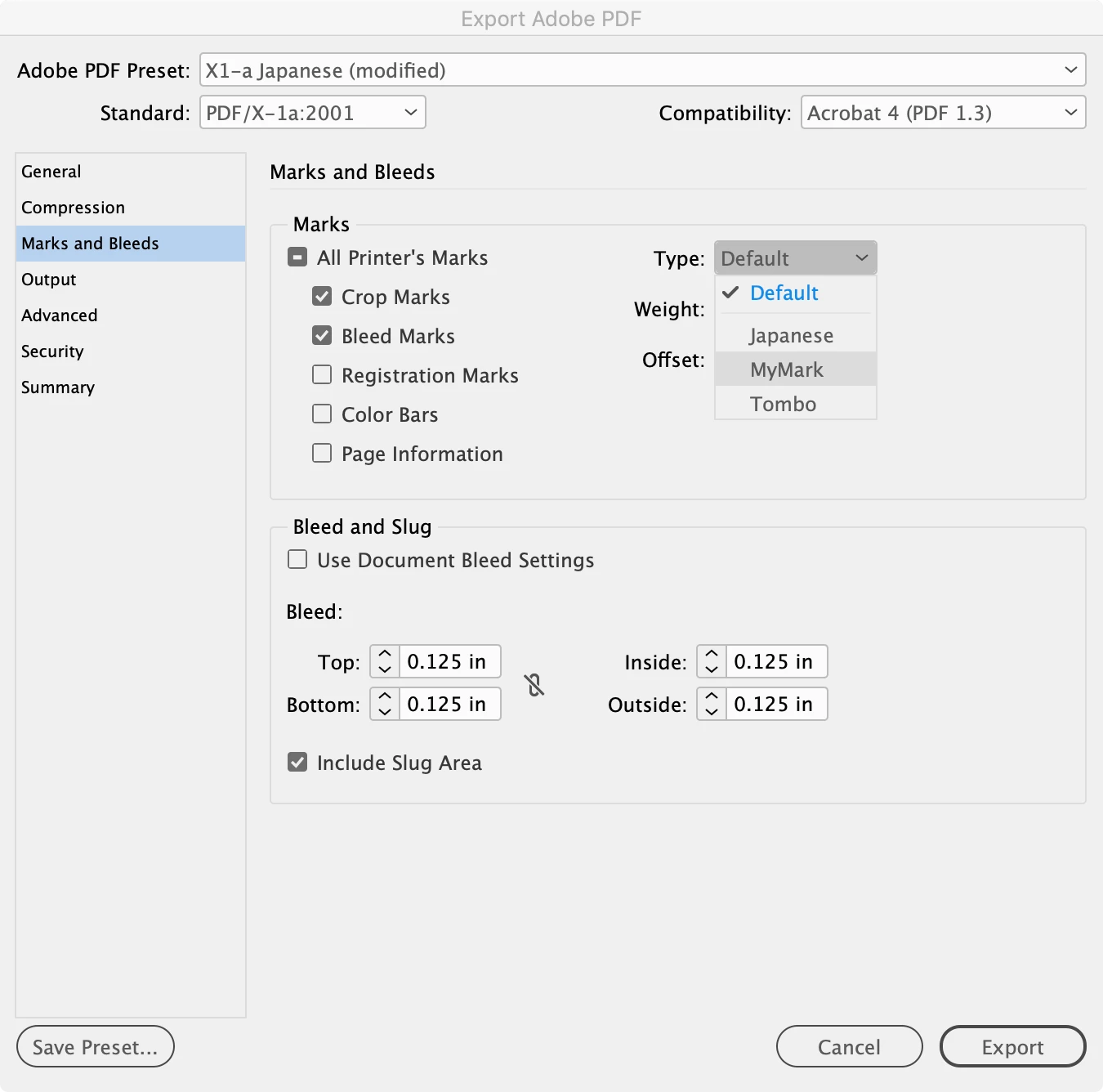
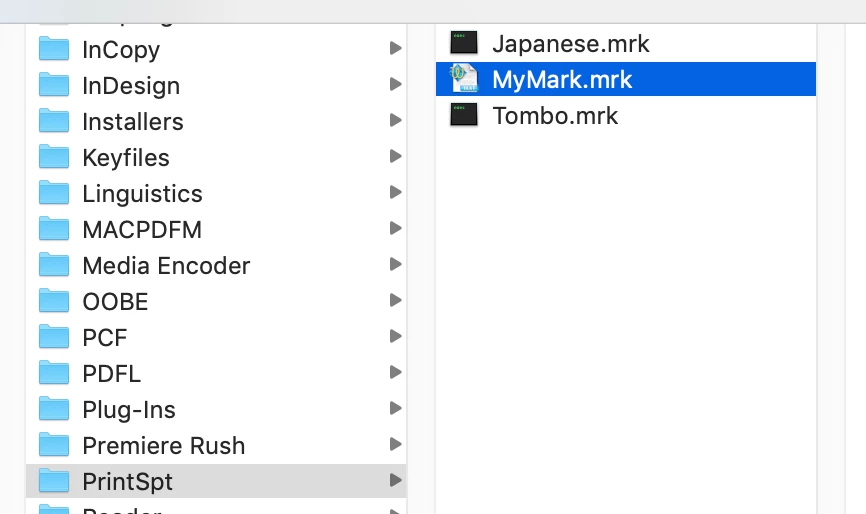
How to change length of crop marks in InDesign?
I am the graphic designer for my print company. I am trying to automate some processes and we produce a lot of full bleed print products. An issue I have encountered between InDesign and Illustrator is that it seems they have two different sized crop marks. I have all of my export settings the same, however when I export the files from each of the programs, the finished file size is different. Yes the trim size is correct for both, however it becomes an issue when creating n-up print templates. Any suggestions to help correct this?
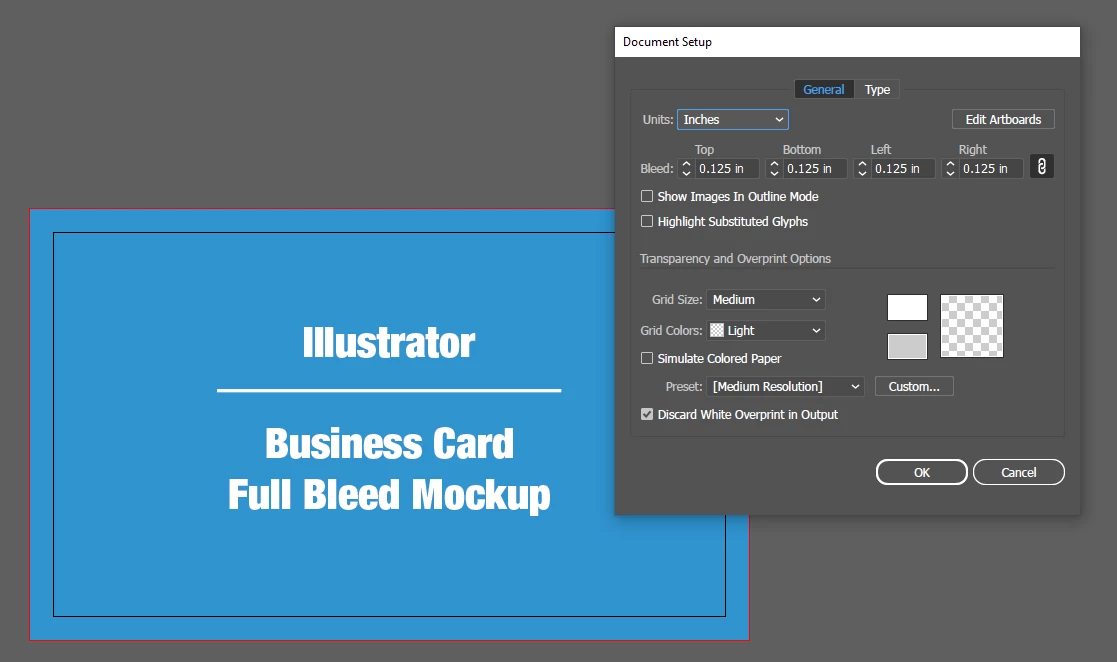
Illustrator Document Setup Settings:
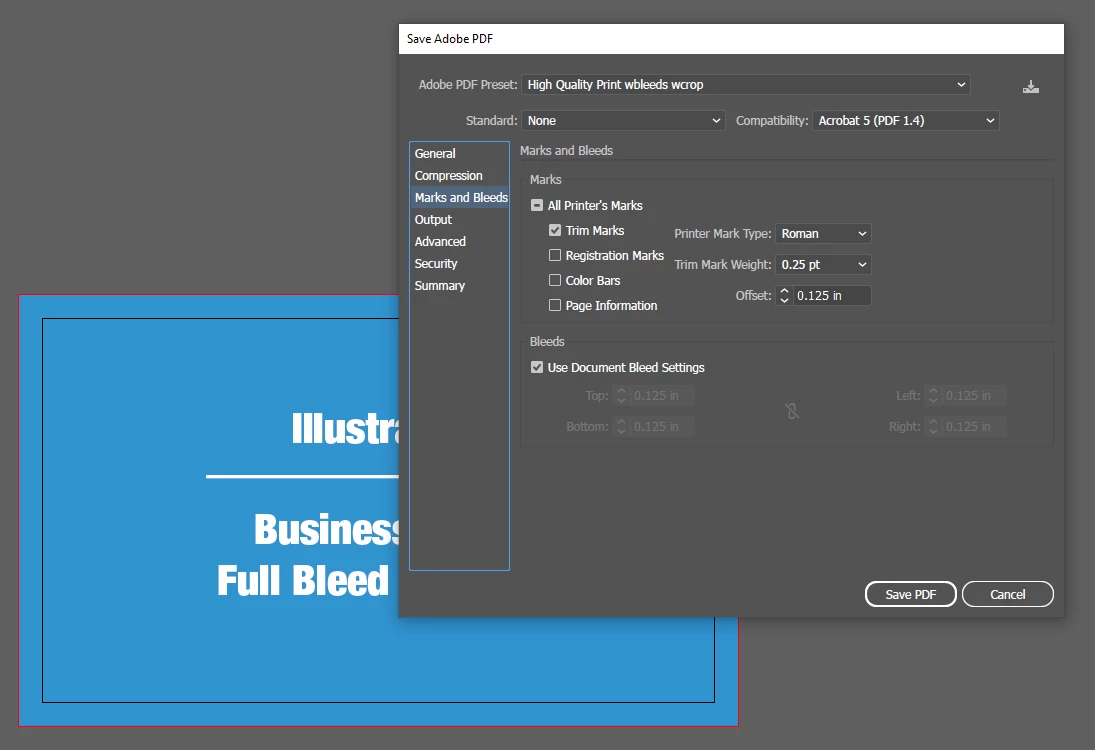
Illustrator Export Settings:
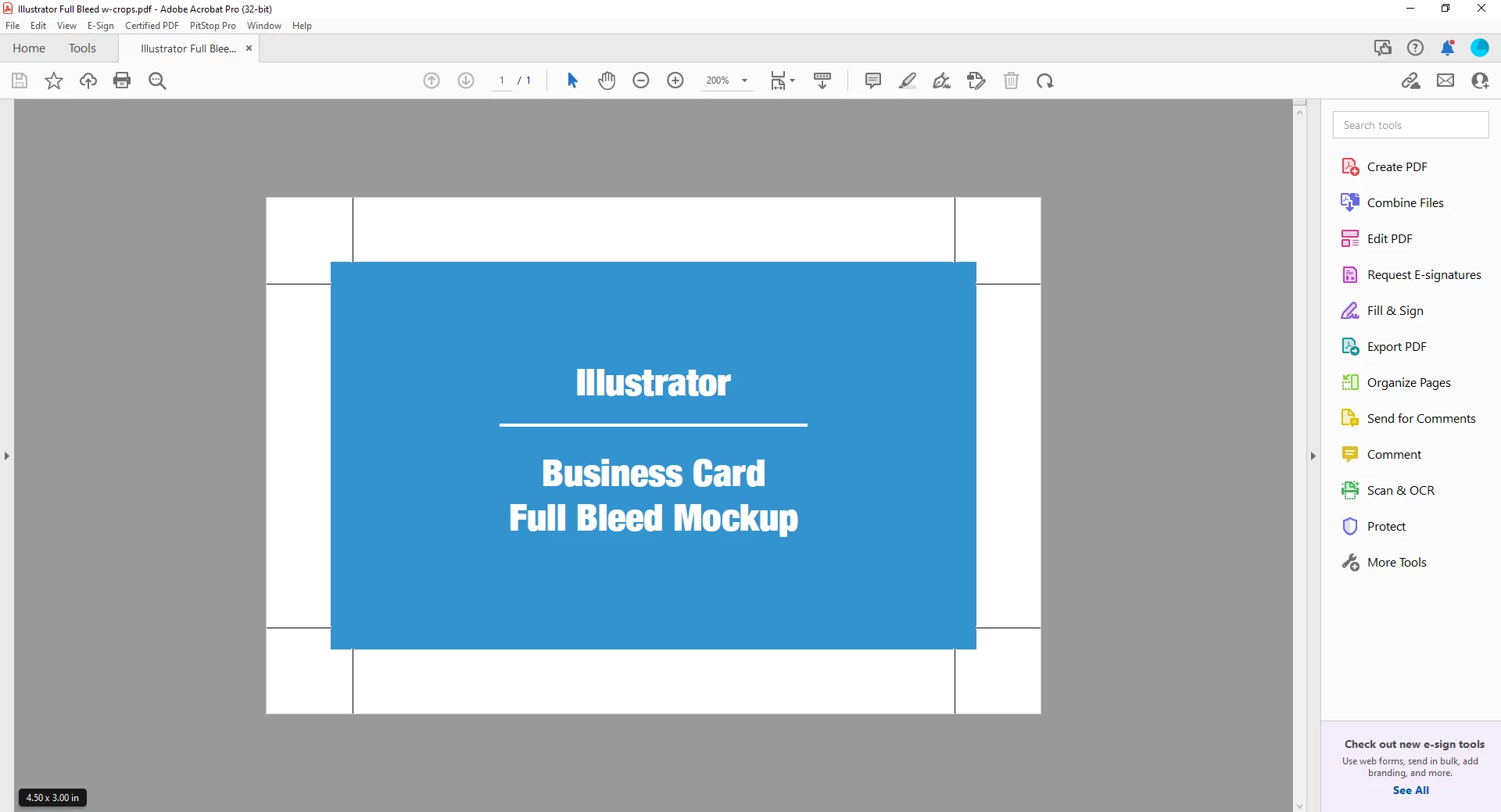
Illustrator Finished File Size (bottom right: 4.50in x 3.00in):
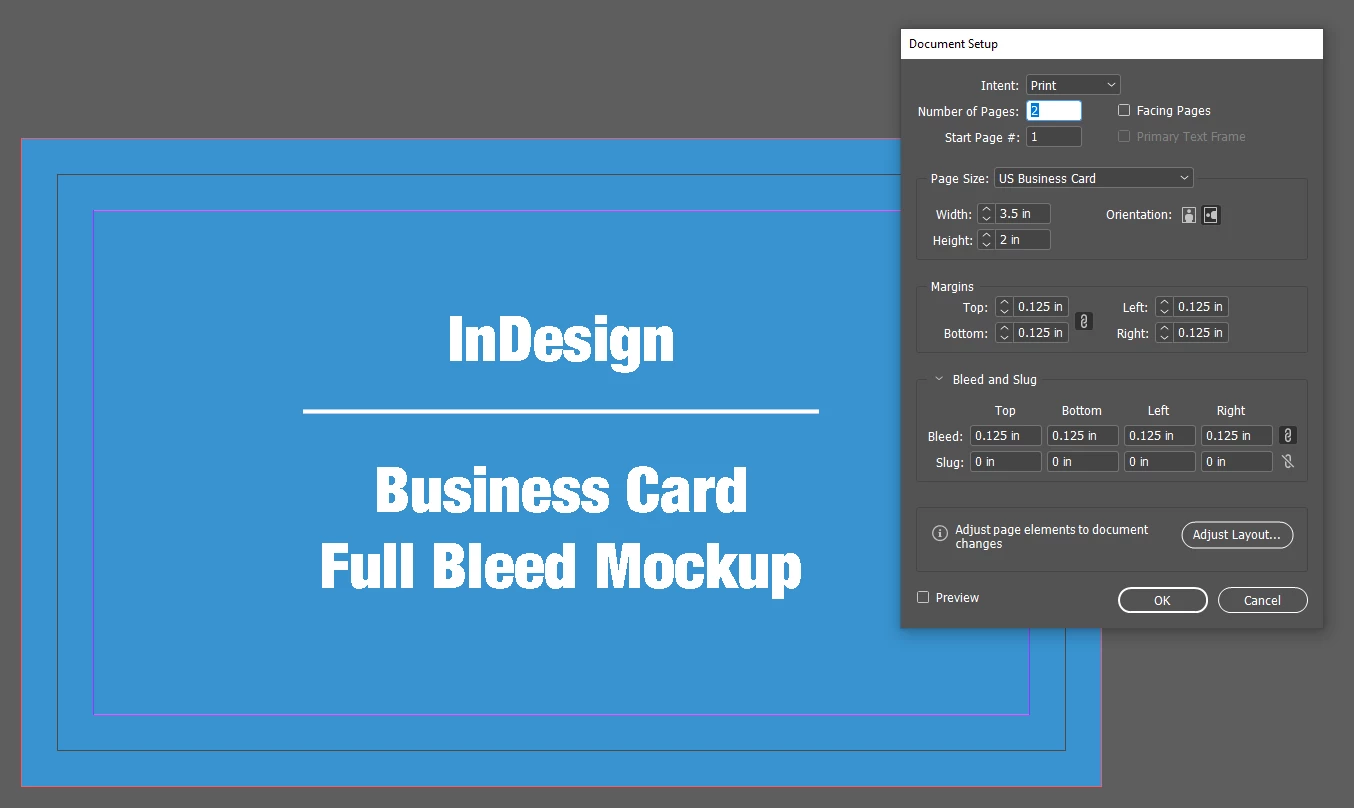
InDesign Document Setup Settings:
InDesign Export Settings:
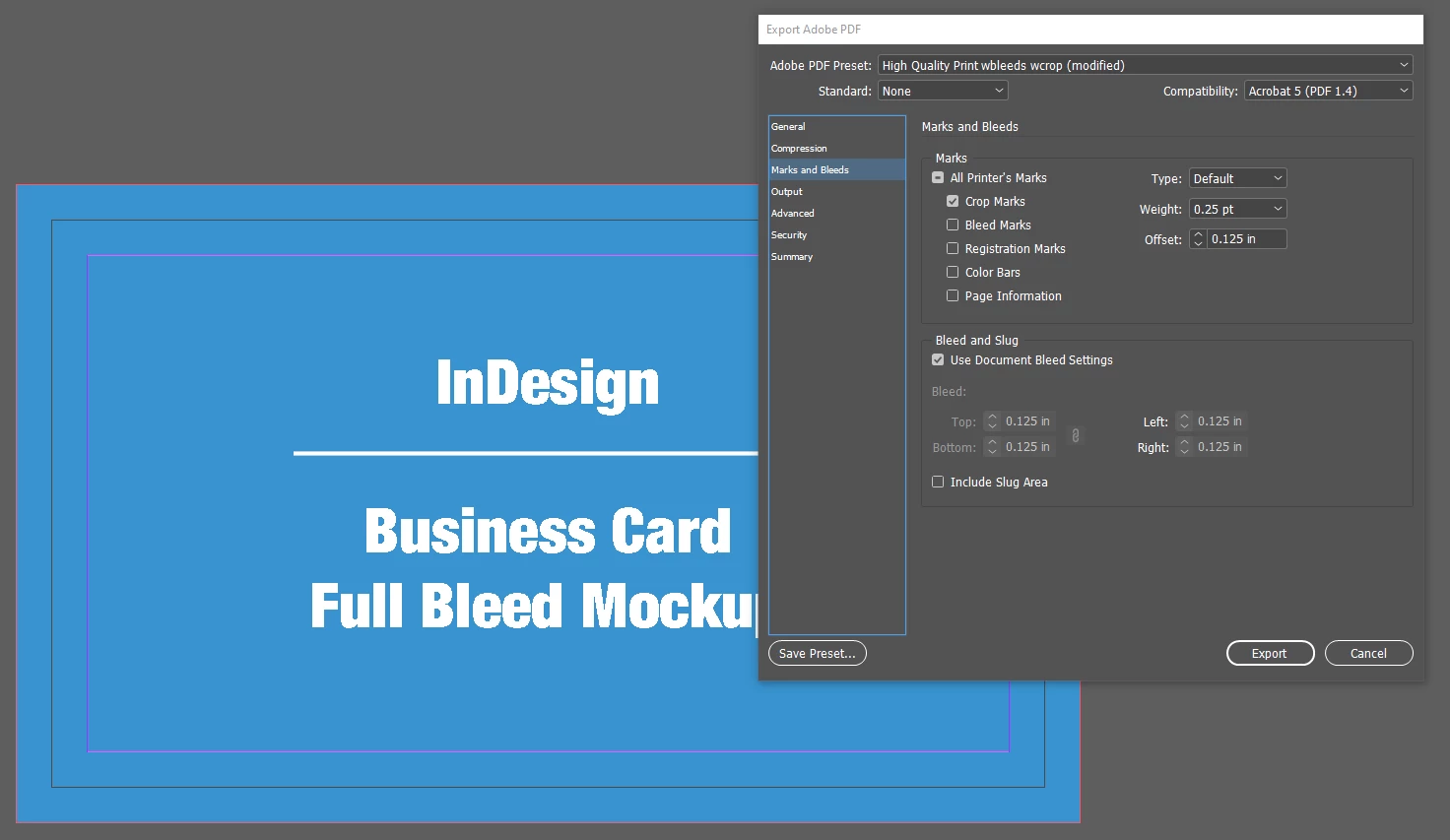
InDesign Finished File Size (bottom right: 4.17in x 2.67in):
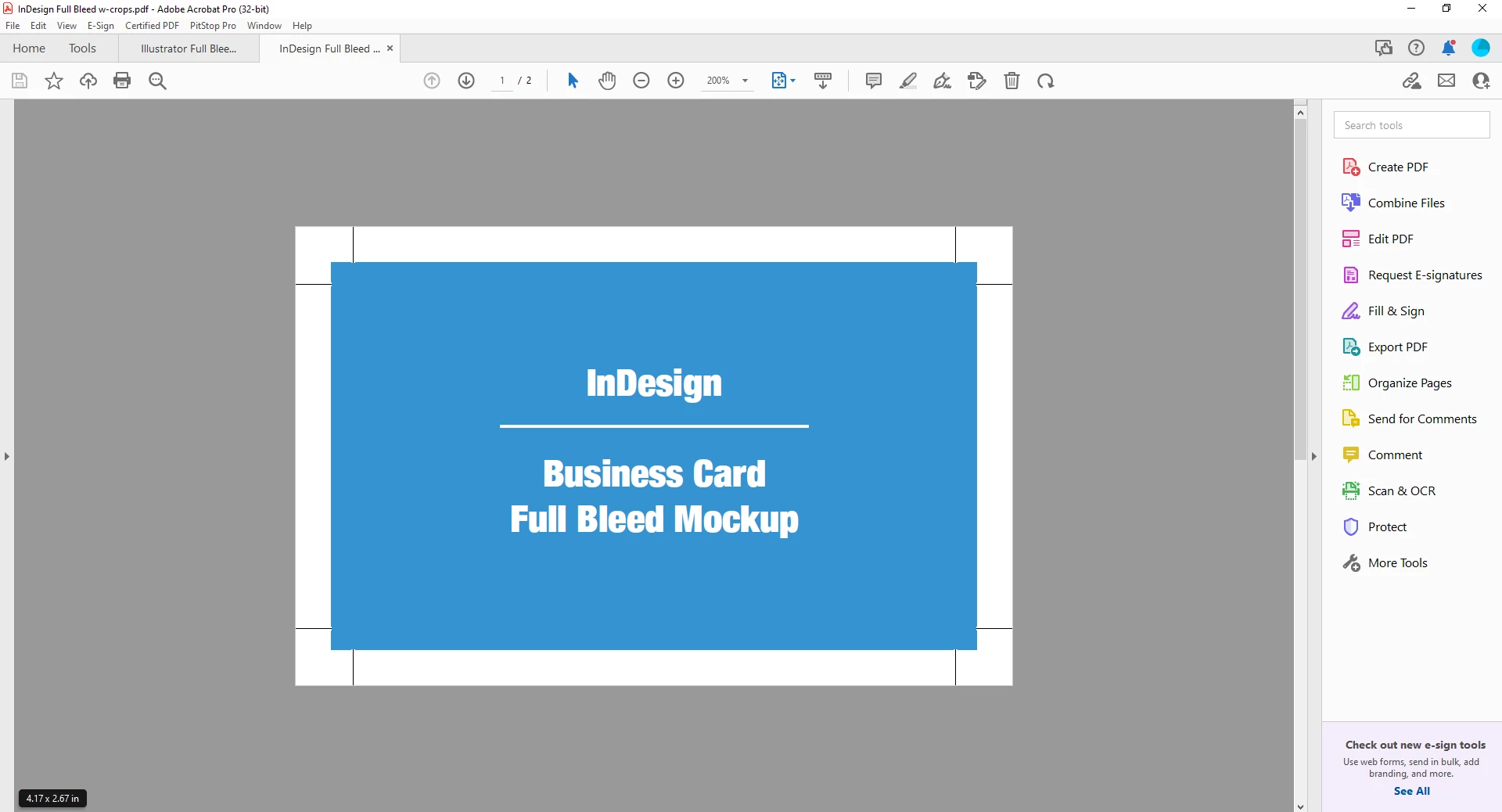
Am I missing something super obvious? Any ideas how to correct this and keep them consistent?
Thanks,
Kaitlyn Monsivais
 AdChoices