


How to convert old Indesign docs to new colour settings.
I've been sorting out my mess of colour settings, and have hit on a formula which I'm sticking to. I've synced colour settings across the three major apps. Here are the settings.
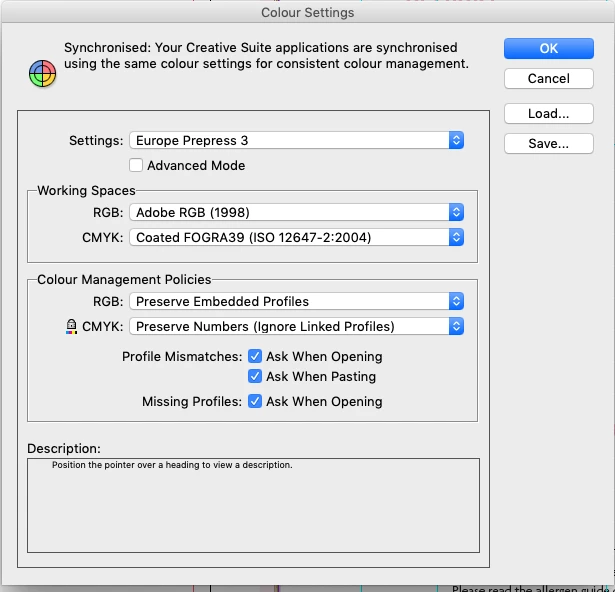
Now, as I open old docs, I want to change them to these new settings above.
Sometimes I open an old doc and I get no error messages, and on another doc, I get errors such as these below
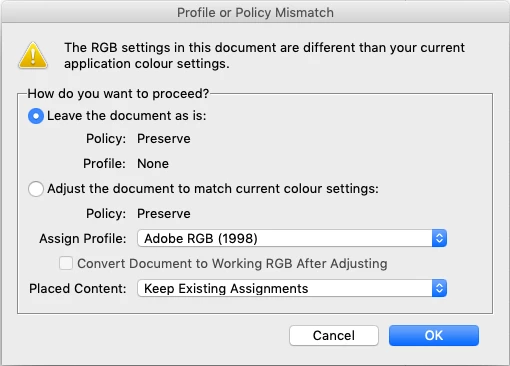
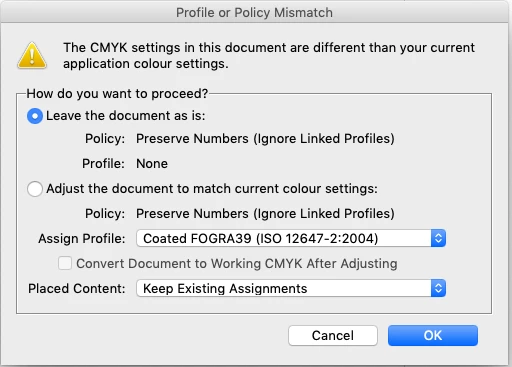
What is the best way to correct these to the new? I've been pushing the 'Adjust the document to match current colour settings '(and saving), but something is not sticking as the next day I will get the same error messages.
So should I be doing it through
edit/assign profile or
edit/convert to profile
and then save
OR
Is it to do with the Placed Content drop down?
I must be doing something wrong, as I think I've changed it, then the next day I will still get the same error messages.
 AdChoices