


Known Participant
March 13, 2023
Answered

how to create an object style with a photo box and text box attached below

  • March 13, 2023
  • 2 replies
  • 831 views

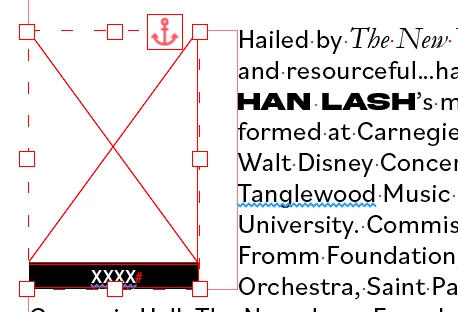
I'm creating a booklet that contains many bio's. To the left of each bio but inset within the text will be that person's photo and then directly beneath the photo is a text box with their last name. (Screen shot of an example)


I found the settings that I want for the anchored object but I've been manually going into eacth one and entering them. Is there a way I can make some kind of style that I can apply to this? 


I tried to use object style, but when I did that it would change the text box area beneath it. I've only worked with character styles, so I'm sure I'm overlooking what I should do. 


Is there a way to make this style so I can automate this process? 


This topic has been closed for replies.
Correct answer Micah5C08

In the object style try unchecking all of the boxes under basic attributes except for "anchored object options" and "text wrap & other". Then when you apply the object style it will only effect those two things. 

2 replies

James Gifford—NitroPress
Legend
March 13, 2023

You may want to explore ID's caption feature, which is oddly limited but would be a precise solution to what you're attempting.


It is difficult to create multi-element objects and have anchoring work correctly.


Known Participant
March 13, 2023

I was able to make it work with another uggestion, but I didn't know about the caption feature. I'll have to check that out sometime. I appreicate your suggestion!

Micah5C08Correct answer
Inspiring
March 13, 2023

In the object style try unchecking all of the boxes under basic attributes except for "anchored object options" and "text wrap & other". Then when you apply the object style it will only effect those two things. 

Known Participant
March 13, 2023

Oh my gosh, that worked! Thank you! That was much easier than I anticpated. 😀

Inspiring
March 14, 2023

Yay! Glad to help!