


Inspiring
March 19, 2023
Answered

How to Define a default stroke in InDesign

  • March 19, 2023
  • 3 replies
  • 7515 views

For years I had a default stroke of 0.25 point (black) set and it worked fine. Now, whenever I go to create a new line (I use these for callouts), the settings are correct, however the line path is created but without a color or width assigned to it. Just the "placeholder" is present, which I have to go in and fix Every. Single. Time.


I need to do hundreds of these and I don't know what I messed up (or when), but it's driving me crazy. Any thoughts?


In this top image the supposed-default setting of black/0.25pt is selected.

As soon as I attempt to draw a line with these settings this is what results:
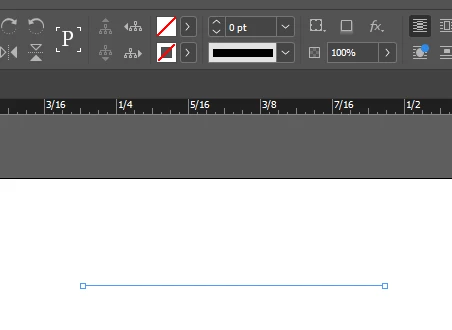
Result: 0 pt line, no stroke color.


{Renamed By MOD}


This topic has been closed for replies.
Correct answer rob day

I have applied the script and it does appear to have solved the problem—thanks—however I wish I could have done this without needing to use this step. It definitely appears to be related to the "none" object style; beats me how this affects things or why I can't change it. SO frustrating....


I have applied the script and it does appear to have solved the problem


You can perform the same steps as the script manually. With a document open, make sure there is nothing selected, double click the [Basic Graphics Frame] Object Style, set the dialog’s Fill to [None], the Stroke to [Black], and the Stroke Weight to .25. Click OK and leave the default Object Style as [Basic Graphics Frame]. If necessary clear overrides by Option-clicking the style.


The script does the above with one click. As I mentioned a startup script could force a desired default behavior for every document you open. I don’t think resetting your prefs is necessary.


3 replies

Robert at ID-Tasker
Brainiac
March 19, 2023
Barb Binder
Community Expert
March 19, 2023

Hi @PeterD-NJ:


If resetting defaults doesn't do it, check your Object Styles panel. What is selected before and after you draw your line?


~Barb


~Barb at Rocky Mountain Training
Peter Spier
Community Expert
March 19, 2023

Define it with no files open to make it a default for all new files. With nothing selected to redefine the default in existing files.

PeterD-NJAuthor
Inspiring
March 19, 2023

Dumb question, but how can I do this with no files open?

Peter Spier
Community Expert
March 19, 2023

Open InDesign, open the Stroke panel, set the weight.