


Participating Frequently
November 22, 2018
Question

FR: How to Disable "Learn More" Pop-Ups in InDesign

  • November 22, 2018
  • 51 replies
  • 34608 views

After a recent update, my InDesign is now showing all these stupid pop-ups the whole time.


Screenshot attached.  To be absolutely clear, I am talking about the entire dialogue box, not the tool-tip illustrateed in a section of the dialogue box shown.


How do I kill them off once and for all ?  I've looked through Preferences but canot spot anything obvious.


<Title renamed by MOD>

51 replies

Participating Frequently
November 8, 2024

Exact same thing is happening here, very similar circumstances- clean install of Win 11, followed by clean install of Adobe CC. Seems like it's a bug.

Participating Frequently
October 31, 2024

Really Adobe? What is going on? Why didn't you even THINK about providing a disable for this situation? Who is running your ship and making decisions? We have been using InDesign for years (although I do miss Quark which was fun to use, a lot, and FreeHand before that got killed too). This inconvenience is simply UNACCEPTABLE. We pay A LOT  of money to use your software, so isn't it about time you start respecting them and supporting them? This rectification needs to happen yesterday.

Participant
October 30, 2024

How does one get rid of the blue tip boxes popping in Indesign? They are distracting and I would like to remove them permanently from my program. If I want tips I will search for them myself.


<Title renamed by MOD>

jane-e
Community Expert
Community Expert
October 30, 2024

@annief61299112 


I've moved your post from Creative Cloud desktop to the InDesign forum.


Jane


dublove
Legend
October 24, 2024

It's a little annoying.

And sometimes pressing Esc won't make it go away.
The dialog box stays on the screen for a long time.

Community Expert
October 24, 2024

Is this in 2025? I checked my 2023 and 2024 installation and I did not get any popup on launch. Though I do remember some kind of popup on fresh install.

-Manan

-Manan
David 66
Known Participant
October 23, 2024

When working on a document and I need to undo something, quite often a prompt pops up after undoing, showing the history panel tour (please see attached screenshot). I've gone through the tour a few times, but it keeps appearing. It also leaves the history window in place as shown below, which is irritating because I have to move or close it.


Is there a way to turn this off? This has been happening with the last few versions of InDesign.


Participating Frequently
October 23, 2024

Sadly no way to turn it off @David 66 .   And if the post from Adobe above yours is to be believed, apparently we are a minority, we are merely the "some users" who are inconvenienced.

Inspiring
October 21, 2024

is there a way to make this constant tutorial disappear? I don't know how many times I've clicked through it and yet it keeps coming back way to often. I like working with the CC Library, but these pop-ups in the window are just annoying.


<Title renamed by MOD>

Abhishek Rao
Community Manager
Community Manager
October 21, 2024

Hi @DERJUNG,


Thank you for reaching out! I completely understand how frustrating it can be to deal with persistent pop-ups, especially when you're trying to focus on your work.

The tooltips you’re experiencing typically occur after an application upgrade, a fresh installation, resetting preferences, or when adding plugins. They’re designed to help users get acquainted with the features, but they can indeed become a bit overwhelming. Generally, these prompts should only appear for the first 3-4 times you launch the application after one of those changes.


If the pop-ups continue beyond this initial period, please let us know. We’d be happy to explore additional options or settings to help reduce the frequency of these tutorials. Your feedback is valuable, and we appreciate your patience as we work to enhance your experience with the CC Library.


Thank you for being part of our community!


Best, 

Abhishek Rao

Participant
October 23, 2024

I am experiencing the same thing! In Illustrator, every time that I open the library the pop-up tour begins. I click thru and it still does it the next time it is opened. I am really tired of it. I use the library constantly. It started with the last update. Using v29.0

Community Expert
October 8, 2024

No, you can't disable those. Every time you reset preferences or install an update you get those blue dots and Learn More items. Very annoying indeed. You could log a request at https://indesign.uservoice.com.

Tim5FA0Author
Participating Frequently
October 9, 2024

Thanks @Peter Kahrel 


As an avid Adobe supporter and user for many years, I have this dark feeling creeping in that it may be time to part ways. 


Perhaps the early adopters of Affinity etc. were not wrong.  Adobe, it seems, has lost its way.  And I'm sad about that.  I came to Adobe, and in particular InDesign because Quark had lost its way.  Perhaps Adobe's time has come.

Participant
October 18, 2024

I agree - I am actively looking into an alternative.

Magnanelli Design Co.
Participant
August 25, 2024

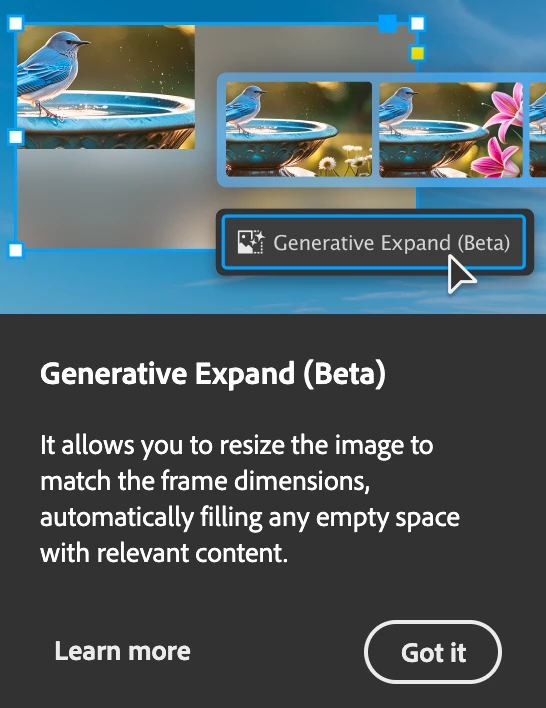
I'm sure Paul Trani is a really nice guy, but I don't need a popup video of him showing me the new AI features. I'm trying work. It's becoming very frustrating. Those things should be limited to the home screen. If I want to learn something new I'll look there. Othewise keep the popups out of my files while I'm trying to work. 

Participant
July 24, 2024

For me, the context bar has been useless at best, but more often it is simply in my way. It frequently covers the image or text that I am working on, making it difficult to see and edit my work. This obstruction disrupts my creative process and hinders productivity. At least the context bar can be turned off, which is a relief.


Now in InDesign, every time I click on an image, a popup tutorial video about how to use the new text-to-image AI feature appears from the context bar This video covers about a third of my screen and whatever image I have selected. This is extremely frustrating as it prevents me from continuing with my project without first closing the video.


I strongly believe that these popups—whether advertisements or tutorials—should not interfere with the workspace. I hope this does not become a common practice, as it greatly impacts the user experience.


<Title renamed by MOD>

leo.r
Community Expert
Community Expert
July 24, 2024

The Context Bar can be disabled by either clicking the three dots on the bar to access its menu, or via the Window > Contextual Task Bar.


I also think that after clicking 'Got It' the video won't show again.


June Rabbit
Known Participant
July 18, 2024

Every time I move an image in InDesign, I see this annoying popup trying to coax me into using the next AI beta feature that Adobe is cramming into its software these days. I see Adobe community posts going back more than 6 years asking how similar annoying popups can be disabled on a number of Adobe apps. Please advise. And Adobe Development team, please make these optional without the need for the user to make registry edits!


And no, I don't want to keep clicking "Got It". I just want these helpul annoying popups to stop spamming my workflow.

June Rabbit
Known Participant
July 18, 2024

So, for anyone else tired of this particular annoyance, you can go to Windows > Contextual Task Bar and make sure it is unchecked.

JPDL
Participating Frequently
October 7, 2024

No longer in that place in the current version : 19.5

Of course, there is always a choice.

There are several other progs that do the same, some a lot cheaper as well.....