


Exit
  • Global community
    • Language:
      • Deutsch
      • English
      • Español
      • Français
      • Português
  • 日本語コミュニティ
  • 한국 커뮤니티
0

How to edit images (remove background) in InDesign?

New Here ,
Apr 28, 2021 Apr 28, 2021

Hi, I'm writing a book and using InDesign which is great, and Adobe images that I've bought look great - but I wanted to add a few sketches that I've done myself - pen on white paper, scanned on my HP printer on High at 600dpi - you can see little off white on the InDesign screen, but when I export to PDF to review it looks a lot worse - any ideas on how I can get the background whiter?  Many thanks, Paul B
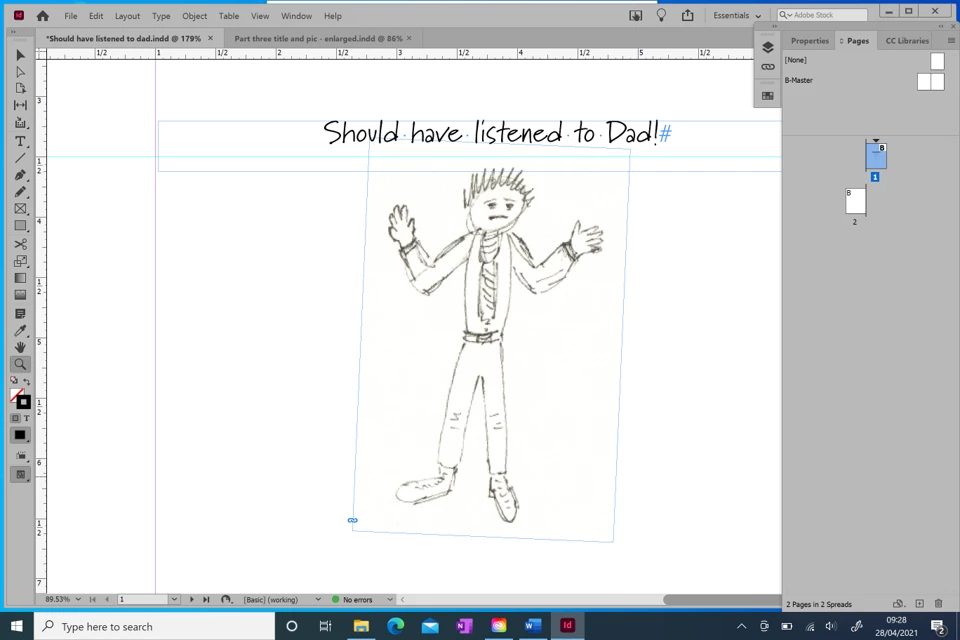
 

InDesign - off white behind pic.png


{Renamed by MOD}

TOPICS
How to
782
Translate
Report
Community guidelines
Be kind and respectful, give credit to the original source of content, and search for duplicates before posting. Learn more
community guidelines

correct answers 1 Correct answer

Community Expert , Apr 28, 2021 Apr 28, 2021

Do it in Photoshop or give Illustrator's live trace a try. If it was truly a white background you could set the blend mode to multiply.

Translate
Community Expert ,
Apr 28, 2021 Apr 28, 2021

Do it in Photoshop or give Illustrator's live trace a try. If it was truly a white background you could set the blend mode to multiply.

Translate
Report
Community guidelines
Be kind and respectful, give credit to the original source of content, and search for duplicates before posting. Learn more
community guidelines
New Here ,
Apr 28, 2021 Apr 28, 2021
LATEST

Excellent - thank you!  Tried the blend multiply and that didn't seem to work, so just tried out a free trial of Illustrator and used the Trace feature - and it works brilliantly - looks great, my kids will be well impressed - thank you!

Translate
Report
Community guidelines
Be kind and respectful, give credit to the original source of content, and search for duplicates before posting. Learn more
community guidelines