
Known Participant
March 28, 2020
Answered

How to embed a font in Epub format

  • March 28, 2020
  • 2 replies
  • 19983 views

Hello


1

I want to make an e-book in the fixed layout format. The file format should be Epub. I am exporting my file from Indesign, but I do not find any option or setting to embed a font. So how do I embed a font in Indesign, or is it done automatically when I export to Indesign?


2

And of course I need my chosen font to be seen by the end users on their Epub-readers, without any conversion of the font, that I am using in the file.


Are all Adobe fonts embeddable? And how about TTF and OTF, are these font types also embeddable?


I am using the font Foco (an Adobe font) and I have a license to Adobe Creative Cloud, but does this license allow me to use and distribute an Adobe font embedded inside a file in the Epub format.


3

And if you have any other advise on what to take note of, then please share it. 


Does making an Epub require skills in CSS and HTML or any other programming language?


Thank you
Correct answer manal shanableh

Sorry, I missed that this thread was about FXL EPUB.


Fixed layout EPUB, at least as exported from InDesign, always embeds the fonts. There is no export or menu option to control or manage it. 


CSS is the document style sheet. It can define fonts used for each style, and include font loading directives, but the actual inclusion of font files in the EPUB document is managed by the export process. CSS has nothing to do with that aspect. 


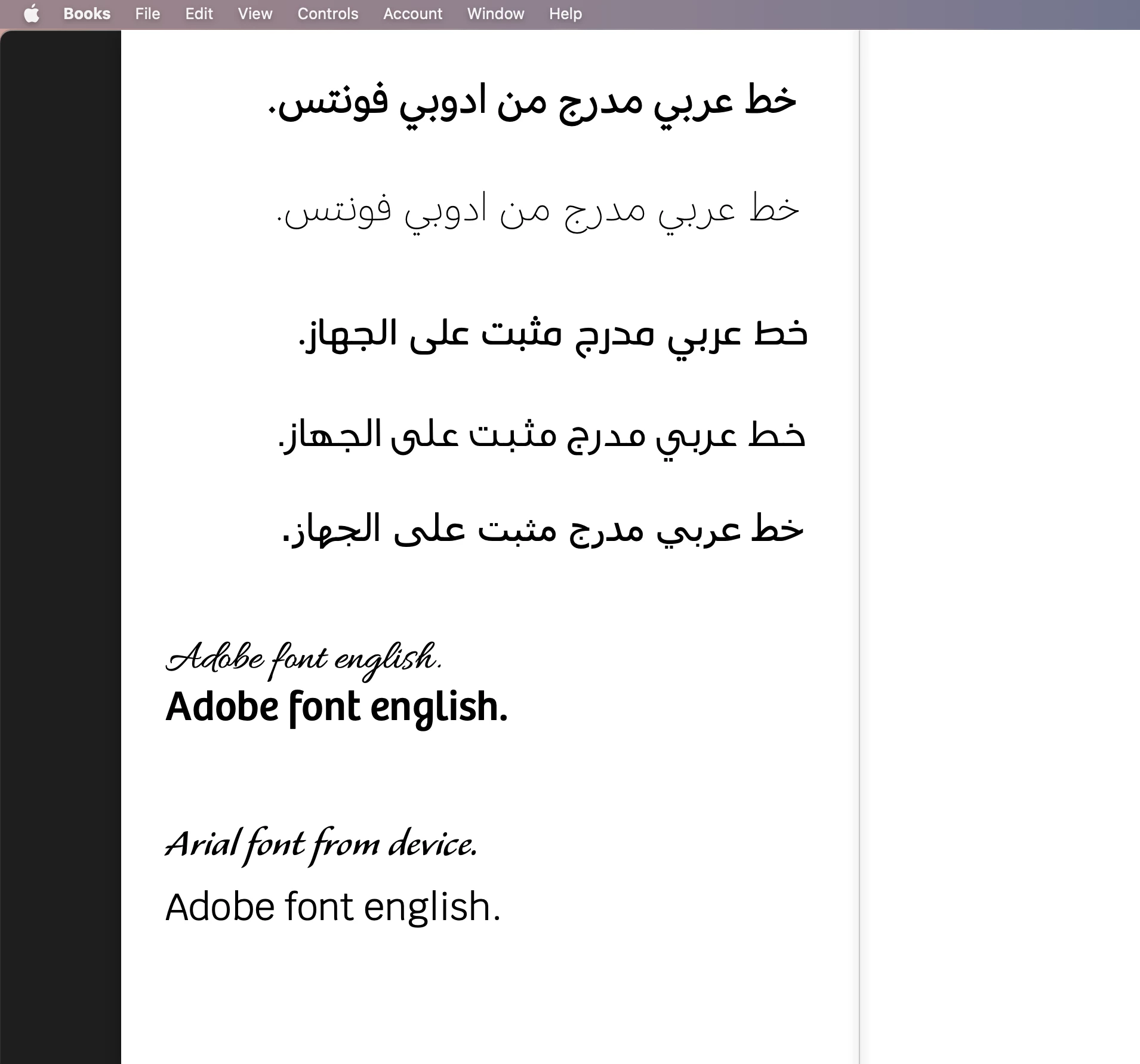
i just solved the issue for css, edited it and fixed the issue with RTL style to be readed well in an epub reader, last days, i had to fix the arabic text i fixed epub with OUTLINE the text. but now its DONE 


2 replies

rob day
Community Expert
Community Expert
March 28, 2020

Are all Adobe fonts embeddable? And how about TTF and OTF, are these font types also embeddable?


Yes, Adobe fonts are included with the .epub package and are listed in the ePub’s CSS style sheet.


Does making an Epub require skills in CSS and HTML or any other programming language?


There is the option to add additional CSS style sheets, but that’s not a requirement.

manal shanableh
Legend
May 18, 2023

Is there ayway to generate css file with embedded font with editing the css file?

i generate the css file bu exportig html file.

manal shanableh
manal shanablehCorrect answer
Legend
May 19, 2023

Sorry, I missed that this thread was about FXL EPUB.


Fixed layout EPUB, at least as exported from InDesign, always embeds the fonts. There is no export or menu option to control or manage it. 


CSS is the document style sheet. It can define fonts used for each style, and include font loading directives, but the actual inclusion of font files in the EPUB document is managed by the export process. CSS has nothing to do with that aspect. 


i just solved the issue for css, edited it and fixed the issue with RTL style to be readed well in an epub reader, last days, i had to fix the arabic text i fixed epub with OUTLINE the text. but now its DONE 


Derek Cross
Community Expert
Community Expert
March 28, 2020

Adobe Fonts are licenced for use on ePubs. OTF fonts are recommended.

Linkedin Learning has some excellent online video tutorials on creating ePubs with InDesign. You can get a 30-day free trial.

Knowing a bit of HTML and CSS is helpful in creating ePubs.