Okay, seems I misremembered the behavior of 'contents' when having a table selected. Fortunately, it was a fun exercise to work it out.
The following approach works: first, get the contents of *all* selected cells. This is going to be a flat array of [Object Cell], of which we get the contents only, so it will be a flat array of text strings. Then separate this long array into original-cell-selection widths, and finally join the row parts back with tabs, and the rows themselves with newlines.
Code:
cellSpan = app.selection[0].columns.length;
text = app.selection[0].cells.everyItem().contents;
result = []
while (text.length)
result.push(text.splice(0, cellSpan).join('\t'));
result = result.join('\n');
and then 'result' will hold newline separated rows, with tabs between the cell contents.
Hi Jongware,
however, merged cells could be a challenge.
But for that we have a menu command we could execute in case:
"Unmerge Cell".
EDITED:
var columnSeparatorString = '\t' ;
var rowSeparatorString = '\n' ;
var doUndo = false ;
var unmergeCell = app.menuActions.itemByName("$ID/Unmerge Cell");
if( unmergeCell.enabled ){ unmergeCell.invoke(), doUndo = true };
var cellSpan = app.selection[0].columns.length;
var text = app.selection[0].cells.everyItem().contents;
var result = [] ;
while (text.length)
{
result.push(text.splice(0, cellSpan).join( columnSeparatorString ));
};
result = result.join( rowSeparatorString );
if( doUndo ){ app.documents[0].undo() };
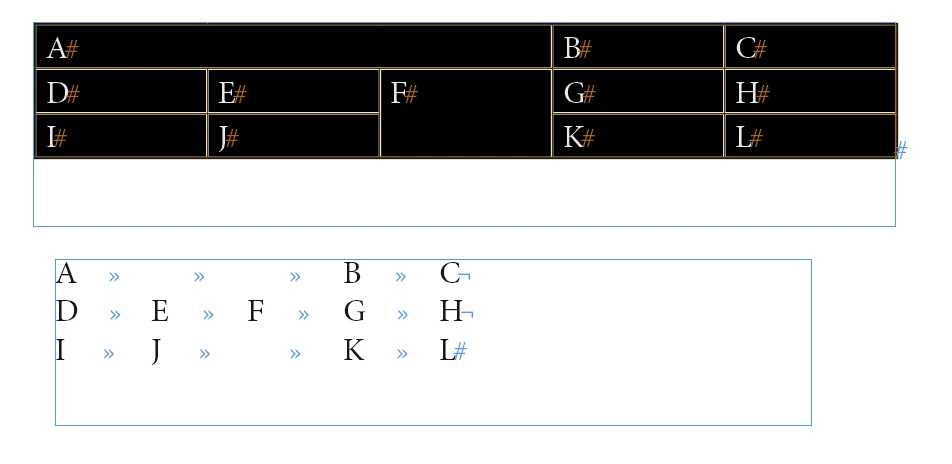
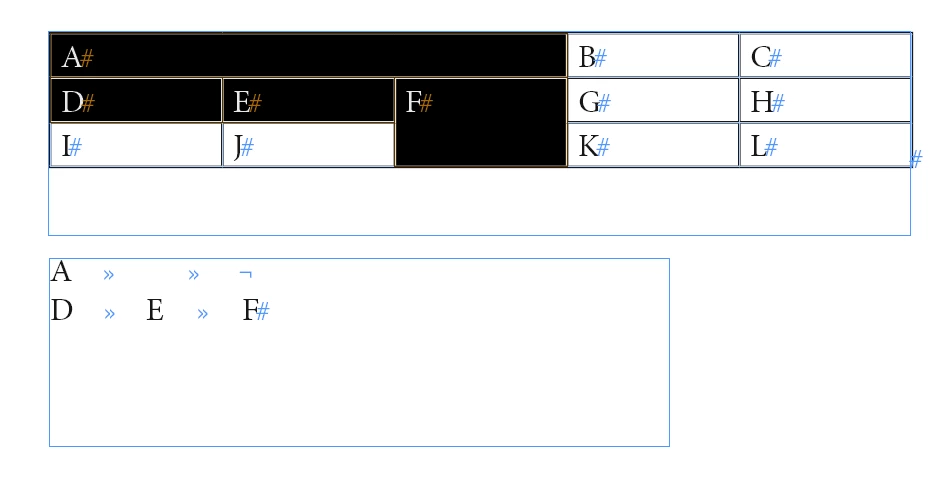
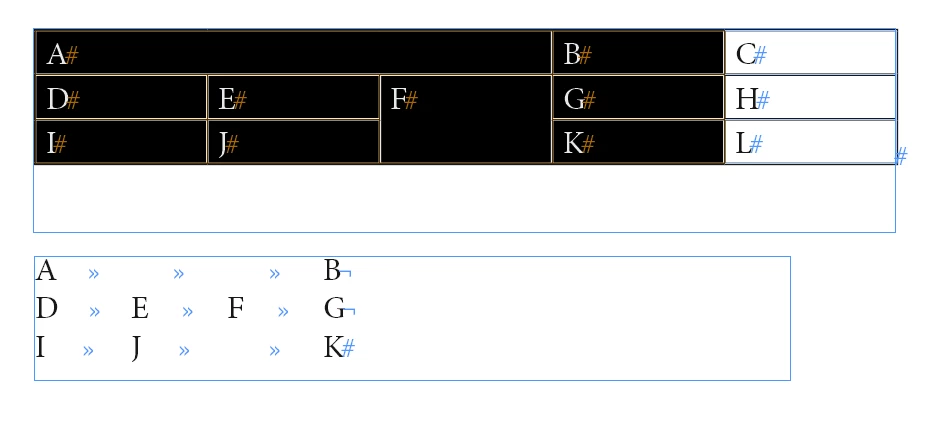
Some selection samples and the result string as contents of text frame below:
Sample selection 1 ( whole table with merged cells )
Sample 2 ( some cells of row 2 and row 3 selected )
Sample 3 ( all cells of column 1 to 4 selected )
Regards,
Uwe



 AdChoices