



Question
How to Find 13-Digit Numbers in tables and Create Hyperlinks in Grouped Items in Adobe InDesign?
Dear All,
I need help with a task in Adobe InDesign. I have a document with 13-digit numbers inside tables, and these numbers are part of grouped items. I want to:
- Find all the 13-digit numbers in the document.
- Create hyperlinks for these numbers automatically.
- Ensure that the hyperlinks are applied correctly, even if the 13-digit numbers are part of grouped items (i.e., text frames or objects grouped together).
Could someone guide me on how to achieve this, possibly with a script or using GREP expressions? Any help would be greatly appreciated!
i tried Indesign javascript:
// InDesign JavaScript
var myDoc = app.activeDocument;
var myStory = myDoc.stories;
var urlPrefix = "https://www.librairesdelest.fr/livre/";

// Find 13-digit numbers
app.findGrepPreferences = null;
app.changeGrepPreferences = null;
app.findGrepPreferences.findWhat = "\\b\\d{13}\\b";

var foundItems = myDoc.findGrep();

for (var i = 0; i < foundItems.length; i++) {
    var match = foundItems[i];
    var thirteenDigitNumber = match.contents;
    var fullURL = urlPrefix + thirteenDigitNumber;

    // Create the hyperlink
    var source = myDoc.hyperlinkTextSources.add(match);
    myDoc.hyperlinkURLDestinations.add(fullURL);
    myDoc.hyperlinks.add(source, myDoc.hyperlinkURLDestinations.item(-1));
}

// Clear GREP preferences
app.findGrepPreferences = null;
app.changeGrepPreferences = null;

alert("Hyperlinks added to all 13-digit numbers!");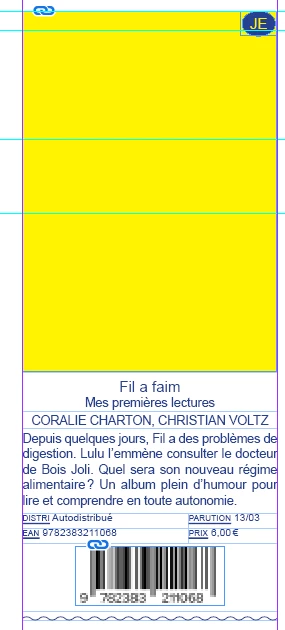
 AdChoices