


Participant
November 21, 2017
Question

How to find/change size of multiple text boxes of same size

  • November 21, 2017
  • 3 replies
  • 14017 views

Hello!

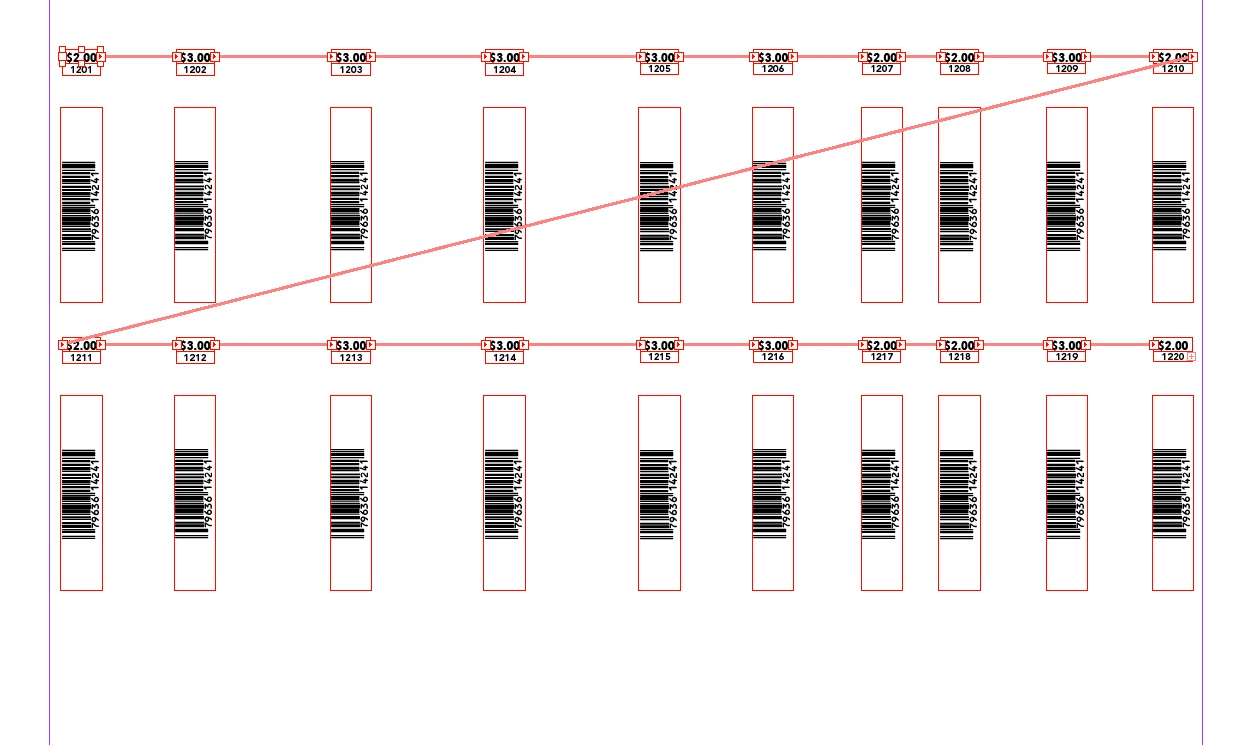
I am doing large layouts of shelf tags that incorporate multiple threaded text boxes to hold prices, upcs and position numbers of items. All of the price boxes are threaded in one thread, the upcs in another, and the position numbers on a third.

My question is this: I have to increase the size of the prices, which is knocking them out of their individual text boxes. Is there any way to do a find/change of the boxes en masse? I have tried searching by the size, but ID isn't able to find anything by the criteria I have tried. Below is a screenshot of how the files are set up and threaded (this is just a sample--I have literally thousands of these boxes to alter).

I am working in CC 2015. Any help would be GREATLY appreciated!

Thanks-

Nita
This topic has been closed for replies.

3 replies

Mike Witherell
Community Expert
Community Expert
November 22, 2017

You guys are right. I mentioned 2018 version because I am impressed with the new aspects of the Object Style feature. I figure if someone is in 2015, they can easily upgrade to 2018, and move the project into that version.

Mike Witherell
Mike Witherell
Community Expert
Community Expert
November 22, 2017

Here is a commercial plugin that does this same sort of work:

Indiscripts :: Equalizer PRO 3.0 released!

Mike Witherell
Obi-wan Kenobi
Legend
November 22, 2017

Equalizer won't do it for the same reason I indicated!

(^/)

Mike Witherell
Community Expert
Community Expert
November 21, 2017

An Object style in InDesign CC 2018 allow you to define the Height and Width of these same boxes. A great help for your project!

A Find/Change can hunt for your textboxes. Go to the Object tab.

Mike Witherell
Obi-wan Kenobi
Legend
November 21, 2017

… But we are in CC 2015, Michael! 

(^/)

Obi-wan Kenobi
Legend
November 22, 2017

… And a small script -- very time-saver -- could be useful!

Just place the cursor in the "prices" story ["blue"], 1 click … and it's done!

(^/) 

Obi-wan Kenobi
Legend
November 21, 2017

Hi,

Does this mean their text frames would be bigger? …

(^/)