New Participant
November 21, 2011
Answered

how to get character count

  • November 21, 2011
  • 2 replies
  • 22061 views

Hi All,

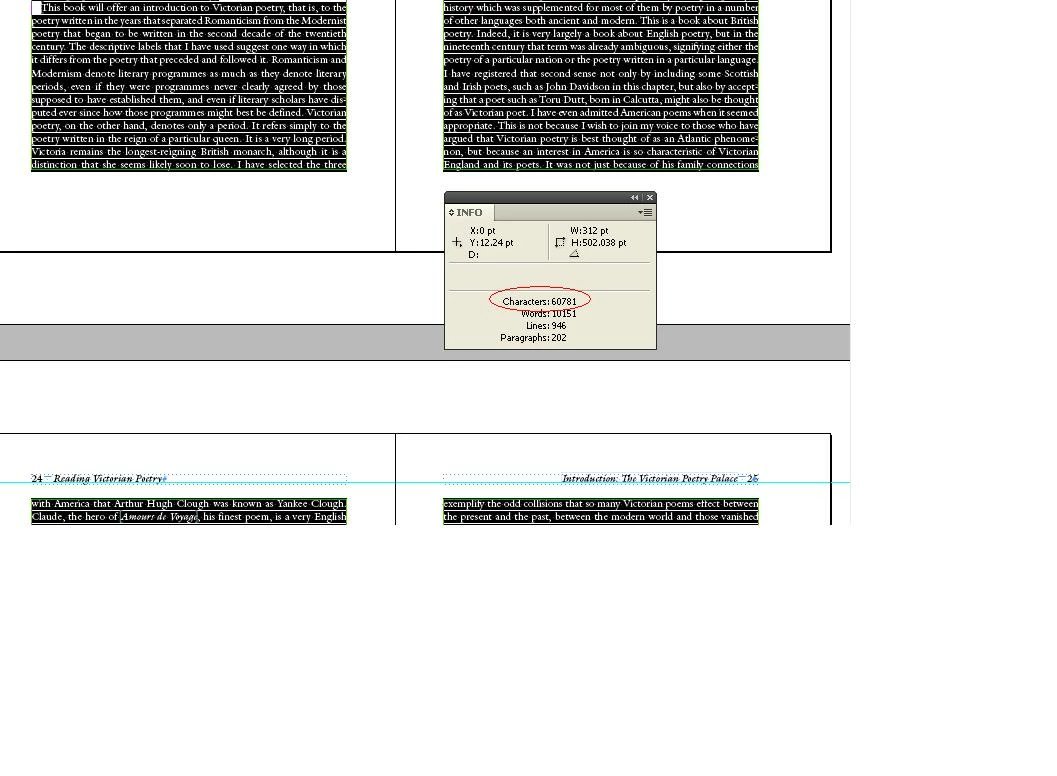
How to read the below highlighted value in script. Pl help me.

Regards,

RockSel

Correct answer csm_phil

Ok Thank you so much.

How to select whole document with out master pages.


Hi Rock Sel,

Try the below js code.

var myDoc = app.activeDocument.pages.everyItem().textFrames.everyItem();

try{

    var myCharlength = myDoc.characters.length;

    }catch(e){}

if(myCharlength<=0){

    alert("Characters count is 0 in this document!");

    }

else{

    alert("Characters count : "+myCharlength);   

    }

thx

csm_phil

2 replies

thkr_techcollege
New Participant
February 18, 2025

AI generated Javascript that counts only visible text elements. It counts both characters and empty space, but not line breaks. Put the needed elements into one layer and hide the others, before making a count. Hope its relevant


<code>
(function ()

{ if (app.documents.length === 0) {

alert("No open documents");

return;

}

var doc = app.activeDocument;

var visibleText = "";


// Check all layers are visible

for (var i = 0; i < doc.layers.length; i++){

var layer = doc.layers[i];


if (layer.visible) { // Only visible layers

var textFrames = layer.textFrames;


for (var j = 0; j < textFrames.length; j++) {

visibleText += textFrames[j].contents; // Only add tet from visible layers


}

}

}


var cleanedText = visibleText.replace(/[\r\n]/g, ""); // Remove line break

var charCount = cleanedText.length; // Characters incl. word space


alert("Number of characters (incl. word space, ex. line break, only visible layers): " + charCount); })();
</code>


Robert at ID-Tasker
Brainiac
February 18, 2025

@thkr_techcollege


Not really.


You don't have to put "needed elements into one layer and hide the others" - as this script will count elements from all visible layers anyway.


This comment is misleading: 

// Check all layers are visible

It's not what this loop is doing.


And overall - it's not optimal - instead of building bigger and bigger string - it could count number of characters for each element and increase total counter. 


Also, it doesn't count texts in Tables. 


And the thread is 13 years old... 


csm_phil
Brainiac
November 21, 2011

Hi RockSel,

Please try the below JS script is alert the character count. Please before select the text after run the script.

try{

    var mySel = app.selection[0].characters.length;

    alert("Characters count : "+mySel);   

    }

catch(e){

    alert("Please select the texts!");

    }

thx

csm_phil

கற_பன___Imagine_
Inspiring
November 21, 2011

try{
    var mySel = app.selection[0].characters.length-1;
    alert("Characters count : "+mySel);   
    }
catch(e){
    alert("Please select the texts!");
    }

length -1 will shown the exact UI values, because js index starts from zero.

tomaxxi
Inspiring
January 24, 2012

Seems good, but I get an error in InD 5.5 (line 10) : "docStories.tables.everyItem().cells.everyItem is not a fonction"

Sorry about the time you took for me.

Can you also tell me if blank characters  (spaces) are counted ? Just to know.

Edit : If I replace the variable by 0 it works for the others (of course, tables are not counted)

/a.


There is a missing comma at the end of the docTablesWords line.

BTW, it's working just fine for me here. (ID CS5.5)