


New Participant
December 17, 2023
Question

How to insert a URL video into InDesign

  • December 17, 2023
  • 1 reply
  • 1825 views

Hi,


Can tell me why I can't insert a URL video into InDesign?

(Here is the video I need to insert:https://youtu.be/H9l2PSHHyYM?si=RGnJO4hM0hEay4YN)

I have tried two ways but they both didn't work.

1. I placed video from URL, but when I insert the link above, it said something like this
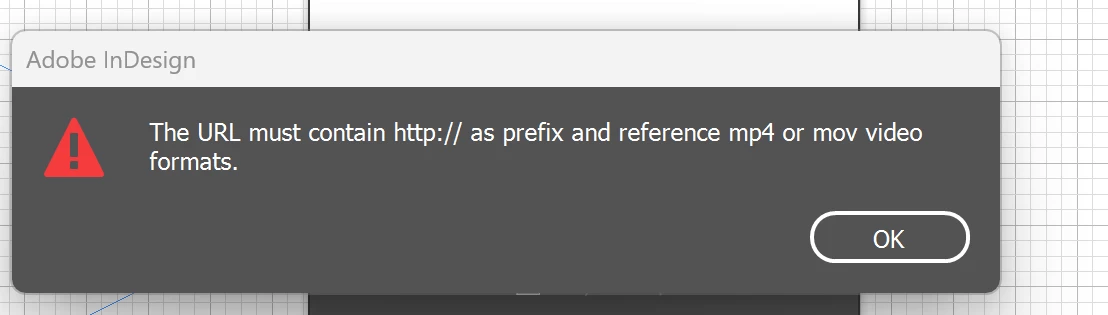
 

2. I went to Object>Edit HTML, and insert this:

<iframe width="560" height="315" src="https://www.youtube.com/embed/H9l2PSHHyYM?si=mcsrr1ZviknGGgn9" title="YouTube video player" frameborder="0" allow="accelerometer; autoplay; clipboard-write; encrypted-media; gyroscope; picture-in-picture; web-share" allowfullscreen></iframe>

but it said this:
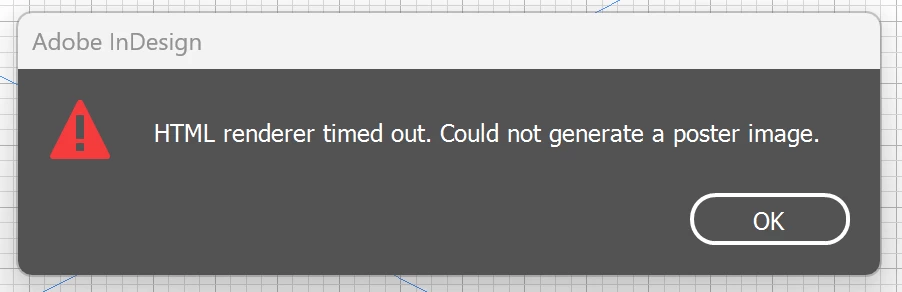
 

I am preparing for an art project. Thanks for your assitance in advance. Hope someone can reply to me soon. Thanks again!

This topic has been closed for replies.

1 reply

BobLevine
Community Expert
December 17, 2023

Works okay here using InDesign 19.0.1 on Windows 11. Try a new document. Does it work?

Try trashing your prefs.

New Participant
December 19, 2023

Hi Bob,

Thanks a lot for your help. 

It hasn't come to the exported file. I just can't figure out why you can insert the video but I can't. "Works okay here using InDesign 19.0.1 on Windows 11. " I just can't understand the caveats InDesign told. 

So, if I want to show the video in my portfolio as a PDF (interactive), should inserting a URL link the best option?

BobLevine
Community Expert
December 19, 2023

One more thing that is well worth mentioning. Adobe includes FREE Portfolio websites with your CC subscription. I would encourage you to look into it. It's far more professional to have a website to refer users to. Adobe Portfolio | Build your own personalized website