Participating Frequently
July 21, 2025
Answered

How to keep multiple paragraph styles together

  • July 21, 2025
  • 2 replies
  • 848 views

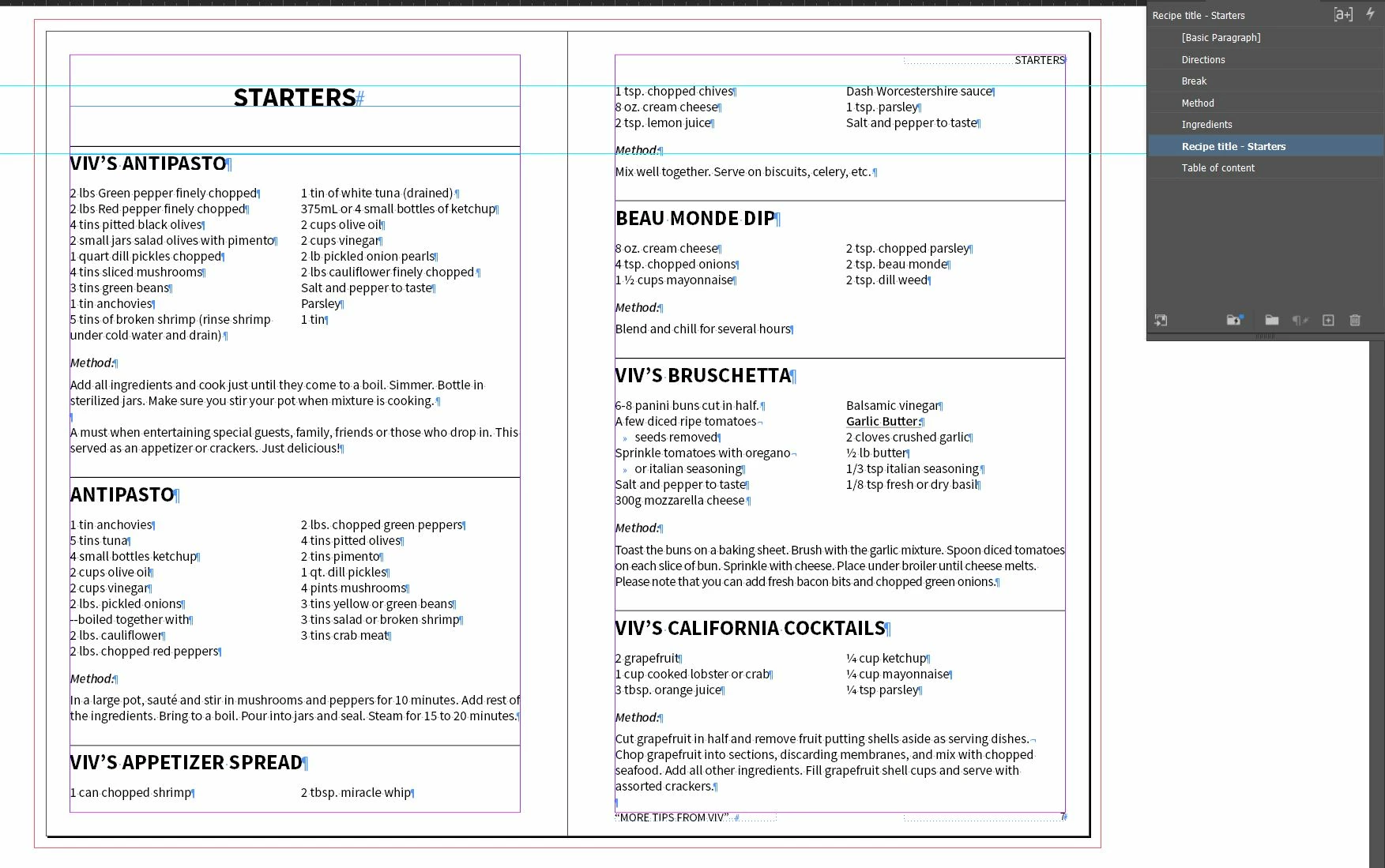
I'm currently working on a cook book and was wondering if anyone could help. I currently have paragraph styles set for the title, ingredients and directions section and was wondering if there was a way to tell it to keep all the section together. I've included a picture, is there a way to make the title "Viv's appetizer spread" move to the next page?


Correct answer Peter Spier

I could do that, however, the ingredients appear in order of use in the recipe and I would have to manually move each ingredients to have even columns and keep them in proper order. Unless you know a better way of doing it?


I'm bringing in a few hundred recipes from a variety of sources the client had provided and was looking to optimize the formating to make this as smooth as possible.  I may have to add recipes throughout the book later which is why I was trying to keep the full recipe together automatically to avoid adjusting all the text boxes once a new recipe is added. If you have any suggestion, please let me know. 


The only thing that occurs to me if the ingredients are in order vertically and you want to make two columns is to use a separate text frame with a two column layout just for the ingredients list, size it to fit, and the anchor it as an anchored object in the other text flow.


2 replies

Peter Spier
Community Expert
July 21, 2025

In addition to what @Willi Adelberger said, you may also need to do the same for the all but the last paragraph in your section. Without a keep option it would also want to split columns between ingredients (if each line is a separate paragraph) and between the ingredients and Method, and betwenn the Method and directions text.

Participating Frequently
July 21, 2025

Hi Peter, thank you for the response. I've added the keep option to everything except the title, however, when I added it to the ingredients paragraph style they no longer appear in split columns. Also, I noticed on this page that the directions is still not together. Does it not work between spreads?


Participating Frequently
July 22, 2025
quote

You are right the table didn't work. I now have everything together with keep options, however, it still break between ingredients. If I tell it to keep lines together, it removes the split columns. I also removed the Keep with Previous on the "Method" sub-header as it would just keep with one ingredient and not the full list. 


By @vickey_7768

Really, use tabs to make a 2-column ingredients list and for get the split column feature...


I could do that, however, the ingredients appear in order of use in the recipe and I would have to manually move each ingredients to have even columns and keep them in proper order. Unless you know a better way of doing it?


I'm bringing in a few hundred recipes from a variety of sources the client had provided and was looking to optimize the formating to make this as smooth as possible.  I may have to add recipes throughout the book later which is why I was trying to keep the full recipe together automatically to avoid adjusting all the text boxes once a new recipe is added. If you have any suggestion, please let me know. 

Willi Adelberger
Community Expert
July 21, 2025

Use the keep options. Keep the headline with the next paragraph and/or  the following text with keep with previous.

Participating Frequently
July 21, 2025

Hi Willi, thank you for the quick response. When I use the keep option on the ingredients paragraph style they no longer appear in split columns.