



How to link a heading in one column with body text in another
Hello,
I have some headings and paragraphs that I'd like to keep together, like this:
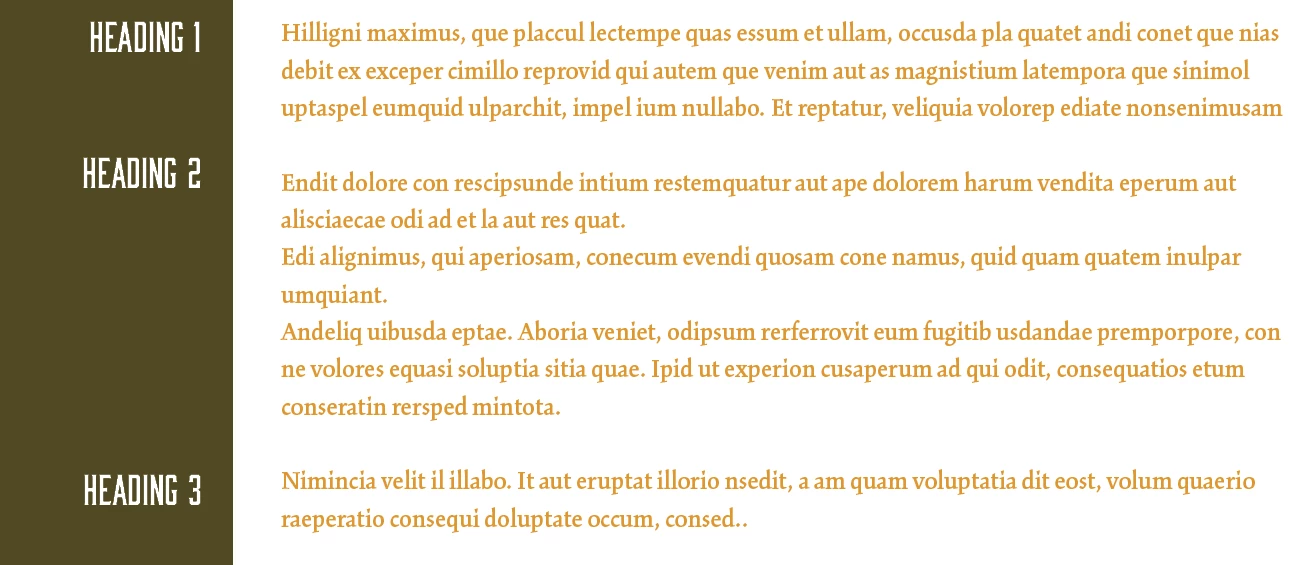
I've tried using drop caps, indenting the text and "unindenting" the first line with the header on it, plus a few other unsuccessful workarounds. So I'm hoping someone might have the answer - as you can hopefully guess from the screengrab above, I'd like to have the headers right-aligned, to the left of each paragraph, but lined up properly with the first line. I know I could fudge it manually with a lot of leading/space before/after adjustments, but obviously that would all be useless if the body text was then edited. Is there a simpler way?
Thanks in advance for any suggestions!
~ Paul
UPDATE: I might have found a solution, here: Split Text frame in 2. Header on the Left, Paragraph on Right. (image inc)
...unless InDesign has introduced a better way to do it since last year?
 AdChoices