


Participating Frequently
September 20, 2017
Answered

How to make blank space around centred text fill with lines automatically?

  • September 20, 2017
  • 1 reply
  • 2609 views

I'm trying to style a title to look this way:
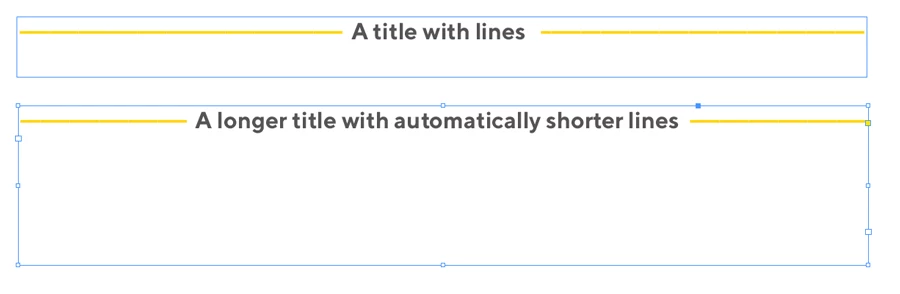
But it's a real pain typing those yellow lines as hyphens and making sure they are even on both sides of the centred text. Is there some way to do this automatically, through paragraph/character styles?

Using InDesign CS6 on mac.
This topic has been closed for replies.
Correct answer JointyJr

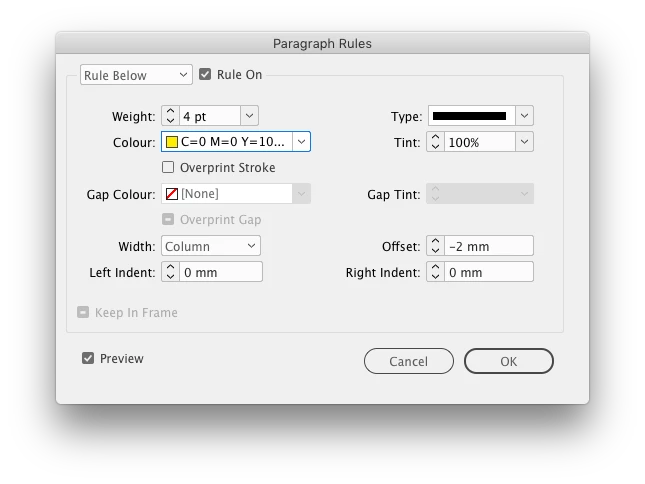
Could do it like this:

Then add a stroke (6pt in this case) to the copy, end result:

1 reply

JointyJrCorrect answer
Inspiring
September 20, 2017

Could do it like this:

Then add a stroke (6pt in this case) to the copy, end result:

Bill Silbert
Community Expert
Community Expert
September 20, 2017

Your solution works great but just want to add that the stroke you add should be whatever the background color is (in this case the paper color—white).
