



dublove
Legend
May 10, 2025
Question

How to make the current font point to sorted position in the font list? Instead of the recent list.

  • May 10, 2025
  • 1 reply
  • 428 views

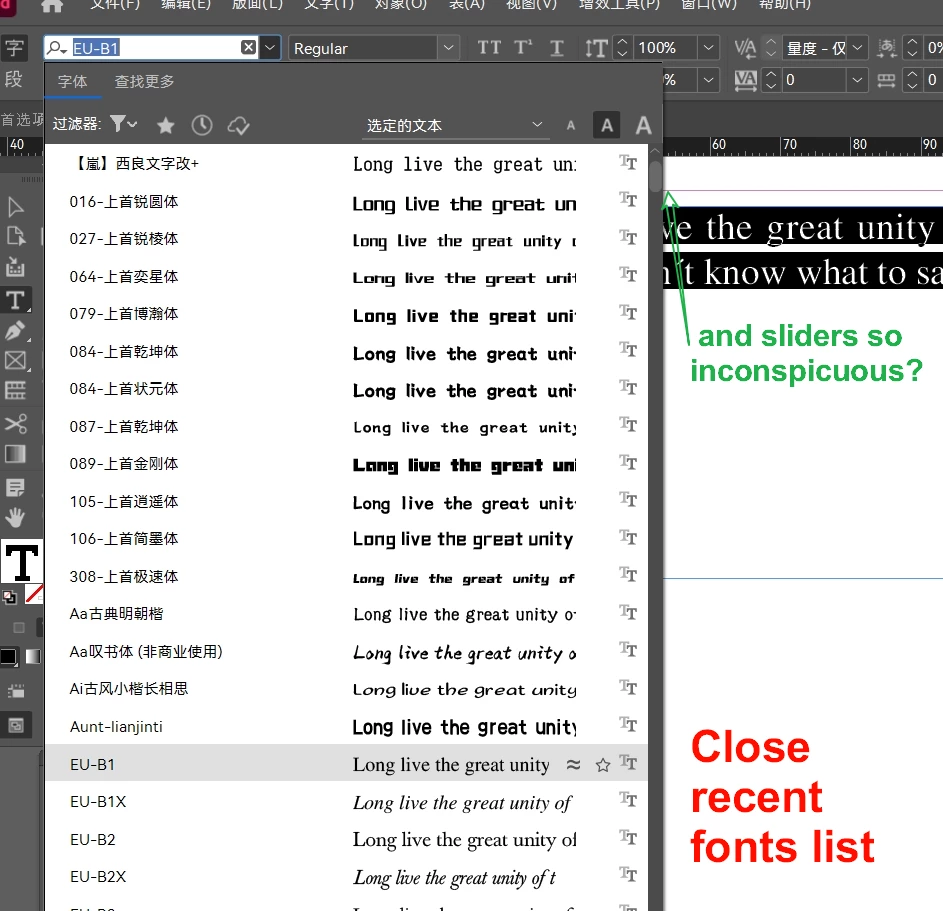
When I close the recent fonts list and view the fonts used for certain characters, it points to the font's middle position in the list.


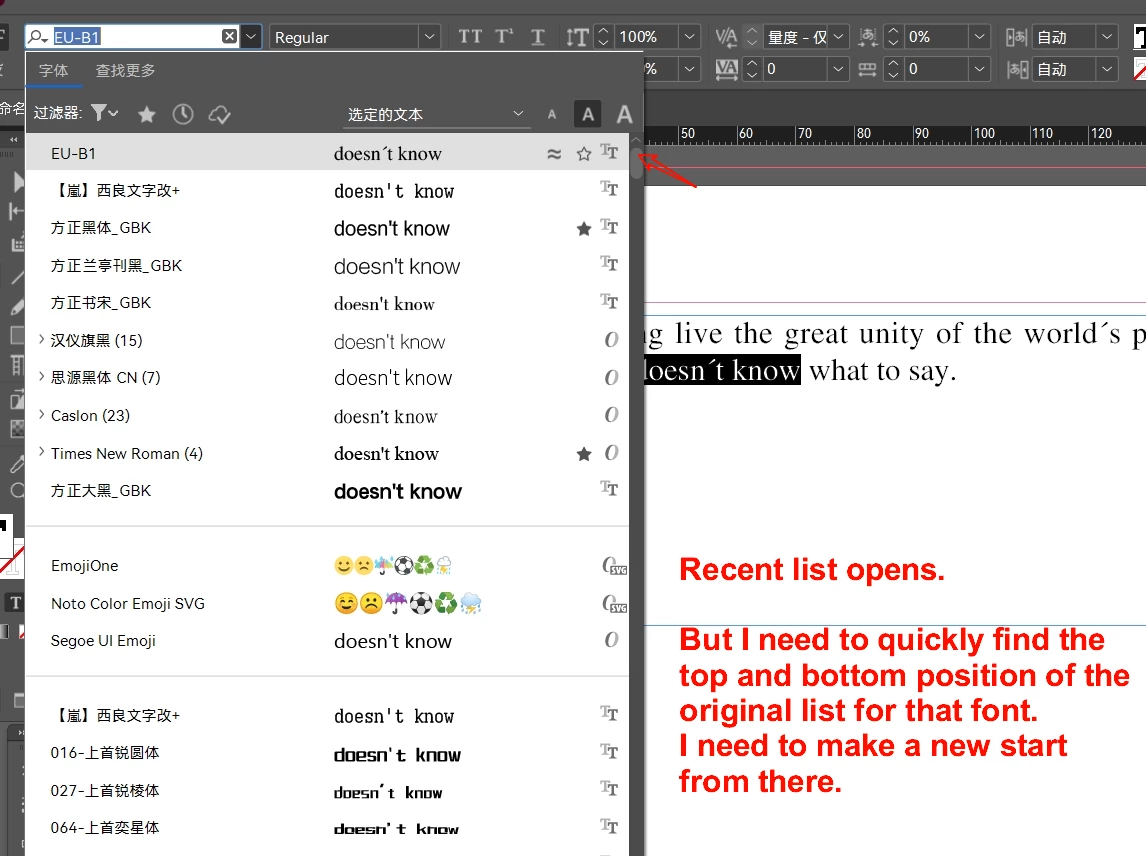
But when you open the recent fonts list, it points to the most recent list. Sometimes this gives me a choice to get stuck. Because, sometimes I need to reselect the font down or up near the original font.


Yes, the recent list is sometimes more convenient. But sometimes it's not the most needed.


Now, I want to keep the recent list, but when I want to see the currently used font, I want it to point to the original list, not recent.
How can I achieve this.
 

1 reply

Community Expert
May 11, 2025

I am not sure if this is possible or even intended to work the way you want. Thinking from design perspective also, if the font is listed near the top in the Recent list then you don't have a choice to not show it as selected as that would cause confusion.

-Manan

-Manan
dublove
dubloveAuthor
Legend
May 11, 2025

This is not difficult in thinking.
It's just that Adobe doesn't notice, or Adobe doesn't care and doesn't see the point.

Community Expert
May 12, 2025

I made a suggestion that I thought maybe the reason it is designed this way. Having said that it does not matter, what matters is how do the Adobe engineers look at it. It would be better if you made a post to the link below as that is where you can get attention from Adobe staff

https://indesign.uservoice.com/

-Manan

-Manan