

Answered
How to place text INSIDE an irregular shape in InDesign
I want to place text INSIDE an irregular shape in InDesign, so that the running text fills the entire shape. Is this possible? The desired effect is the opposite of a wrap around.

I want to place text INSIDE an irregular shape in InDesign, so that the running text fills the entire shape. Is this possible? The desired effect is the opposite of a wrap around.
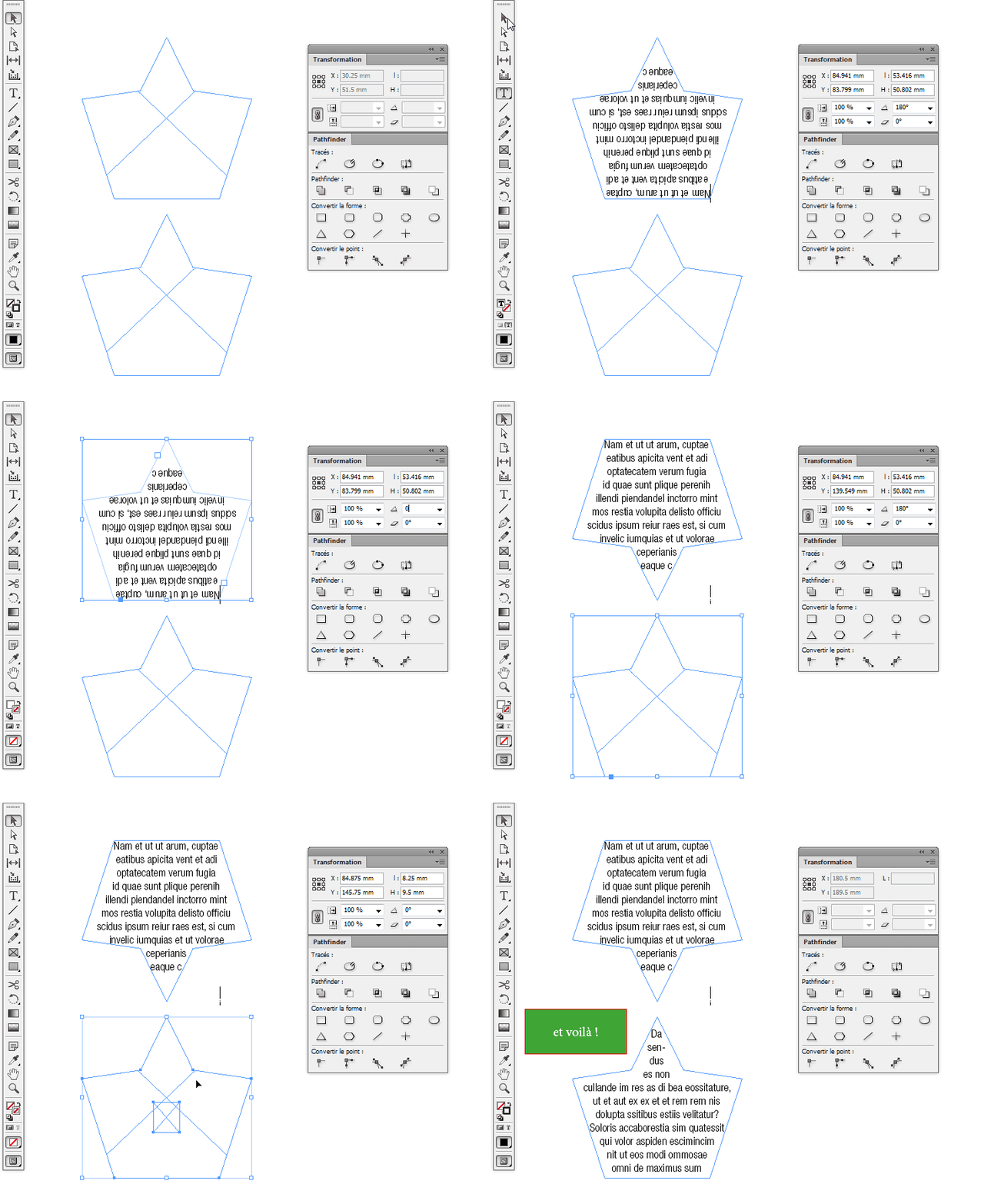
Choose the Type frame with the Selection tool. Then choose Object > Transform > Rotate 180 degrees
With all due respect Steve, rotating the Text frame is probably not he best option, unless it has 2 symmetrical axes.
If it hasn't, what I would suggest it to "reset" Text frame rotation to 0.
Adding a small frame on top of Text frame, then using pathfinder to Add them should do the trick.
See example:
Already have an account? Login
Enter your E-mail address. We'll send you an e-mail with instructions to reset your password.
 AdChoices