Inspiring
February 15, 2022
Answered

how to skip enter lines(empty lines) count between no of lines selection in indesign

  • February 15, 2022
  • 2 replies
  • 1671 views
var myText = app.selection[0].lines;
var b;
var c=0;
for (i=0; i<myText.length; i++){     
  if(myText[i].characters[0].contents ==0){
      c =i-1;
      break;
      }                      
  if (c != 0){
      b=i-1;
      }
  else{
          b=i+1;
      }
  if(b % 5 === 0){
   var myInsertion= myText[i].insertionPoints[0];
   var mycontent = myText[i].contents
    }
}

is there any way to count length of lines by skipping empty lines in indesign??

This topic has been closed for replies.
Correct answer rob day

Now this works for me

var p = app.selection[0].lines;
var cnt = 0
for (i=0; i<p.length-1; i++){     
    if (checkLine(p[i]) == 0) {
        cnt++;
        p[i].insertionPoints[0].contents = cnt + ". ";
    } 
}
function checkLine(p){
    app.findGrepPreferences = NothingEnum.nothing;
    app.findGrepPreferences.findWhat = "^\\s*\r";
    var a = p.findGrep();
    app.findGrepPreferences = NothingEnum.nothing;
    return a.length;
}

Hi @Karthik SG , for that to work your "lines" must be single line paragraphs? This is what I get when the paragraphs have more than one line, which is what your original post was showing:
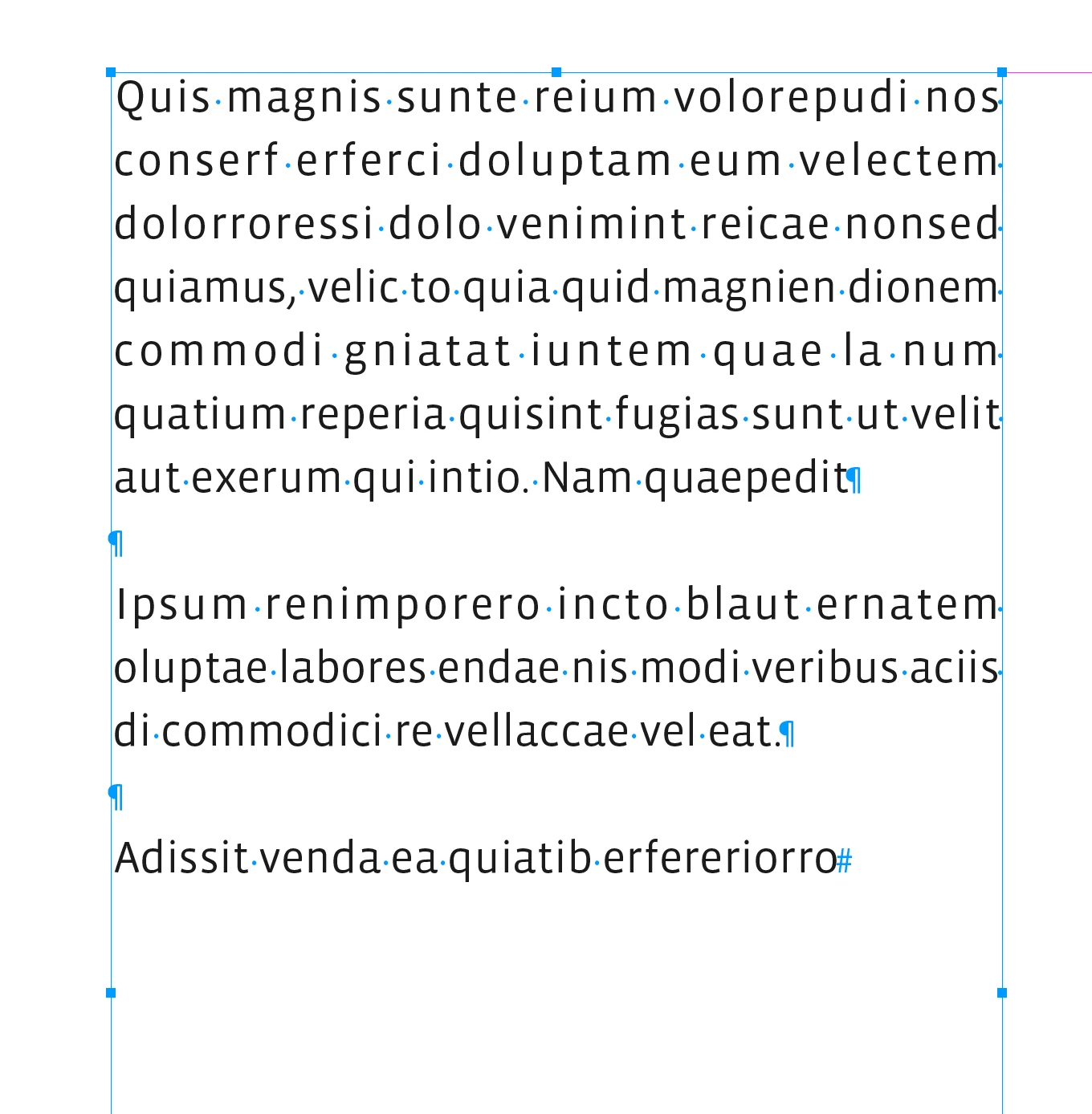
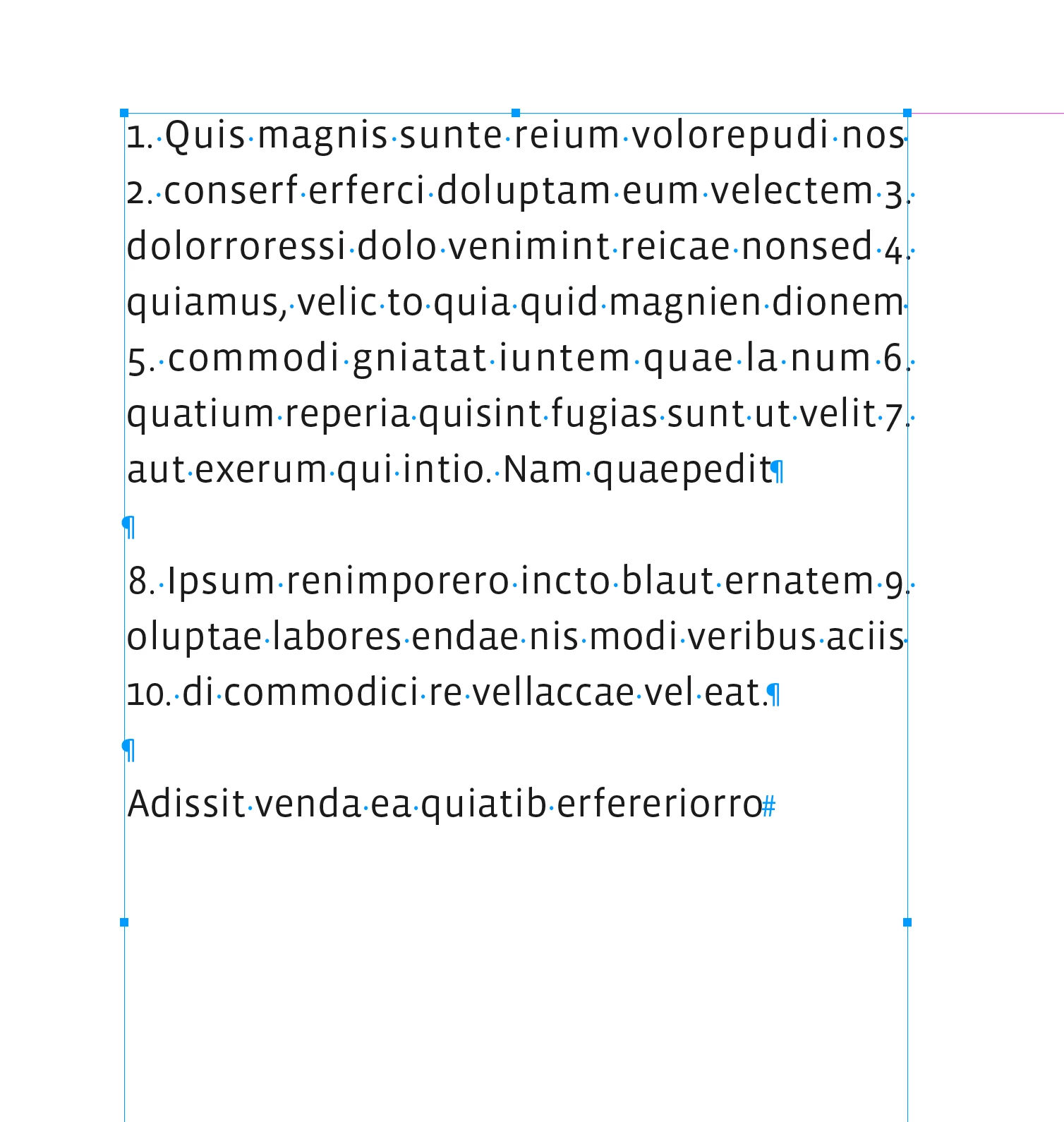


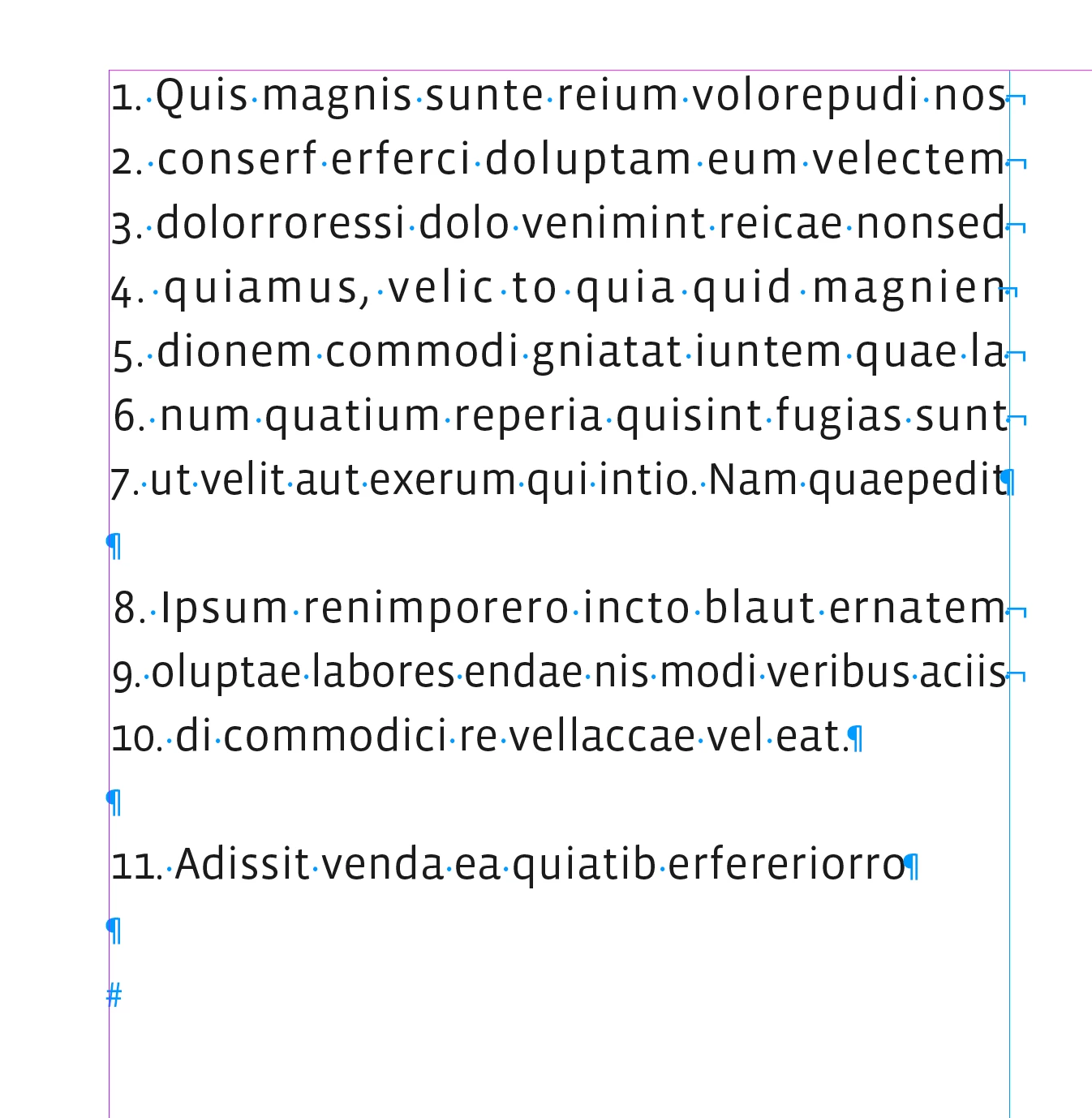
This version works by inserting a forced line break at the end of the line above, but you would have a mess if you need to edit after running the script:


var p = app.selection[0].paragraphs;
var lns;
var cnt = 0

for (i=0; i<p.length; i++){     
    if (checkParagraph(p[i])==0) {
        p[i].hyphenation = false;
        cnt++
        lns = p[i].lines;
        for (var j = 0; j < lns.length-1; j++){
            lns[j].insertionPoints[0].contents = cnt + ". ";
            lns[j].insertionPoints[-1].contents = SpecialCharacters.FORCED_LINE_BREAK;
            cnt++
        }; 
        lns.lastItem().insertionPoints[0].contents = cnt + ". ";
    } 
}


/**
* Check for empty paragraphs 
* @param paragraph to check 
* @return grep array length, 1 if the paragraph is empty
* 
*/
function checkParagraph(p){
    var isEmpty = 1
    try {
        app.findGrepPreferences = NothingEnum.nothing;
        app.findGrepPreferences.findWhat = "^\\s*\r";
        a = p.findGrep();
        isEmpty = a.length
        app.findGrepPreferences = NothingEnum.nothing;
    }catch(e) {}  
    return isEmpty;
}


2 replies

Dave Creamer of IDEAS
Community Expert
Community Expert
February 19, 2022

Wouldn't using paragraph spacing instead of extra returns solve the count issue? It's a better InDesign workflow too. 

David Creamer: Community Expert (ACI and ACE 1995-2023)
Community Expert
February 21, 2022

Absolutely.

Community Expert
February 15, 2022

Do you want to count the number of non empty lines in the selection? If so try the following

app.findGrepPreferences = NothingEnum.nothing;
app.findGrepPreferences.findWhat = "^\r";
var a = app.selection[0].findGrep();
alert(app.selection[0].lines.length - a.length)
app.findGrepPreferences = NothingEnum.nothing;

-Manan

Inspiring
February 15, 2022

trying to change line number after empty line to empty line number..

empty line number: 13

next line number: 14 (now new line number should be 13 and get this line content)


Community Expert
February 15, 2022

I lost it, did not understand your latest comment completely. What do you want to do? Lets start from basic.

  • Did the script I gave, give you the number of lines correctly in your selection or not by avoiding the blank lines?
  • If the answer above is yes then do you want to further process that data? If so how and what does not seem to work in that case. A visual example would be nice to understand
  • If the above points are not relevant and you wanted to do something else then start afresh and expalin it better on what you intend to do

-Manan