

Inspiring
April 13, 2023
Question

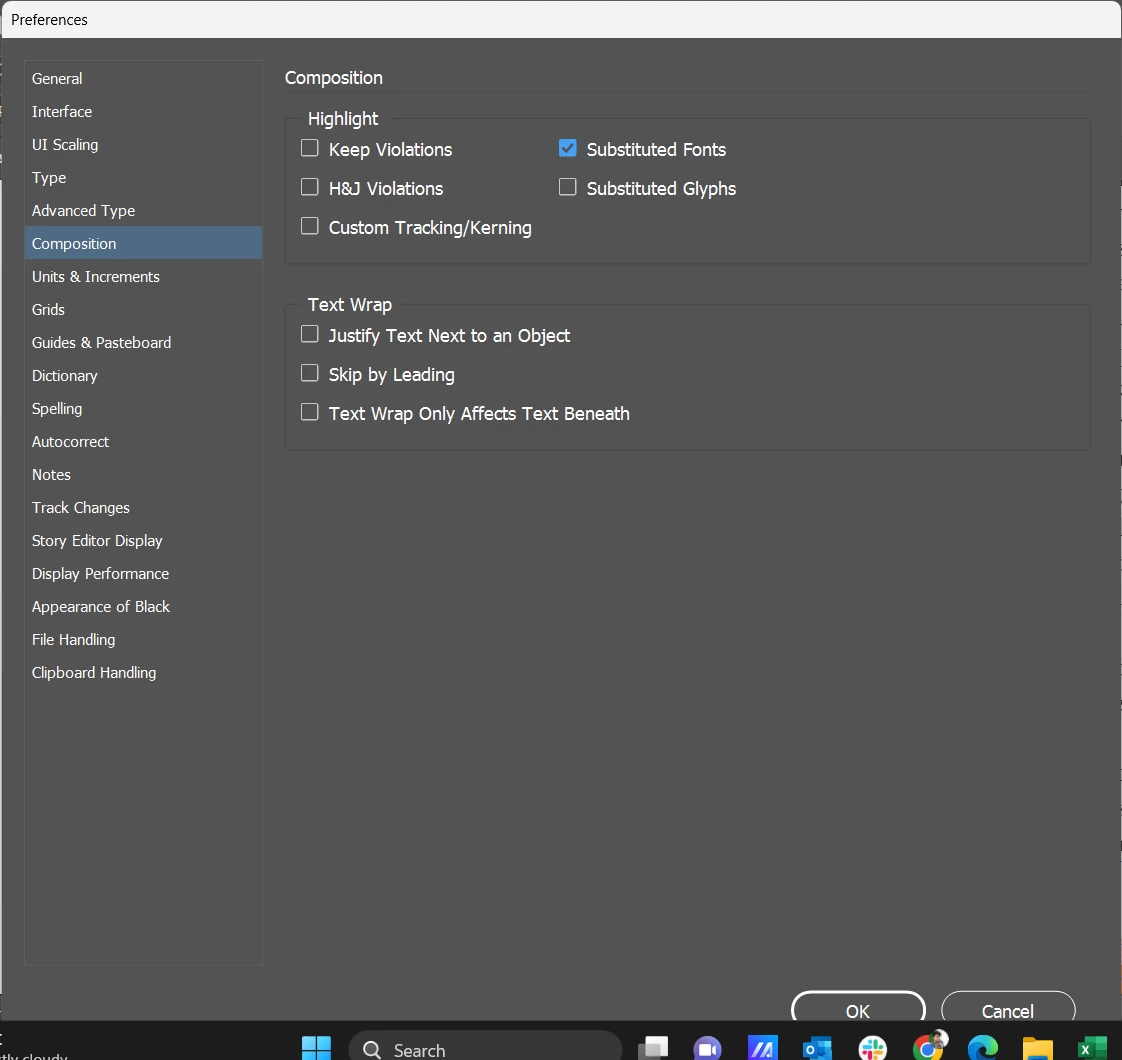
How to uncheck substituted fonts in preferences menu in indesign using javascript
  • April 13, 2023
  • 3 replies
  • 769 views

Is there any way to uncheck substituted fonts in preferences?

or what is the menu action id to uncheck substituted fonts in indesign javascript?

 

This topic has been closed for replies.

3 replies

Brainiac
April 22, 2023

the highlights were made as conditional text highlight


But you asked about setting an InDesign preference, now you're talking about a text condition. But anyway, why bother? Both are visible only in the normal screen mode. If you don't want to see those highlights, set the display to preview.


Brainiac
April 13, 2023

Peter S's question stands, of course, but anyway, the script call to disable highlighting of substitited fonts is 

app.textPreferences.highlightSubstitutedFonts = false;

Peter K.

Inspiring
April 22, 2023

I actually tried this one also but it does not worked for me! As the highlights were made as conditional text highlight, So I ingnored this attempt!

Thanks for your response and effort @Peter Kahrel 

rob day
Brainiac
April 22, 2023

Hi @Karthik SG  , both the application and document have a textPreferences object, so you might have to set either the application’s, the document’s, or both:


app.textPreferences.highlightSubstitutedFonts = false;
app.activeDocument.textPreferences.highlightSubstitutedFonts = false;


Peter Spier
Brainiac
April 13, 2023

I can't answer the question about javascript, but I have to ask why you would want to remove one of the most important warnings a user can have.

Inspiring
April 22, 2023

You are right but I was requested to do so!