


Inspiring
October 7, 2024
Question

How to Use Data Merge for 10-Up Labels Without Repeating the Same Record

  • October 7, 2024
  • 2 replies
  • 514 views

i have a csv file with about 30 lines

each line has the name in one column, address in another column, boat name in another column
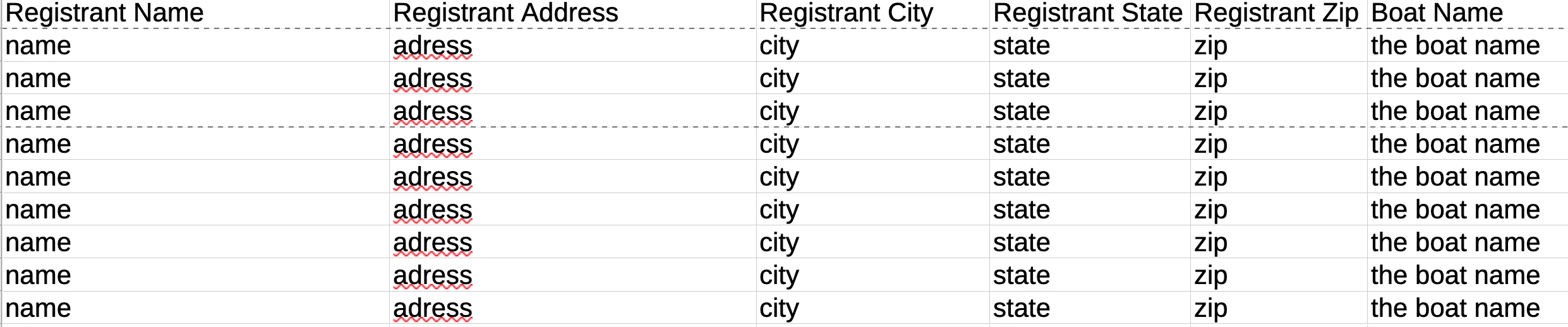
I have an indesign label with 10 labels on a page.

I want to use date merge to have each name, adrees, city, state, zip, boat name on each label

for example:

first 10 names, address, boat name on 1st page

everytime on try to do it puts the same name on the 1st page

puts 2nd name on 2 page and so on..

please help.....


<Title renamed by MOD>

This topic has been closed for replies.

2 replies

Inspiring
October 7, 2024

nevermind - figured it out!!!!!    :)))))

Abhishek Rao
Community Manager
Community Manager
October 8, 2024

Hi @pensacola2013,


We're glad to hear that you figured it out! 😊 It would be great if you could share the solution here in the thread. Your experience and insights could be really helpful to others in the community who might run into a similar issue.

Thanks so much for being a part of the community, and feel free to reach out if you need any further assistance!


Best,  
Abhishek Rao

Inspiring
October 30, 2024

sorry been away for a bit - but yes I will post.

James Gifford—NitroPress
Brainiac
October 7, 2024

Sounds like you don't have it correctly set up to create multiple records per page. It's not completely intuitive; you set up ONE record and tell the merge process to create multiples. Here —