New Participant
July 1, 2022
Answered

How to wrap text around image .jpeg in InDesign?

  • July 1, 2022
  • 2 replies
  • 1988 views

I am trying to wrap my text around the picture using the following text wrap panel settings:-

1- wrap around object shape

2- wrap options: both right & left Sides

3- Contour option type: detect Edges

4- i have set the top offset to : 0.125 in

the image i have imported is a .jpeg but i couldn't get ride of the white background of the picture frame in order to see the text underneath it.

Any suggestions how to solve this please as i am new to indesign?


<Title renamed by moderator>
This topic has been closed for replies.
Correct answer rob day

Hi @Faten23522647fp84 , here’s an illustration of John‘s post:


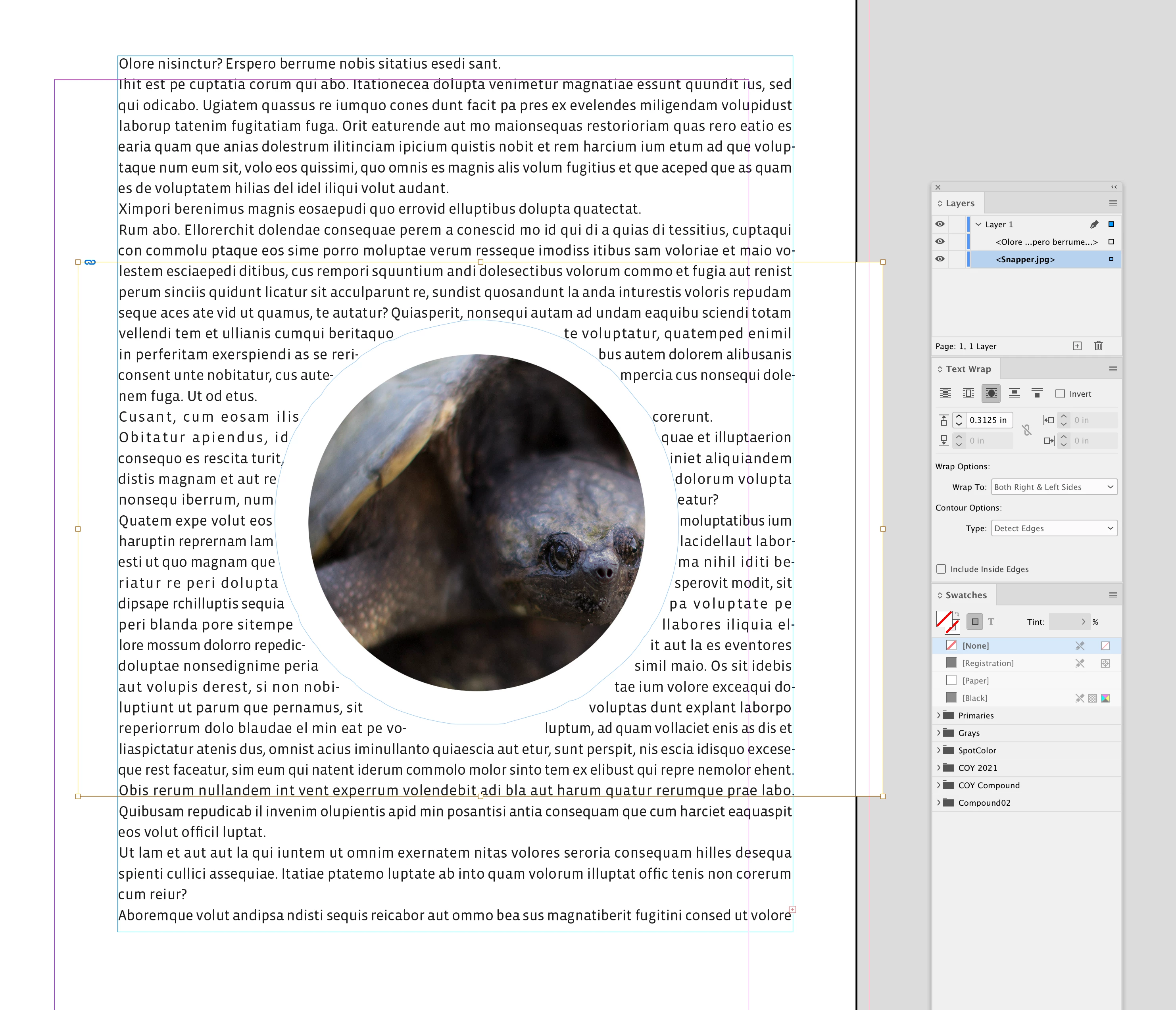
The JPEG with a wrap assigned is above the text:


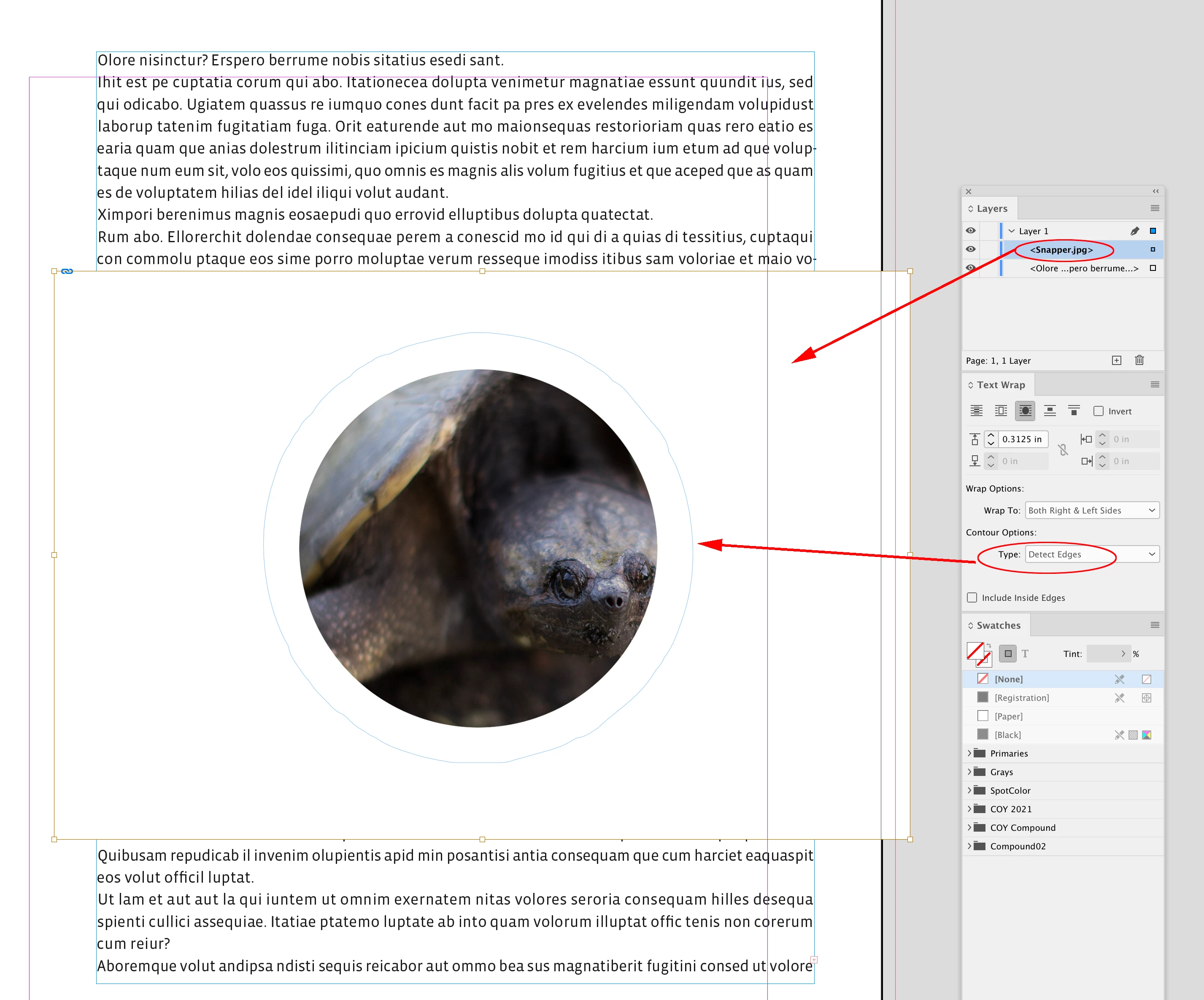
If I drag the JPEG below the text in the Layers panel the text wrap is revealed


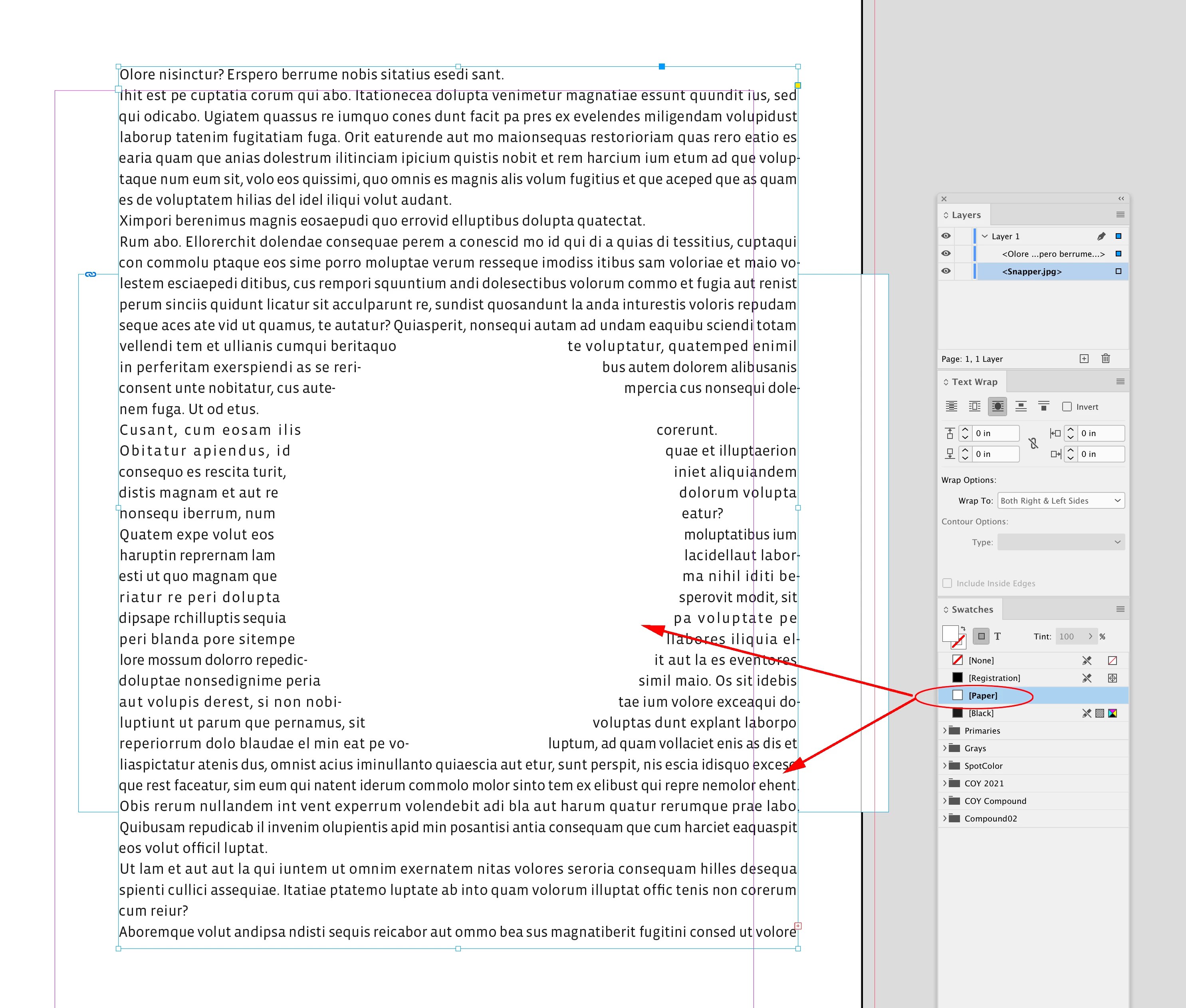
Make sure the text frame’s background color is set to [None]—with it set to [Paper] the JPEG is hidden:


2 replies

John Mensinger
Community Expert
July 1, 2022

For that to work, the image frame must be below/behind the text frame.


So, move the image to a layer below the layer the text frame is on.


Or, make a new layer above, and move the text frame to the new layer.


Or, you can keep them on the same layer, just send the image to the back of the stacking order.


Or, you can keep them on the same layer, just send the text frame to the front of the stacking order.

New Participant
July 1, 2022

thank you for your answer but i have already tried that but i think it is maybe something related to the settings while placing the .jpeg ?

rob day
rob dayCorrect answer
Community Expert
July 1, 2022

Hi @Faten23522647fp84 , here’s an illustration of John‘s post:


The JPEG with a wrap assigned is above the text:


If I drag the JPEG below the text in the Layers panel the text wrap is revealed


Make sure the text frame’s background color is set to [None]—with it set to [Paper] the JPEG is hidden:


Community Expert
July 1, 2022

I think you have the wrong forum this is Dreamweaver.  You need to post this in the InDesign forum: https://community.adobe.com/t5/indesign/ct-p/ct-indesign?page=1&sort=latest_replies&lang=all&tabid=all

New Participant
July 1, 2022

sorry my bad i am new here.
Thank you for telling me

--

*Mrs. Fat**en* *Osman*
*OBO Thamer Alenzi*
*Administrative and financial Manager*
*Embassy of the State of Kuwait*
* Tel:<removed >