This topic has been closed for replies.
Correct answer rob day

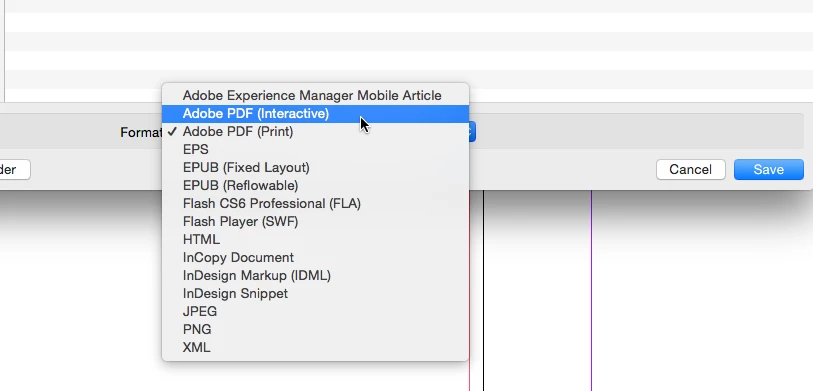
The Interactive PDF is an Export Format not an Adobe PDF(Print) preset—choose Adobe PDF (Interactive) when you export.
3 replies

Kevin Stohlmeyer
Community Expert
Community Expert
October 5, 2017

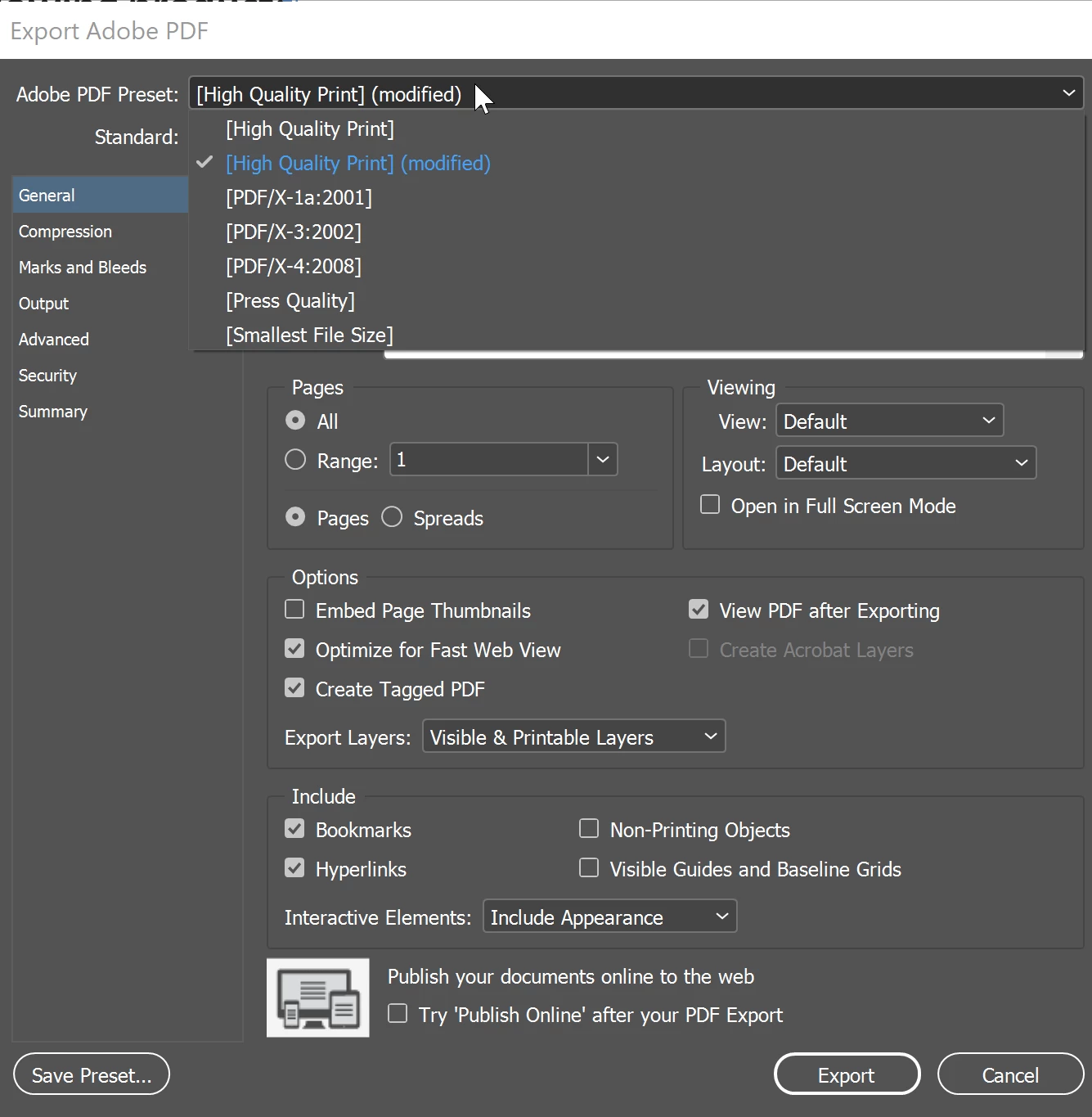
Based on your screen shot you've chosen the PDF (Print) option in Export, not the PDF (Interactive).

Re-export and choose the correct format.

AnandSri
Community Manager
Community Manager
October 5, 2017

Hi Bradleya,

I am moving this thread to the InDesign space. Editing & Exporting PDFs to InDesign

Regards,

Anand Sri.

AnandSri
Community Manager
Community Manager
October 5, 2017

Hi Bradleya,

As per the description above, you are not getting the PDF export PDF presets in InDesign, Is that correct?

Please refer to the following threads which discuss the similar issue: My export presets for PDF(print) are missing.  Link: https://forums.adobe.com/thread/1077016

Interactive pdf presets  Link: https://forums.adobe.com/thread/1178693

You may also refer to the following KB doc: Export InDesign files to Adobe PDF Link: https://helpx.adobe.com/indesign/using/exporting-publishing-pdf.html

Hope this helps.

Regards,

Anand Sri.

Participant
October 5, 2017

No, these threads are not helpful and do not answer the questions.

InDesigns help says there is an "Interactive PDF" preset option when

exporting an InDesign file. I don't have such an option in my list, only

the ones in the picture I shared.

rob day
Community Expert
rob dayCommunity ExpertCorrect answer
Community Expert
October 5, 2017

The Interactive PDF is an Export Format not an Adobe PDF(Print) preset—choose Adobe PDF (Interactive) when you export.