Participant
September 22, 2022
Answered

Images across two pages in pdfs [InDesign]

  • September 22, 2022
  • 4 replies
  • 567 views

Hello, everyone.
I am about to create a brochure and have the following problem: I have pictures that should fill a double page fluently and now need to add a 2mm edge for printing. How should proceed? Do I have to split the pictures in the“middle” of the double page and leave the resulting space white? If so, how do I do it best?

Edit: The company responsible for the printing needs the file as pdf.


Thanks in advance for any help.


Images attached.

 

You need to ask program questions in the forum for the program you are using
To ask in the forum for your program please start at https://community.adobe.com/
Moving from Using the Community (which is about the forums) to the correct forum... Mod
This topic has been closed for replies.
Correct answer rob day

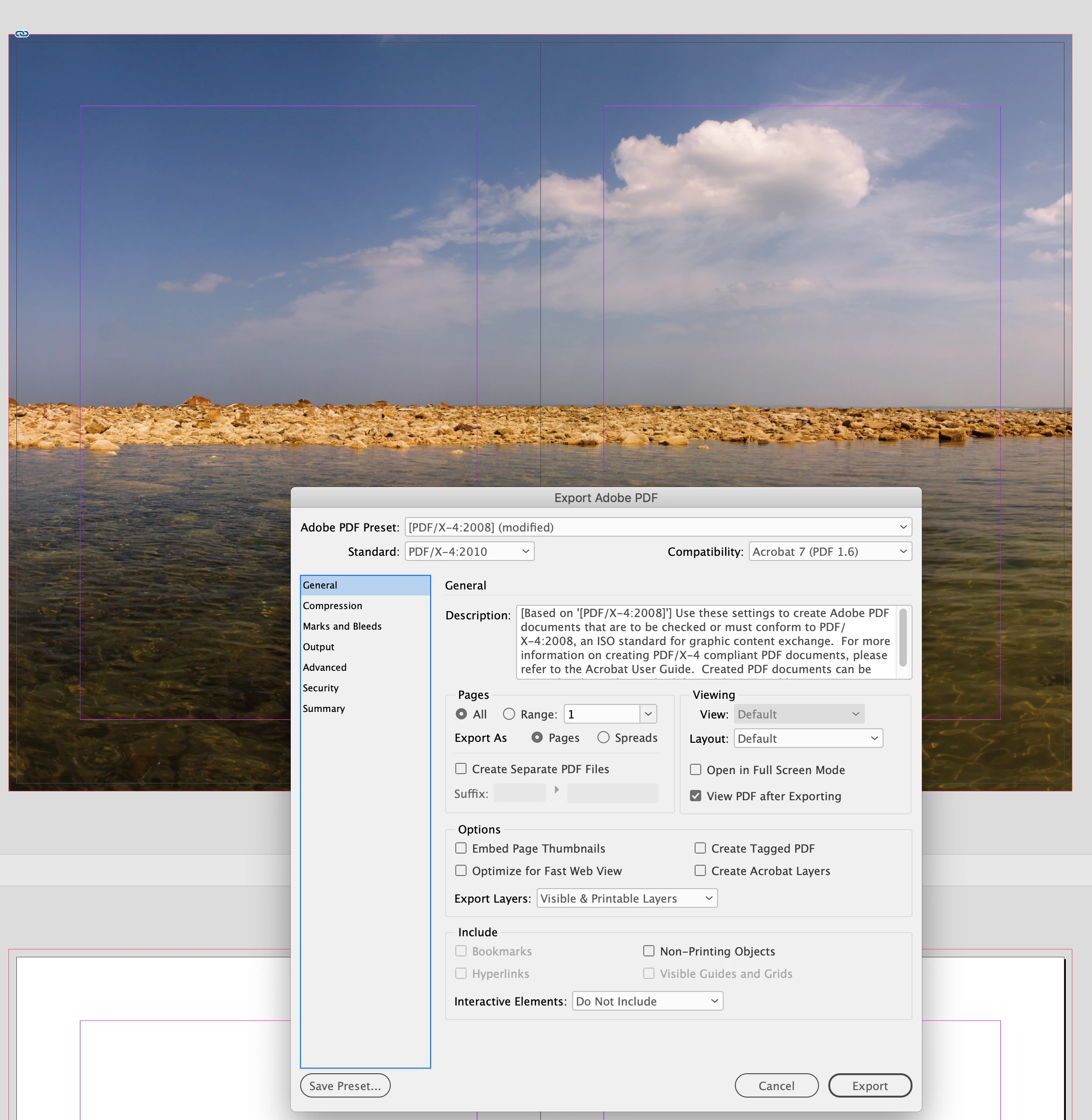
When you Export the PDF choose Export As: Pages in the General tab:


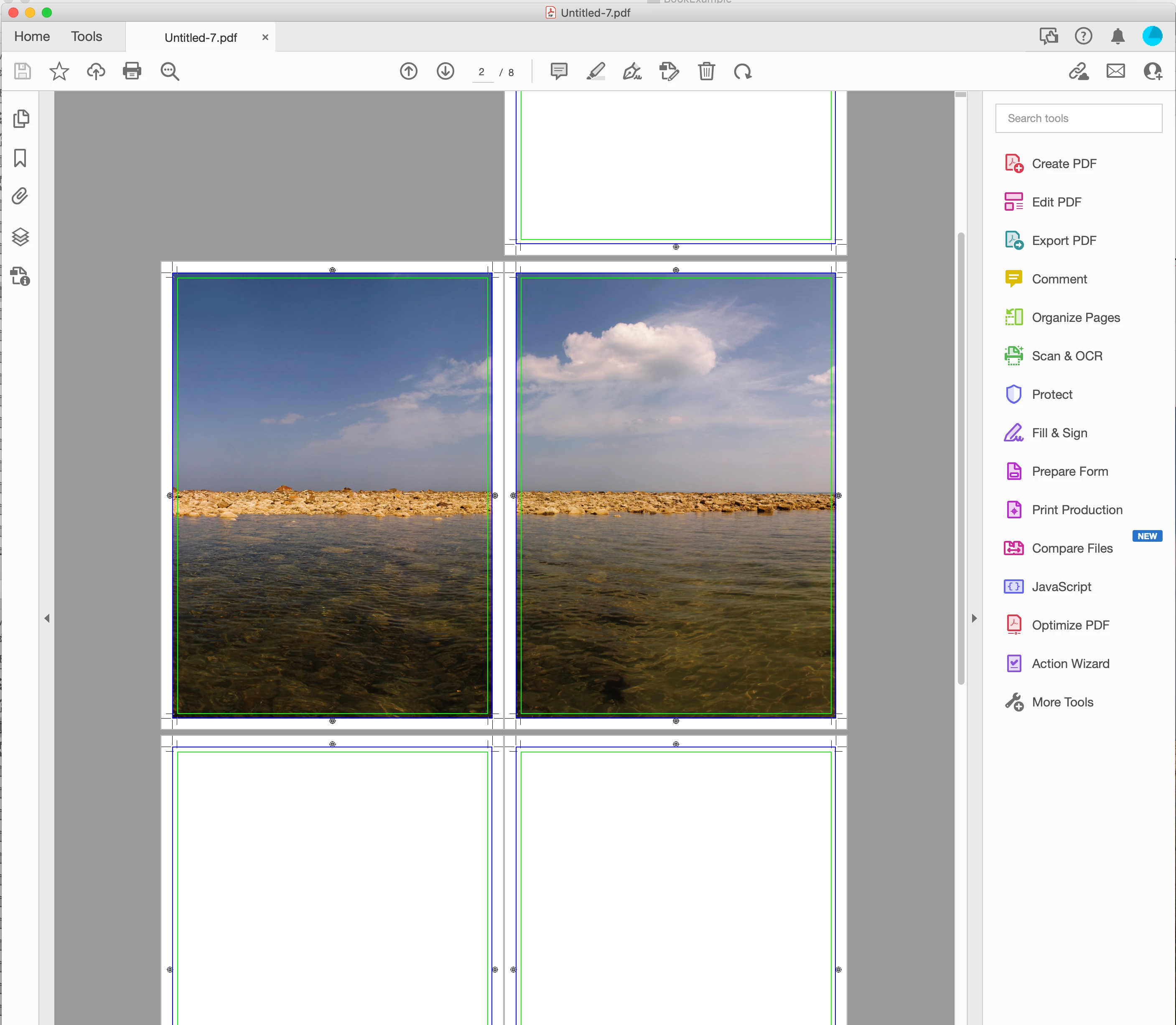
The exported pages in Acrobat:


Also your printer is going to impose the pages into printer spreads:

https://en.wikipedia.org/wiki/Imposition

4 replies

Jumpenjax
Community Expert
Community Expert
September 26, 2022

I do this every month. When I send my job to the printer as a pdf, with their specs the centerspread matches great everytime.

Lee- Graphic Designer, Print Specialist, Photographer
James Gifford—NitroPress
Legend
September 22, 2022

Is this actually two separate pages in the brochure, or is it a continuous page of double width? Can you describe the brochure layout? How many pages, and how will it be finished (folded, multiple sheets stapled together, etc.)?


The solution may be simpler than you think, but the exact format will determine that.


Jo5CA0Author
Participant
September 23, 2022

First of all Thank you for all the comments!
A staple stitching is done where one side corresponds to a DIN A4 format.
What I don’t understand right now is how the whole thing gets cut in print. I ignored the border “in the middle” on double pages as shown above, but you probably need that, right?

rob day
Community Expert
rob dayCommunity ExpertCorrect answer
Community Expert
September 23, 2022

When you Export the PDF choose Export As: Pages in the General tab:


The exported pages in Acrobat:


Also your printer is going to impose the pages into printer spreads:

https://en.wikipedia.org/wiki/Imposition

rob day
Community Expert
Community Expert
September 22, 2022

Don’t split the image, just run it across the spread. When you export the PDF the export should be to pages not spreads, so with or without an inside bleed the spread will get divided into two pages.

BobLevine
Community Expert
Community Expert
September 22, 2022

Set the inside bleed to zero.