


Importing Word formatting that is not properly styled
I have a large google docs document that I downloaded as .docx to import to Indesign.
This document does not have paragraph styles, rather, the style/hierarchy has been marked by using colors, underlines, italics and bold text. All of this is read by Word as the "Normal" style throughout the document.
Here's an example of how it's formatted:
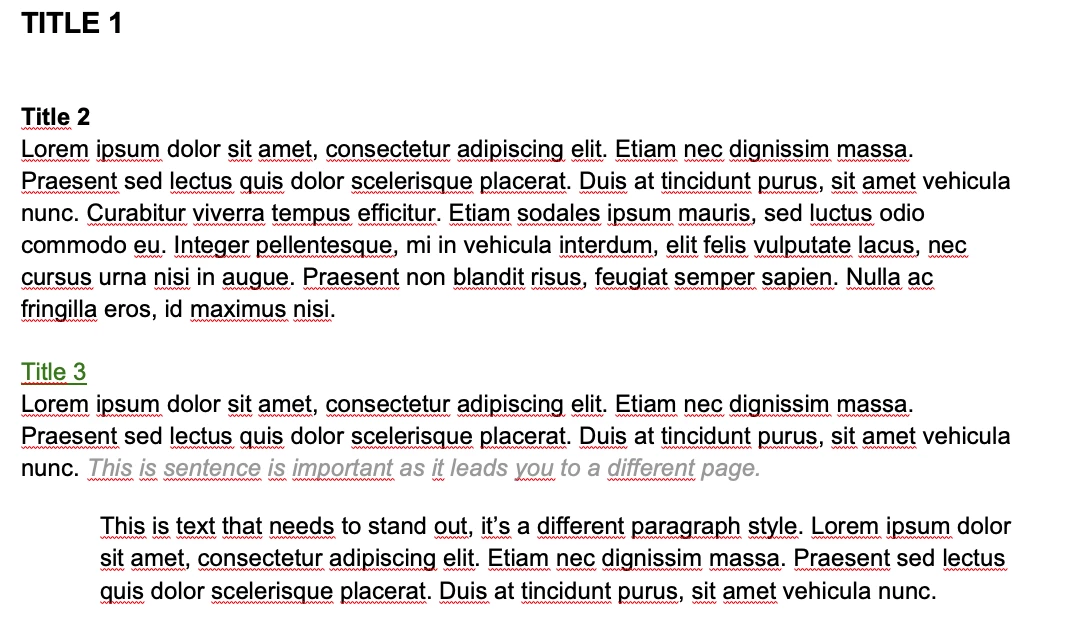
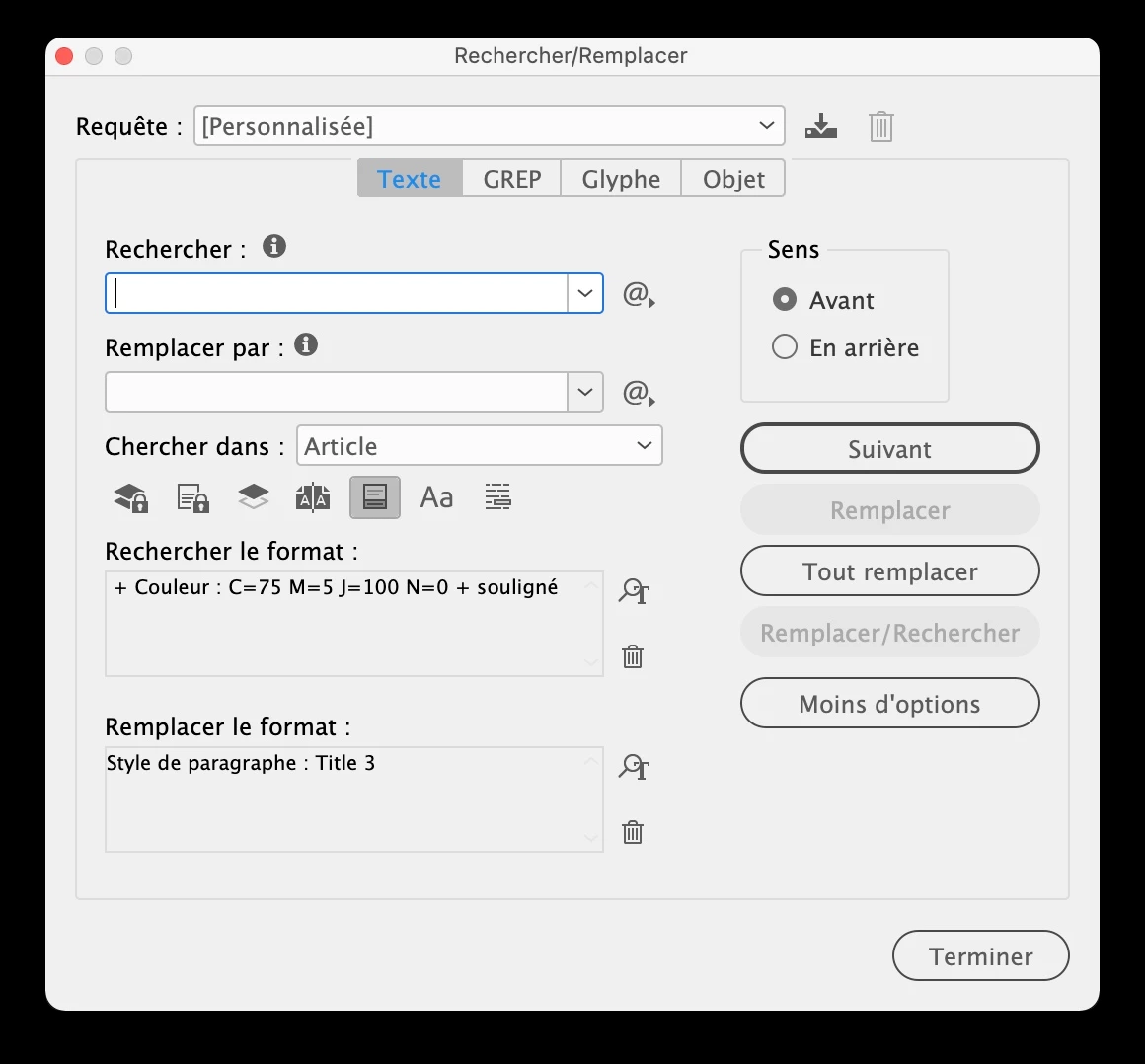
Is there any way that Indesign can interpret, for example, all text that is underlined and green as one style so that I can adapt it to my paragraph styles on Indesign?
Since there are no proper Word styles on my doc and everything is the "Normal" style, Style Mapping when placing on Indesign doesn't work.
I don't want to have to style the whole Word document with paragraph styles because it's really long. Is there anything I can do to salvage this?
 AdChoices