

Answered

This topic has been closed for replies.
Je m'en doute mais au cas où, je préfère demander 🙏
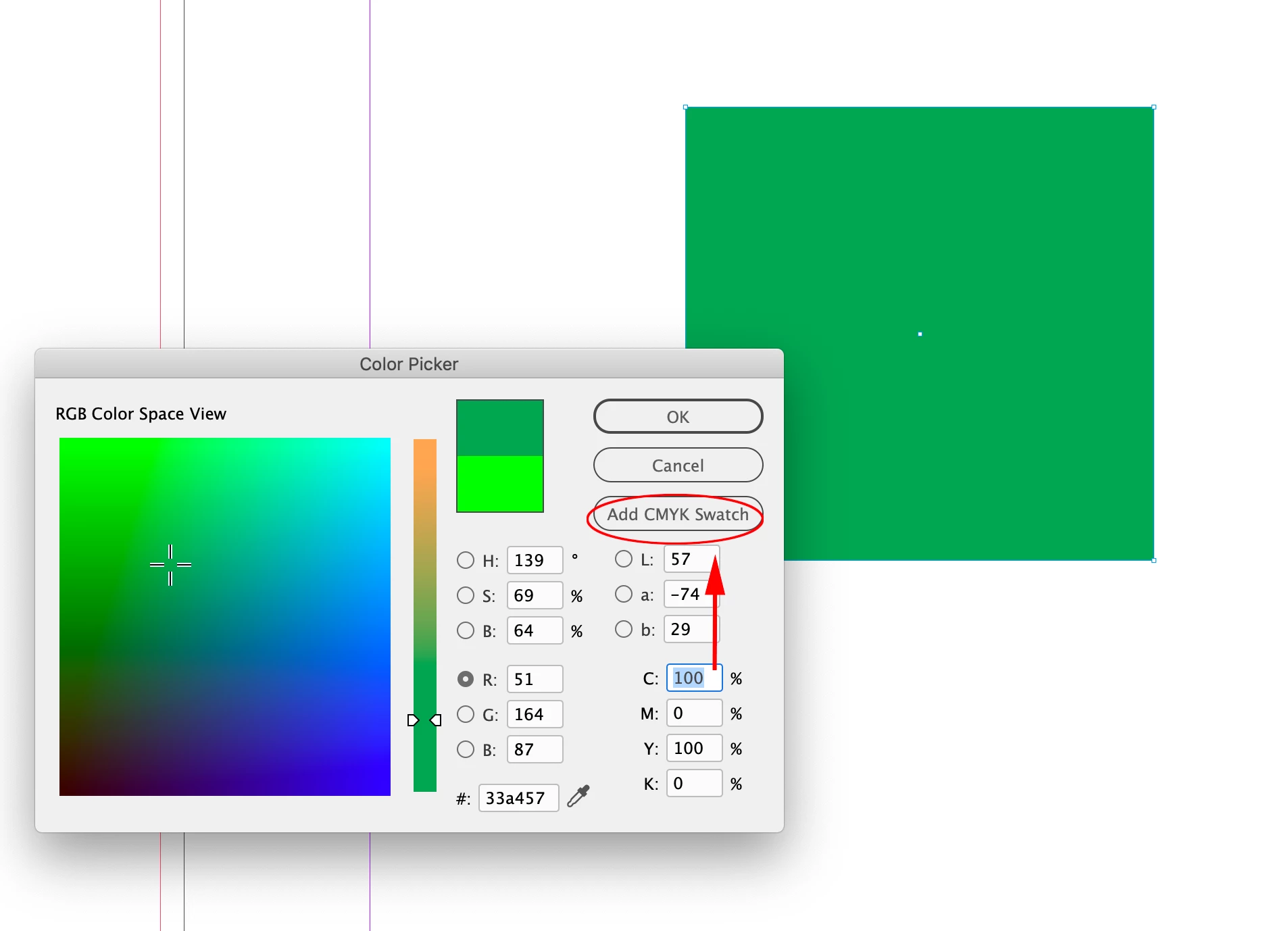
Hi @MiandaPhotography , InDesign lets you mix CMYK, RGB, and Lab colors in the same document. The Color Picker is context sensitive, so your screen capture is showing the conversion of the chosen RGB color to CMYK because your cursor is in one of the C,M,Y,K value fields:
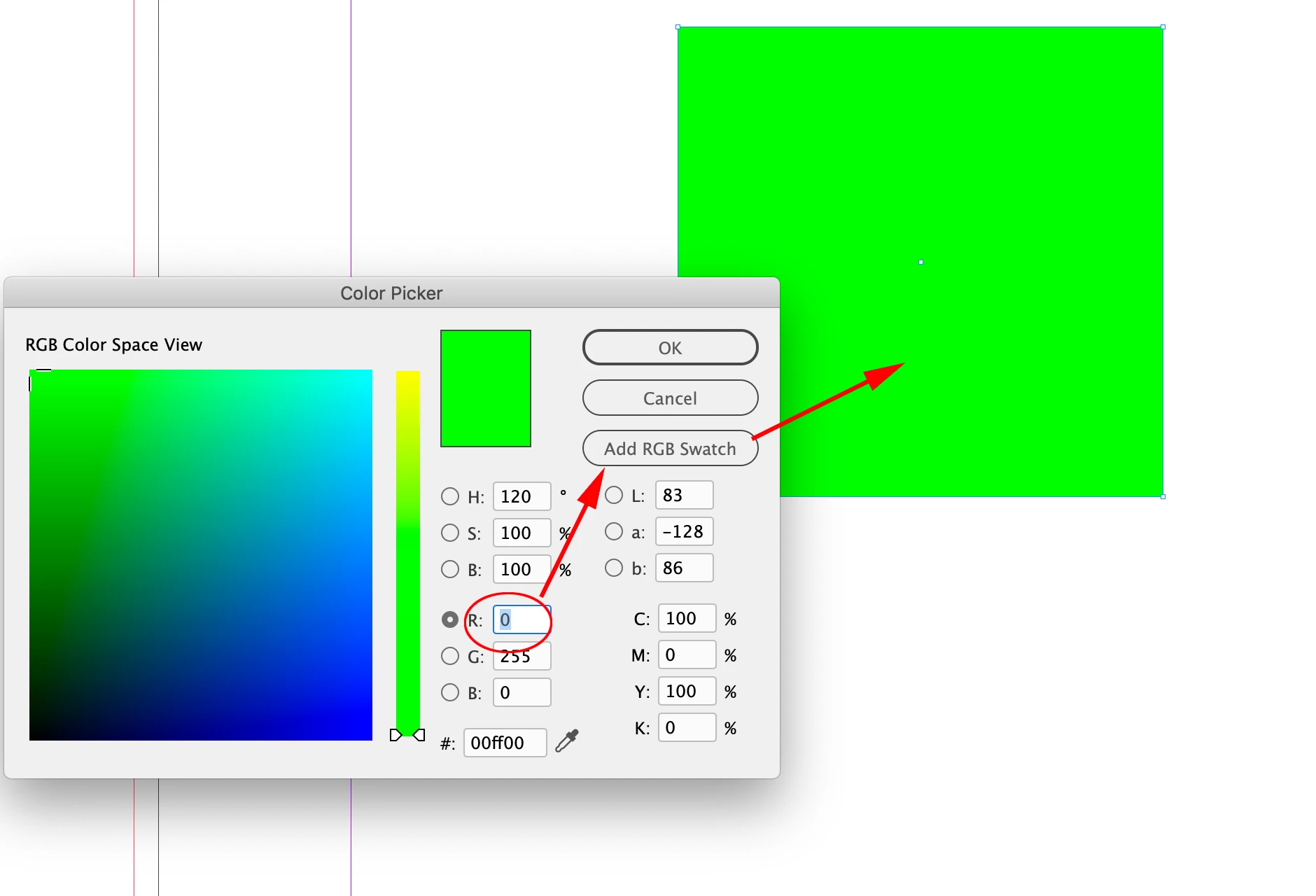
If you select one of the R,G, or B value fields, the Add Swatch button will change to Add RGB Swatch and you will be able to use the RGB color for a color fill:
Also, InDesign does not have a document color space the way Photoshop and Illustrator do, but it does have a Transparency Blend Space, which affects the preview when there is any transparent object on the spread.
Sign up
Already have an account? Login
To post, reply, or follow discussions, please sign in with your Adobe ID.
Sign inSign in to Adobe Community
To post, reply, or follow discussions, please sign in with your Adobe ID.
Sign inEnter your E-mail address. We'll send you an e-mail with instructions to reset your password.
 AdChoices