

Inspiring
November 14, 2022
Answered

Indesign 18.0: Unable to dock and view book contents

  • November 14, 2022
  • 3 replies
  • 629 views

Hi, I am creating a book and I tried to dock it on the right panel.
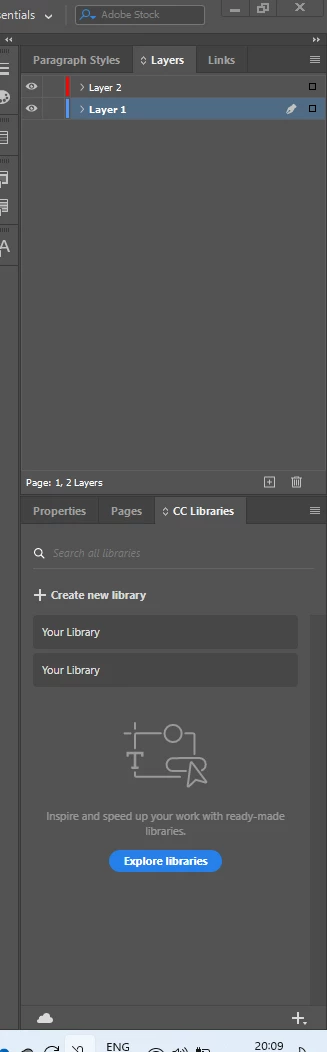
 

Then it disappears. Please tell how to see the book contents and how to place it on right panel


Please tell me 

This topic has been closed for replies.
Correct answer Laubender

Hi @Lija SN ,

look at the bottom of the Window menu if the InDesign book file is still open.

If it is listed there select it and the panel showing the book file's contents should become visible.


Regards,
Uwe Laubender
( Adobe Community Expert )

3 replies

Community Expert
November 17, 2022

Hi @Lija SN ,

just had your issue yesterday. The open book panel wasn't visible anymore. It was not behind any of my open panels. It was not behind the InDesign application frame. Checked the Window menu. The name of the book file was listed and also checked. What I had to do to get the book panel back:


[1] Selected the listed book file in the Window menu.

InDesign asked me if I wanted to save the open book file I could not see anymore. Did that.

[2] Opened the book file again through the Recent Files list.


Regards,
Uwe Laubender
( Adobe Community Expert )

Lija SNAuthor
Inspiring
November 17, 2022

Thanks @Laubender 

LaubenderCommunity ExpertCorrect answer
Community Expert
November 15, 2022

Hi @Lija SN ,

look at the bottom of the Window menu if the InDesign book file is still open.

If it is listed there select it and the panel showing the book file's contents should become visible.


Regards,
Uwe Laubender
( Adobe Community Expert )

Lija SNAuthor
Inspiring
November 17, 2022

Thank you @Laubender , @Eugene Tyson 

Community Expert
November 14, 2022

It docks just fine for me.


Try resetting your preferences:

Windows: Start InDesign, and then press Shift+Ctrl+Alt. Click Yes when asked if you want to delete preference files.
macOS: While pressing Shift+Option+Command+Control, start InDesign. Click Yes when asked if you want to delete preference files.
A dialog will appear asking to delete the InDesign Preferences, select 'Yes' on this dialog.
Further info and instructions here if needed:
https://helpx.adobe.com/in/indesign/kb/indesign-preferences-support-file-locations.html