Stephanie Noé
New Participant
July 5, 2022
Answered

InDesign 2022: export page with colour swatch

  • July 5, 2022
  • 2 replies
  • 838 views

The following problem: I create a color swatch in InDesign. Document setting is CMYK
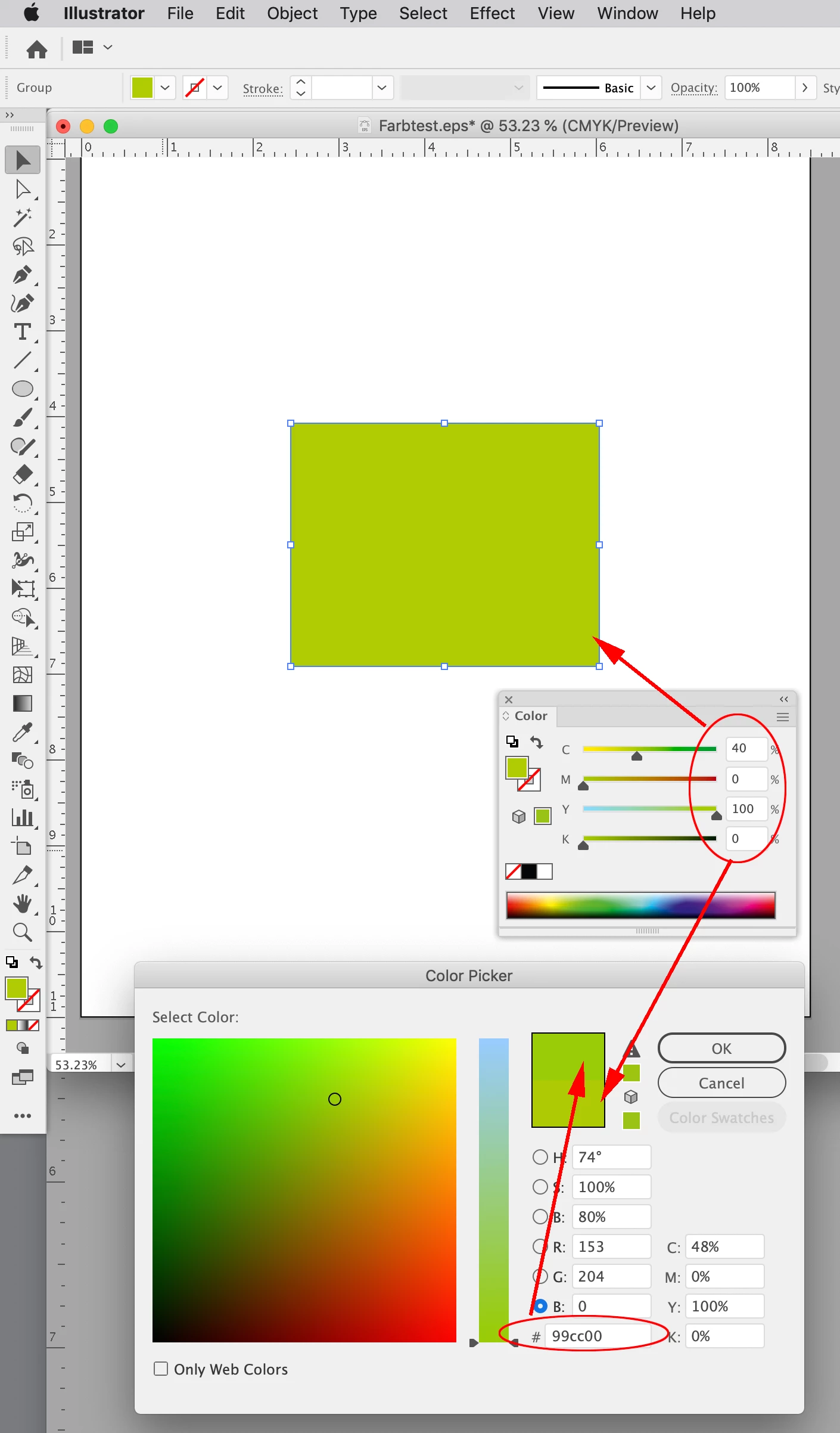
Ex. Green - 40/0/100/0. I export the page as eps - unchanged colors. I open the eps in Illustrator - colour space CMYK - the green tone is now 48/0/100/0 - What is happening? A bug?

This topic has been closed for replies.
Correct answer rob day

Hi Stephanie, in your capture of the EPS in Illustrator, you are showing the AI Color Picker with the color edited to Hex #99cc00. If you use the Color panel instead, it will give you the selection’s actual CMYK values, not the color managed versions of #99cc00, which is what the Color Picker does with hex values—hex colors are RGB.


Here you can see the Color panel is giving me the 40|0|100|0 CMYK value you are expecting. The top swatch in the Color Picker is showing the appearance of #99cc00 as sRGB—sRGB is set as my Illustrator working RGB space:


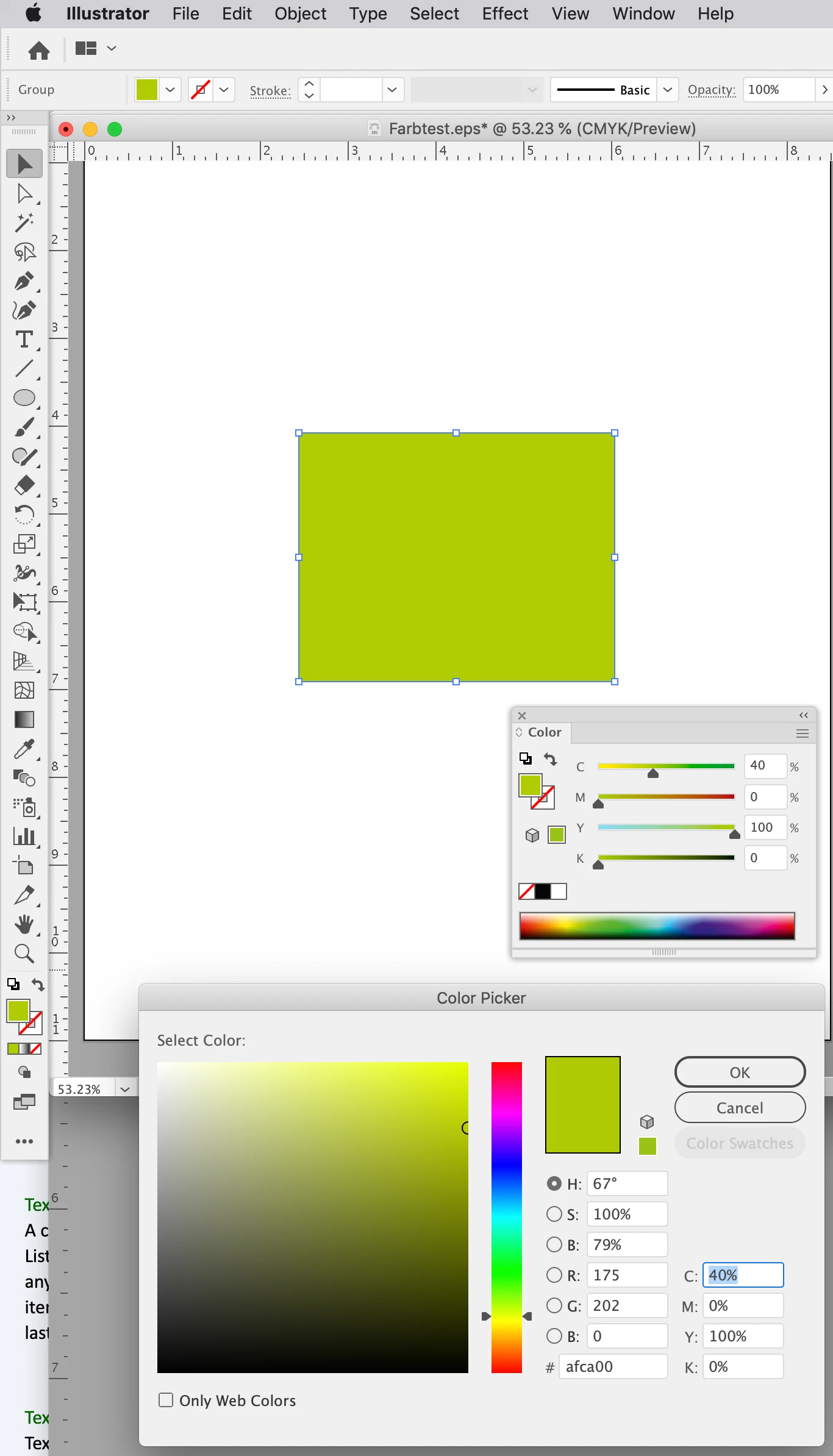
Th Color Picker opened with the rectangle selected and no adjustment. The #afca00 Hex value is the color managed conversion from the document’s assigned CMYK space into Illustrator’s Color Settings Working RGB space:

 

2 replies

rob day
rob dayCorrect answer
Community Expert
July 5, 2022

Hi Stephanie, in your capture of the EPS in Illustrator, you are showing the AI Color Picker with the color edited to Hex #99cc00. If you use the Color panel instead, it will give you the selection’s actual CMYK values, not the color managed versions of #99cc00, which is what the Color Picker does with hex values—hex colors are RGB.


Here you can see the Color panel is giving me the 40|0|100|0 CMYK value you are expecting. The top swatch in the Color Picker is showing the appearance of #99cc00 as sRGB—sRGB is set as my Illustrator working RGB space:


Th Color Picker opened with the rectangle selected and no adjustment. The #afca00 Hex value is the color managed conversion from the document’s assigned CMYK space into Illustrator’s Color Settings Working RGB space:

 

rob day
Community Expert
July 5, 2022

Also, I can’t see the entire Color Picker in your capture, but it looks like you might have Only Web Colors checked?


Community Expert
July 5, 2022

I cannot duplicate your results. I tried exporting the eps using a number of different color settings, and in every case except form RGB, the color mix remained unchanged when opened in Illustrator. 

Could you share a link to your source file, the eps file, and one of the files showing the color change re-saved from Illustrator?

Stephanie Noé
New Participant
July 5, 2022

My steps: InDesign 2022, latest update. Document setting CMYK for print. When I export the page with the green rectangle the colour has changed. Even the eps is in CMYK. I attached the InDesign document here and the exported eps.