Yes, the "Tab Order" is used in forms, letting us hop from one form field to the next.
But Tab Order is also used in regular PDF documents by many assistive technologies (AT). A user could press the Tab key on the keyboard to advance from one section to the next, but other assistive technologies might use another key input, button or user action to do the same thing. Whether or not the actual Tab key is involved, all of these actions use the "tab order."
So that's why the standards require that the Tab Order be set, regardless of whether there are form fields in the PDF or not.
It's easy to set it in Acrobat:
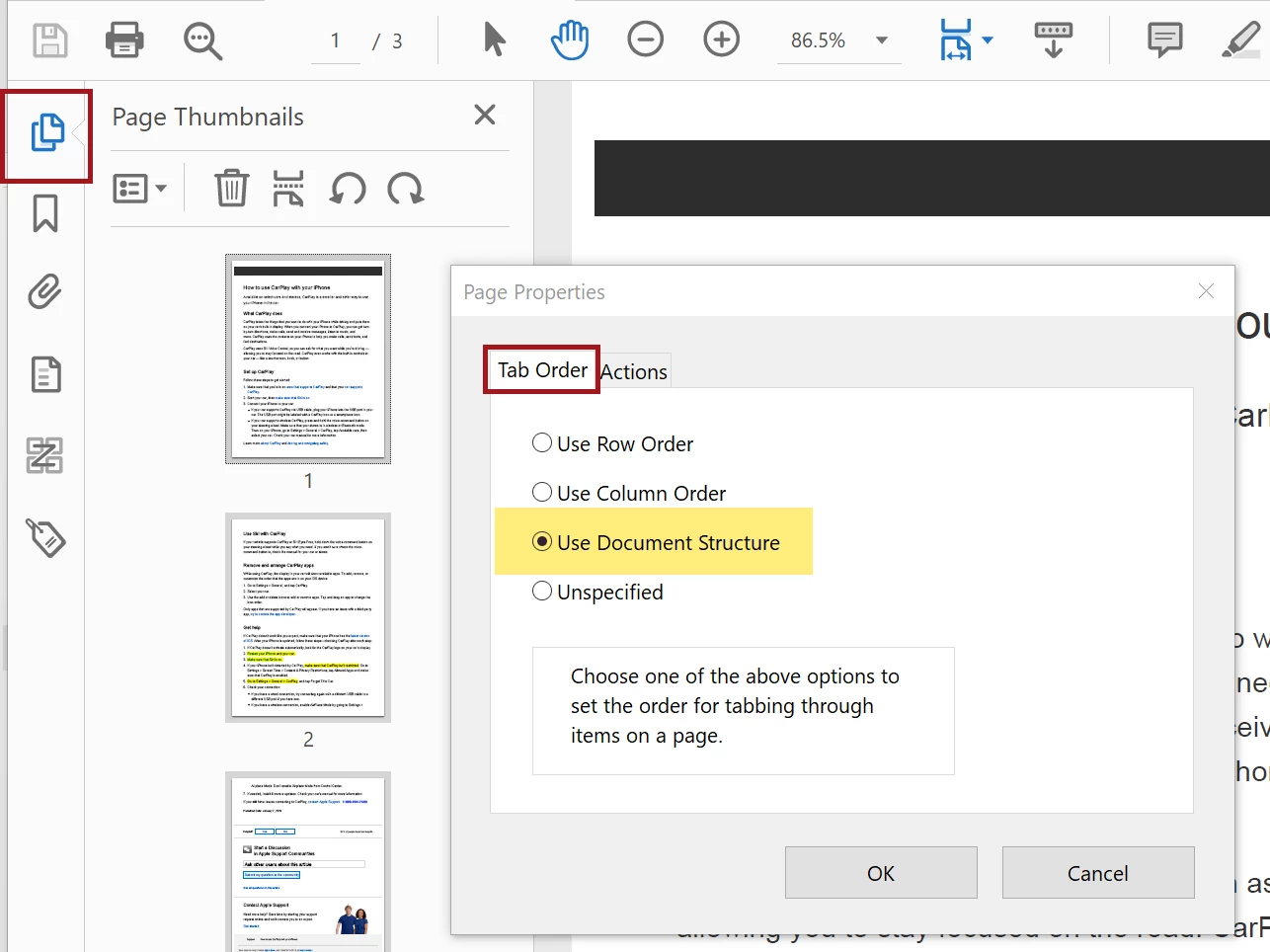
- Open the Thumbnails/Pages panel in Acrobat.
- Select all of the pages in the document. Control/Command + a will select them all in the panel.
- Right-click on one of the pages and select Properties.
- Select Use Document Structure under the Tab Order tab.
- Save the PDF and rerun the checker. The error should now be gone.
You also can set this in your InDesign layout and when you export to Interactive PDF.
- Structure your document so that it has a logical reading order: threaded stories, sequenced items in the Articles panel, and correct the stacking order in the Layers panel.
- Then, export to Interactive PDF and check the option to Use Structure for Tab Order.

Hope this helps.
—Bevi Chagnon




 AdChoices