kristenc72354486
Participating Frequently
December 7, 2018
Answered

InDesign: Adjusting 'space after' for only last line of bulleted list (using paragraph style)

  • December 7, 2018
  • 5 replies
  • 12562 views

I have created a paragraph style for a bullet list. However, I want the "space after" amount for the last bullet in the list to be different by default than the "space after" amount for the rest of the bullets within the list. For instance, in a list of five items, I want bullets 1-4 to have a space after of "0.0625 in," but for the fifth (and final) bullet in the list, I want it to be "0.1389 in."

I've set the "space after" in my paragraph style to "0.0625 in" -- but I don't want to have to manually go back to every list to change the final line to the greater spacing I desire. Is there a way to customize a paragraph style in such a way?
This topic has been closed for replies.
Correct answer Barb Binder

Hi Kristin:

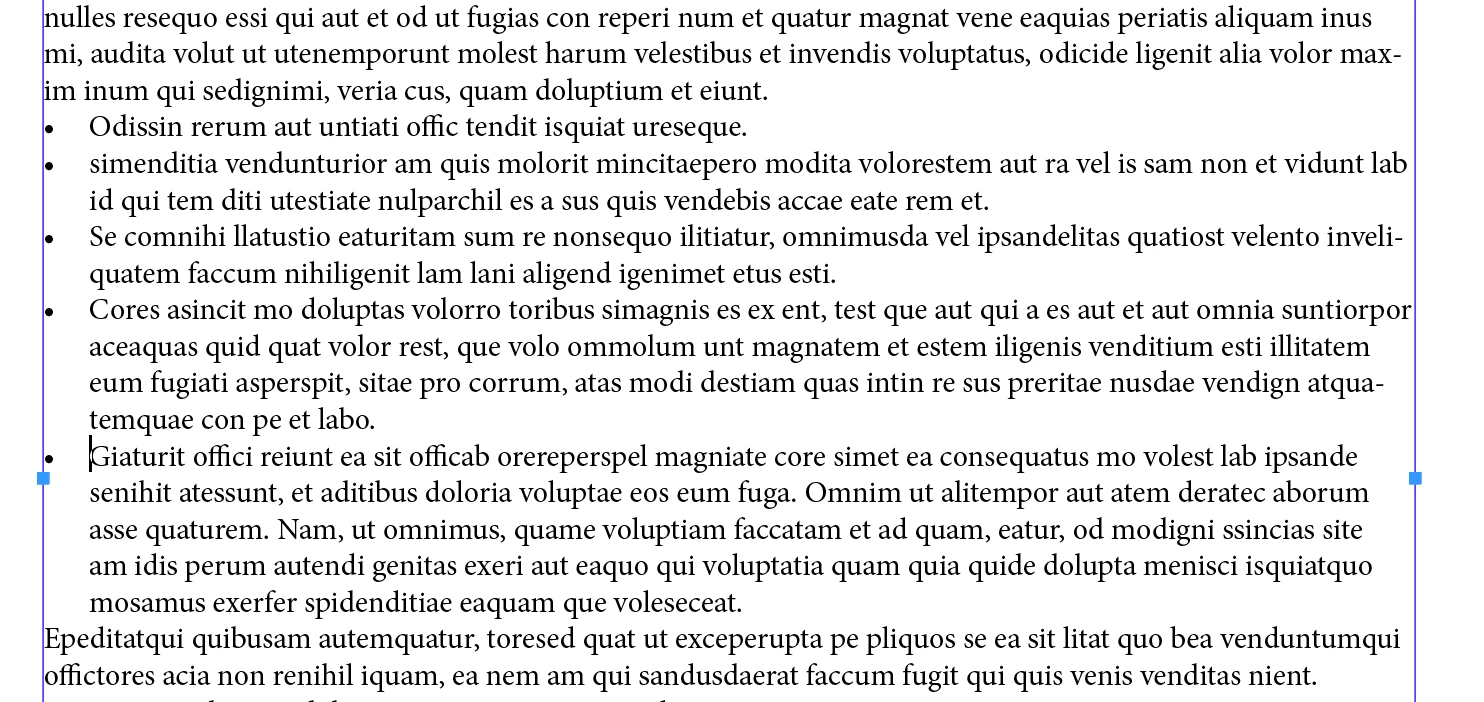
In v 13 or earlier, define the bullets normally with desired space between the bullets:

Then select the bullets, and set the Span to Span All:

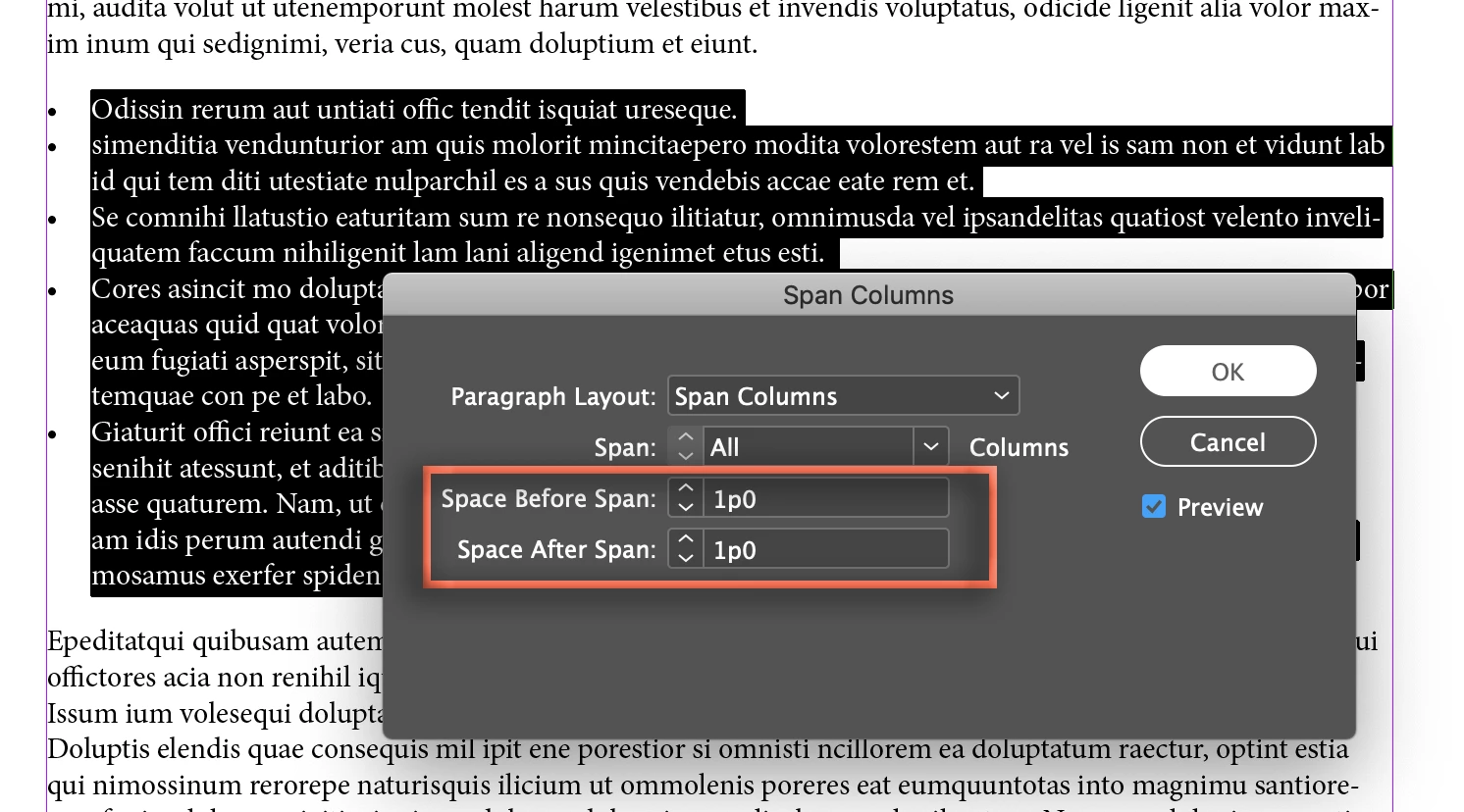
Then Alt/Opt click on the icon in front of Span All to open the Span Columns dialog box. You can define space for both before and after the spanned bullets:

If you are using paragraph styles, you can use Redefine Styles to update all of the bullet lists in your document.

~Barb

5 replies

Dave Creamer of IDEAS
Community Expert
Community Expert
December 15, 2022

I use Space Before for my body-based styles, including bullet and numbered lists. Removing or reducing the space is all that is needed. 


David Creamer: Community Expert (ACI and ACE 1995-2023)
Participating Frequently
December 15, 2022

I am dealing with this and it is definetely not working! I need help!! I hate how bullets work on Indesign!

James Gifford—NitroPress
Legend
December 15, 2022

Bullets in ID are one of its most powerful features. Unless Barb jumps in again, let's walk you through it.


What exactly are you trying to accomplish, and what's not working?


If it's vertical spacing, here's a summary of all the above:

  1. Set space above to the space you want between a prior paragraph and the first bullet.
  2. Set space below to the space you want between the last bullet and the following paragraph.


Now your individual bullets are probably too widely spaced. So:

3. Set Space In-Between to the value you want in between each successive bullet. All inter-bullet spaces will collapse (or, if you set it that way, expand) to this value, leaving only the starting top spacing and the ending bottom spacing at the original.


Is that it?


Participating Frequently
December 15, 2022

I am trying to have a bulleted list. The bullet creates an indent to the first line but anything after is not indented. I already check all the serttings -0.20 +.20 whatever... I even created a new doc with no parragraph styles and for a minute it worked on the defaults, but as soon as I choose the typeface FUTURA PT everything gets messed up. I really think the typeface is the problem. it is part of typekit.

I currently have a document using that typeface of Sh** and since it is a digital presentation I am changing the size of the typeface in a lot of slides so I have many "parragraph style+" If I change any setting on the style it messes up with my whole presentation, I tried multiple things and nothing is working. What can I do appart from replacing my whole presentation with a different typeface. Tabs are not working either.

Barb Binder
Community Expert
Community Expert
July 23, 2020

Hi Keith:


You are absolutely right. In your situation, I would return to using the Span trick I explained at the top of this post.


~Barb 


~Barb at Rocky Mountain Training
keithconover
Inspiring
July 23, 2020

Unfortunately, all the documents in which I'm trying to deal with this have two columns per page, so can't use the Span spacing. 😞

I suspect the best might be to have my Bullet paragraph style with no extra spacing after, and then a Bullet with Space After style with Space After of one pica (my grid spacing) for the last bullet in a series.


I went through all my documents and, as appropriate, tagged end-of-list Bullet and Bullet-Indent-1 styled paragraphs with Bullet-with-Space-After and Bullet-Indenti-1-with-Space-After styles. Seemed to be pretty easy and no unexpected side effects. You can simply not apply the to the end of a list prior to a heading and that gets rid of the problem with too much white space between the end of the list and the following heading. I think I would recommend it, even if you don't have two columns.

kristenc72354486
Participating Frequently
December 7, 2018

Thank you! That worked!

I realized I also then had to make sure my footnotes were set to "span across columns," too, so that they continue to format correctly.


Thanks again for the fast help!

Barb Binder
Community Expert
Community Expert
December 8, 2018

Great! Glad I could help.

~Barb

~Barb at Rocky Mountain Training
keithconover
Inspiring
July 23, 2020

Barb, you are really smart and know a massive amount about InDesign, and you have solved problems for me in the past. This variant of the above may be insoluble without InDesign changing, but…


How to you get the spacing to come out right for multiple levels of bullets without manually adjusting the spacing? If there were an option "Space Between Paragraphs Based on Same Style" that might work, so that you could adjust the spacing between more than one level of bullet, that would work, but it doesn't exist.


I tried making a new style "Bullets with Sub-Bullets" which worked when every Bullet had Sub-Bullets, but if the previous paragraph didn't have Sub-Bullets and had a paragraph style of Bullet, I got this:


There is also a problem that, if you have a bulleted list right above a heading that is formatted with Space Above (as most recommend as a best practice) then you get more space between the end of the bulleted list and the subsequent heading than you really need.

Thanks for any thoughts.

Barb Binder
Community Expert
Community Expert
December 7, 2018

Hi Kristen:

There is a new feature that addresses this specific issue in CC 2019 (v 14) and a work-around that is effective for a 1-column layout in earlier versions. Which version are you using?

We can explain the one that will work for you once you let us know your version.

~Barb

~Barb at Rocky Mountain Training
kristenc72354486
Participating Frequently
December 7, 2018

Thank you! I'm on CC 2018, so still v13, I believe.

Barb Binder
Community Expert
Barb BinderCommunity ExpertCorrect answer
Community Expert
December 7, 2018

Hi Kristin:

In v 13 or earlier, define the bullets normally with desired space between the bullets:

Then select the bullets, and set the Span to Span All:

Then Alt/Opt click on the icon in front of Span All to open the Span Columns dialog box. You can define space for both before and after the spanned bullets:

If you are using paragraph styles, you can use Redefine Styles to update all of the bullet lists in your document.

~Barb

~Barb at Rocky Mountain Training