



InDesign CC UI on multiple monitors with different resolution
Hello,
I have a workstation of 3 monitors (currently 2 are connected) and just got a brand new Dell UP3216Q 32 inch monitor to replace my older 27 inch Dell.
I am experiencing problems with tabs in the latest InDesign CC. I use the vertical 24 inch monitor (1200x1920 px with 100% scale in windows 10 display settings) for tabs, and the main 32 inch (3840x2160 px with 150% scale in windows 10 display settings) for layout work. Worth mentioning, that Photoshop CC and Illustrator CC are perfectly fine, the tabs adjust properly to the 24 inch monitor.
The problem is, that the tabs of InDesign don't look as good as Photoshop and Illustrator. They are either blurry, or too small to read. I notice that they somehow dont adapt to screens resolution. Please see pictures bellow:
On the left from the taskbar is the 24 inch monitor, on the right is the 4k 32 inch monitor.
1) If UI scaling is off, the main display has small letters, which is fine, but the side monitor tabs are almost unreadable.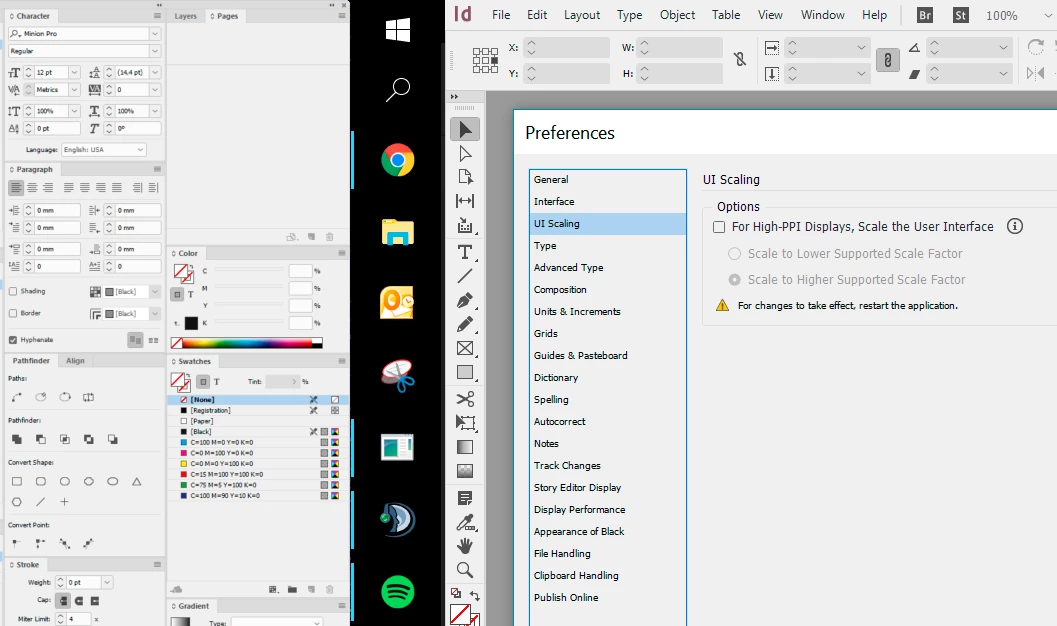
2) If UI scaling is on, the main display is perfect (just as PS or AI), but tabs in the side monitor are slightly blurry and not as crisp as in PS and AI. Please watch this picture in 100% to see the difference from 3) and 4).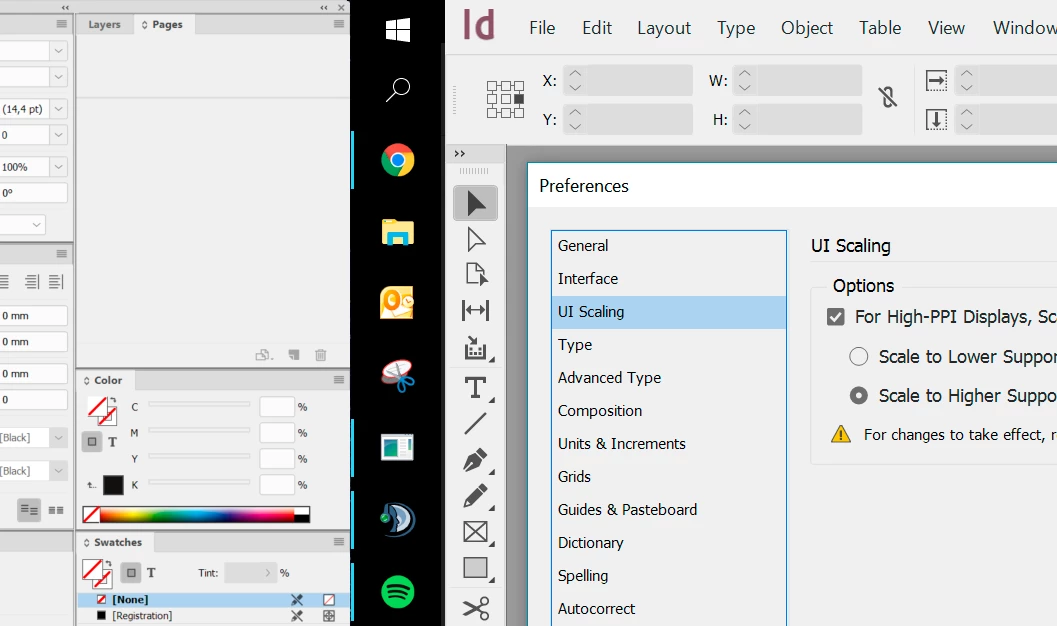
3) This is just for comparison, how crisp is AI.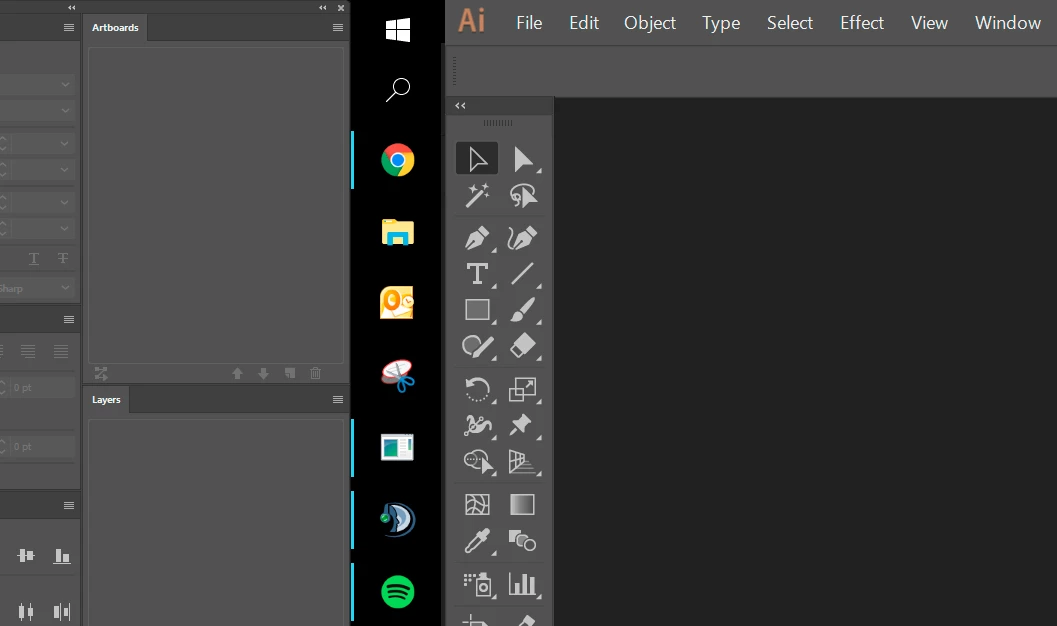
4) This is just for comparison, how crisp is PS.
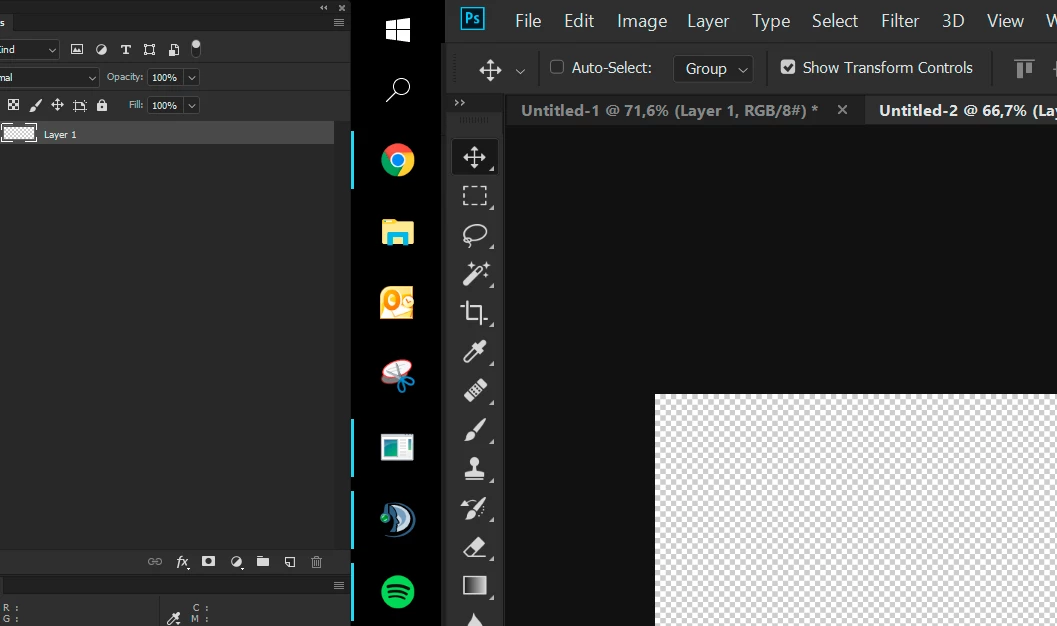
Any ideas why this is happening and what to do?
When the main monitor is set to 100% scale, then everything is crisp in InDesign, but everything in main monitor is way too small to read.
I'm just wondering, how come PS and AI adapt fine to 150% scale, but InDesign does not?
Best regards,
Ivo
 AdChoices