


MagentaPrinting
New Participant
January 23, 2020
Question

InDesign Exports a Corrupted PDF

  • January 23, 2020
  • 2 replies
  • 4157 views

I have the current version of InDesign (from CC). 


I have created a 2-page document that links a few PDF files. All of the component PDF files (all created with the same InDesign) open and display correctly.


Upon exporting the composite (parent) document to PDF, Acrobat complains that the second page contains errors. It does not say what kinds of errors:
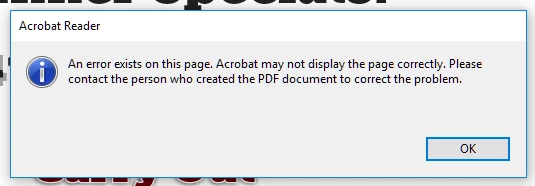


I am the person who created the PDF document, so there is no one else to complain to.

AJ

This topic has been closed for replies.

2 replies

Willi Adelberger
Community Expert
January 24, 2020

Additionally, you should inform us, what is on the second page? Image? File Type? Color Space? Text? What font is used? Graphic? File Type again? Is a font embedded? Where do images and graphic come from? Source Program? How created? Standard?

MagentaPrinting
New Participant
January 28, 2020

As I clearly mentioned in my original post, the second page consists of PDF files created with the same version of InDesign, placed on the second page of the composite document, and scaled slightly.


The PDF files placed on the second page all open without any problems or complaints in Acrobat. They contain just type, using embedded Adobe fonts, and in one instance, a couple of rectangles with gradient fills. Pretty basic stuff. No images.


Once again, all component PDF files were created with InDesign.The composite document just includes them as links. 


InDesign consistently creates a corrupted composite PDF document on export. The corruption seems to occur on page #2 of the generated composite PDF.


In an attempt to further narrow down the problem, I deleted the first page from the composite PDF and exported just the one and only remaining page with the three linked PDFs. The same problem: the one-page PDF created triggers the same error message in Acrobat.


Willi Adelberger
Community Expert
January 28, 2020

If you import PDFs into InDesign they should always be PDF/X-4, no other kind.

Rishabh_Tiwari
Community Manager
Community Manager
January 23, 2020

Hi there,


Thanks for reaching out. I would request if you can try converting the InDesign file to IDML and then try saving the file as PDF.


Regards

Rishabh

MagentaPrinting
New Participant
January 28, 2020

I have done that and it does not solve the problem.