



Troy789
Inspiring
October 9, 2020
Answered

InDesign images become pixelated when placed

  • October 9, 2020
  • 1 reply
  • 1855 views

Hi,


When I place images into InDesign my images pixelate and become low quality (Any files including psd, ai etc.)


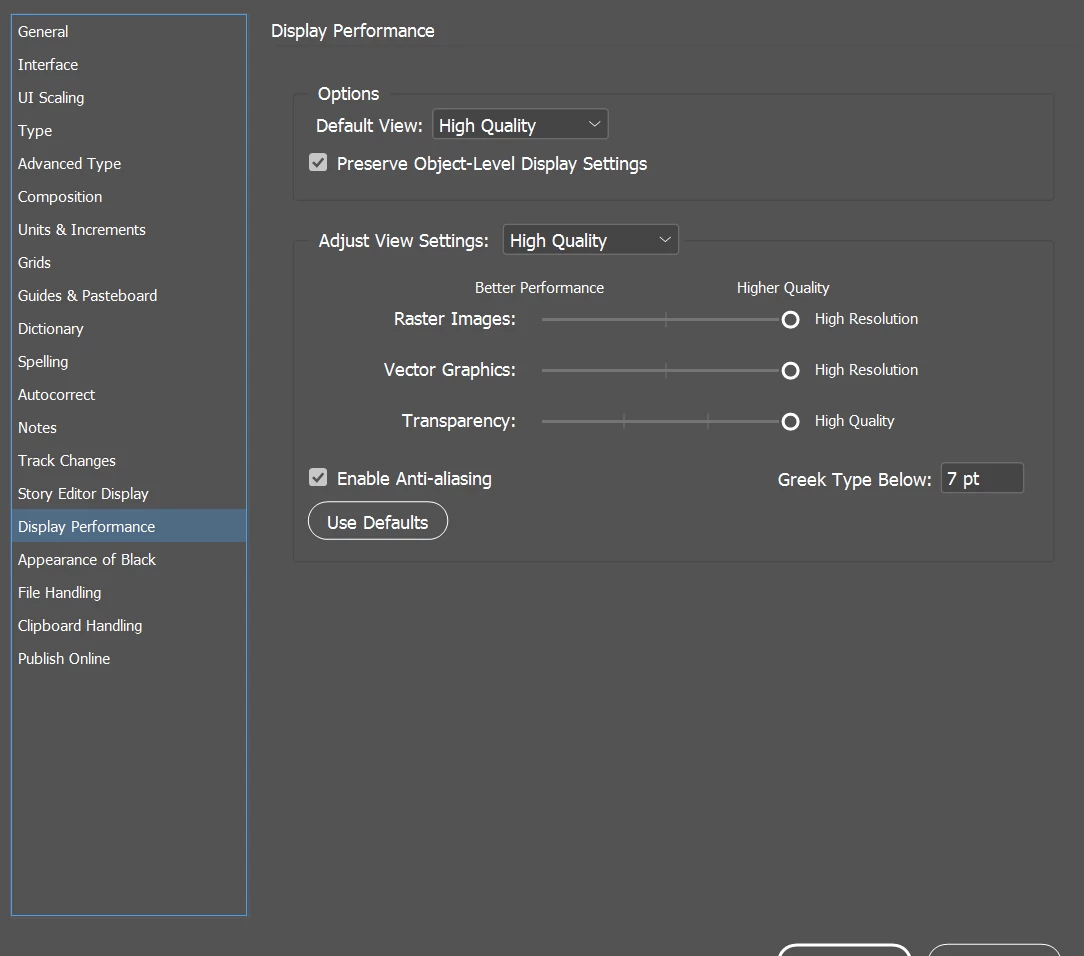
I have gone to preferences> display performance and changed the settings but still no change. (Adobe InDesign 2020)


What should I do next?
 

This topic has been closed for replies.
Correct answer Troy789

Hi Eric,

I right-clicked and selected the correct setting. It was on "use view setting" and not "high quality display".

Thank you!

1 reply

Eric Dumas
Community Expert
October 9, 2020

Hi,

Can you right-click on an image with the selection tool and confirm that the Display Performance section has the correct option selected? Alternatively, in the View menu > Display Performance, can you check what option is selected?

Finally, can you check the Links panel to make sure all the files are listed without any warning?

I assume all your images are high resolution and that's why they should all display in a higher quality.

Troy789
Troy789AuthorCorrect answer
Inspiring
October 9, 2020

Hi Eric,

I right-clicked and selected the correct setting. It was on "use view setting" and not "high quality display".

Thank you!