



bmferreira
Participant
May 15, 2023
Answered

Indesign is not breaking paragraphs to fit margins properly

  • May 15, 2023
  • 2 replies
  • 838 views

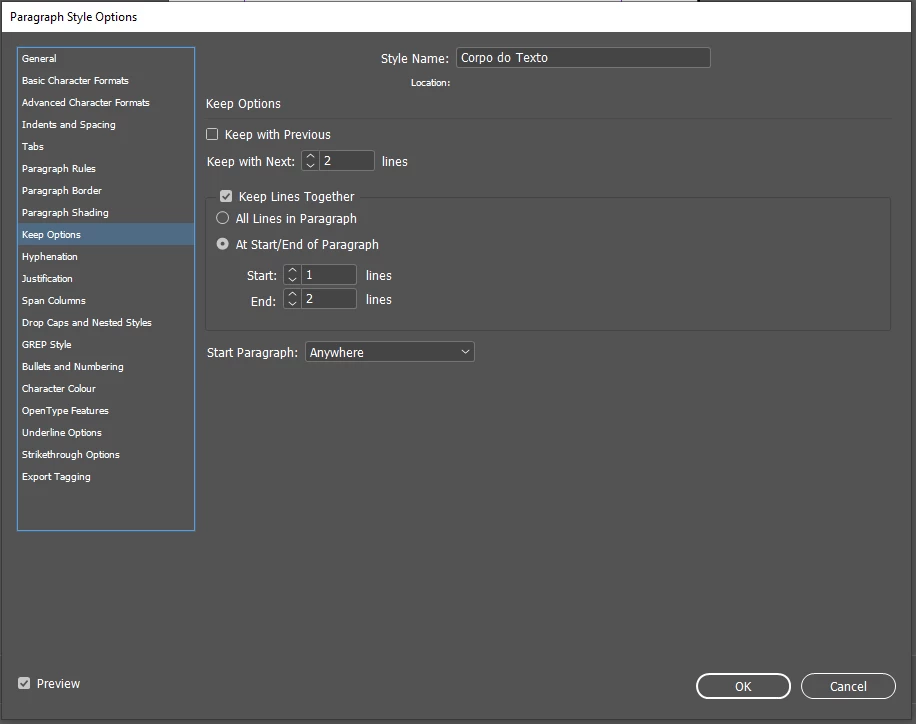
I usualy use "Keep option" to keep the last two lines of a paragraph together and allow one single line in the begining of the paragraph. Just like this:
 

But something weird is happening. There are certain paragraphs that Indesign is not breaking to the next page without taking two lines of the previous paragraph, leaving a huge gap in the body of the text. Let me show:
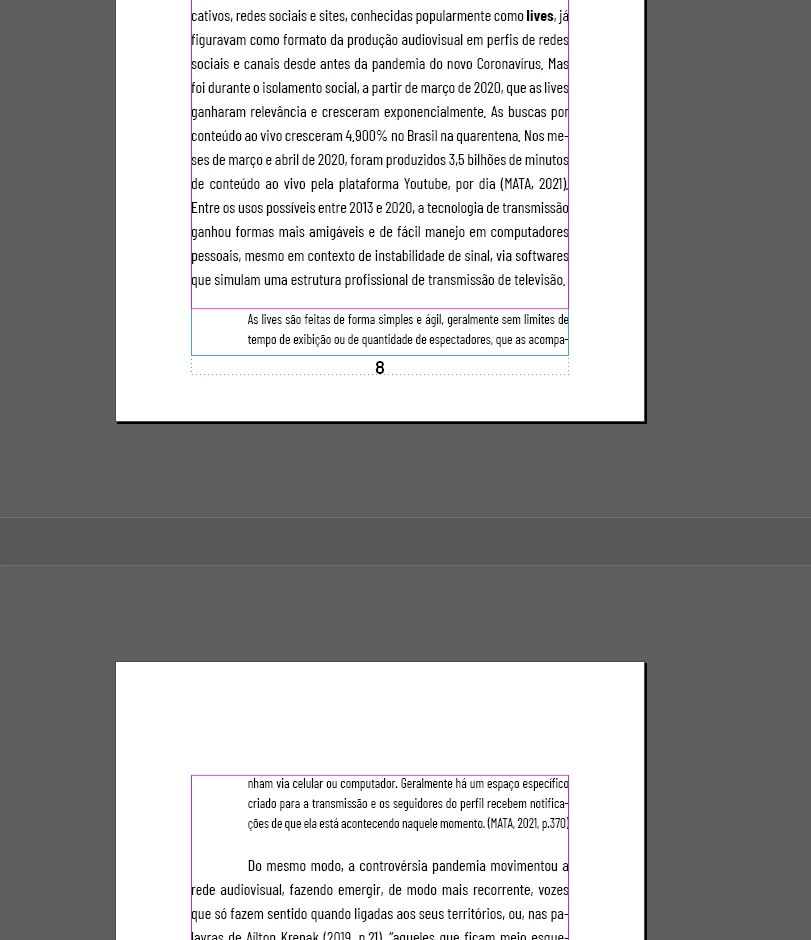
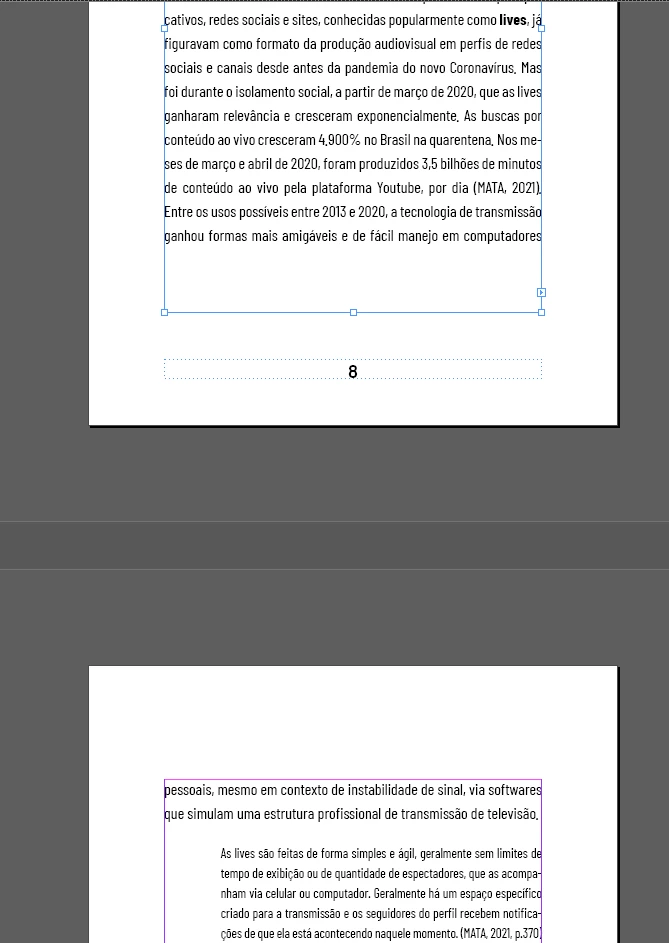


As you can see, although there is planty of space inside the margins, when I ajust the text frame to fit the margins, it breaks the paragraph and take two lines to the next page, leaving a gap in the text body. What am I missing here?

This topic has been closed for replies.
Correct answer James Gifford—NitroPress

This is an egregious bug in the menu layout. Any nonzero value in that field is active, even though the layout implies the checkbox above controls it. It does not. 

2 replies

Barb Binder
Community Expert
Community Expert
May 15, 2023

Hi @bmferreira:


To further clarify, your body text is set to keep two lines together at the bottom of any column. In addition, it is set to keep with the next two lines of the following paragraph (the quote). So that means that if the last two lines of a body paragrah and the first two lines of the next paragraph don't all fit at the bottom of the columnn, they all need to move to the top of the next page. 


~Barb

~Barb at Rocky Mountain Training
bmferreira
Participant
May 15, 2023

Thank you @Barb Binder

Community Expert
May 15, 2023

You have 'Keep With Next 2 lines' you don't need this. 

bmferreira
Participant
May 15, 2023

That one is not checked.

James Gifford—NitroPress
Legend
May 15, 2023

This is an egregious bug in the menu layout. Any nonzero value in that field is active, even though the layout implies the checkbox above controls it. It does not.