


Indesign (Overprint Fill) bug? "White" does not print!
Prologue
I faced an issue that took some days to solve, with help from experienced professionals.
I feel it is a bug, or atleast there is something that can be done in InDesign software to prevent it from happening.
I share here as a discussion, as I wonder how this is not faced by anyone else (?!) before this can be reported as a bug.
Issue
My white text would not print. I felt I had made no mistake, or did I? or did InDesign not let me correct (overprint fill option is greyed out for white!)?
The specifics are illustrated in the attached images:
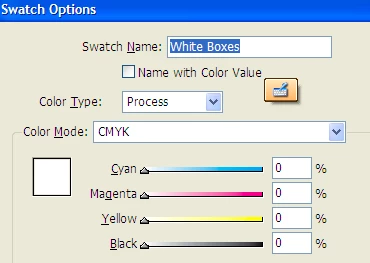
1. The color value of "white boxes" swatch which is used for text
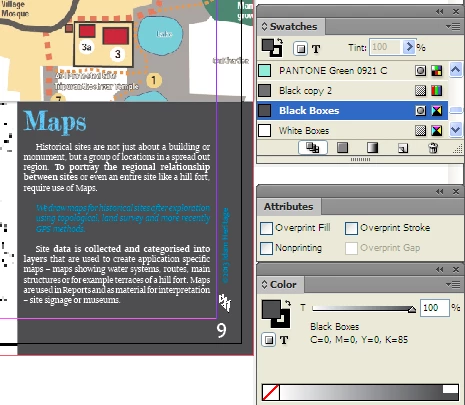
2. As is view of content without Overprint Preview
3. As is view of content WITH Overprint Preview (some white text disappears) - compare the area below the MAPS title.
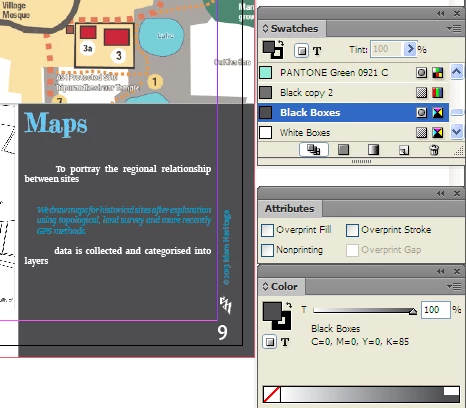
4. Inspection of visible white text
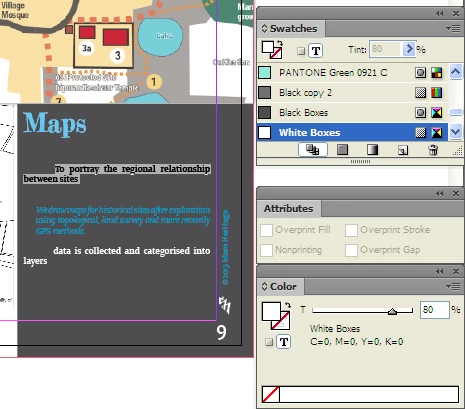
5. Inspection of invisible white text (the cuplrit is nailed!)
But wait! the overprint fill option is disabled (greyed out) but shows a tick! I understand/assume that for white/paper this option is disabled. but then how come it is showing ticked.
Solution (hack?)
- Change the invisible text to any other non-white color
- Untick "overprint fill"
- change color back to white/paper
- Now white text becomes visible and is able to print!
Hmm, now is that not a software bug?
 AdChoices