



Answered
InDesign print Black and white, how to get the right color
Hello, everyone. I have run into a frustrating situation recently. I am trying to print my art portfolio, which includes a variety of mixed-color and black-and-white pages in a booklet. However, I can't seem to get the black print to match what appeared on my Mac screen.
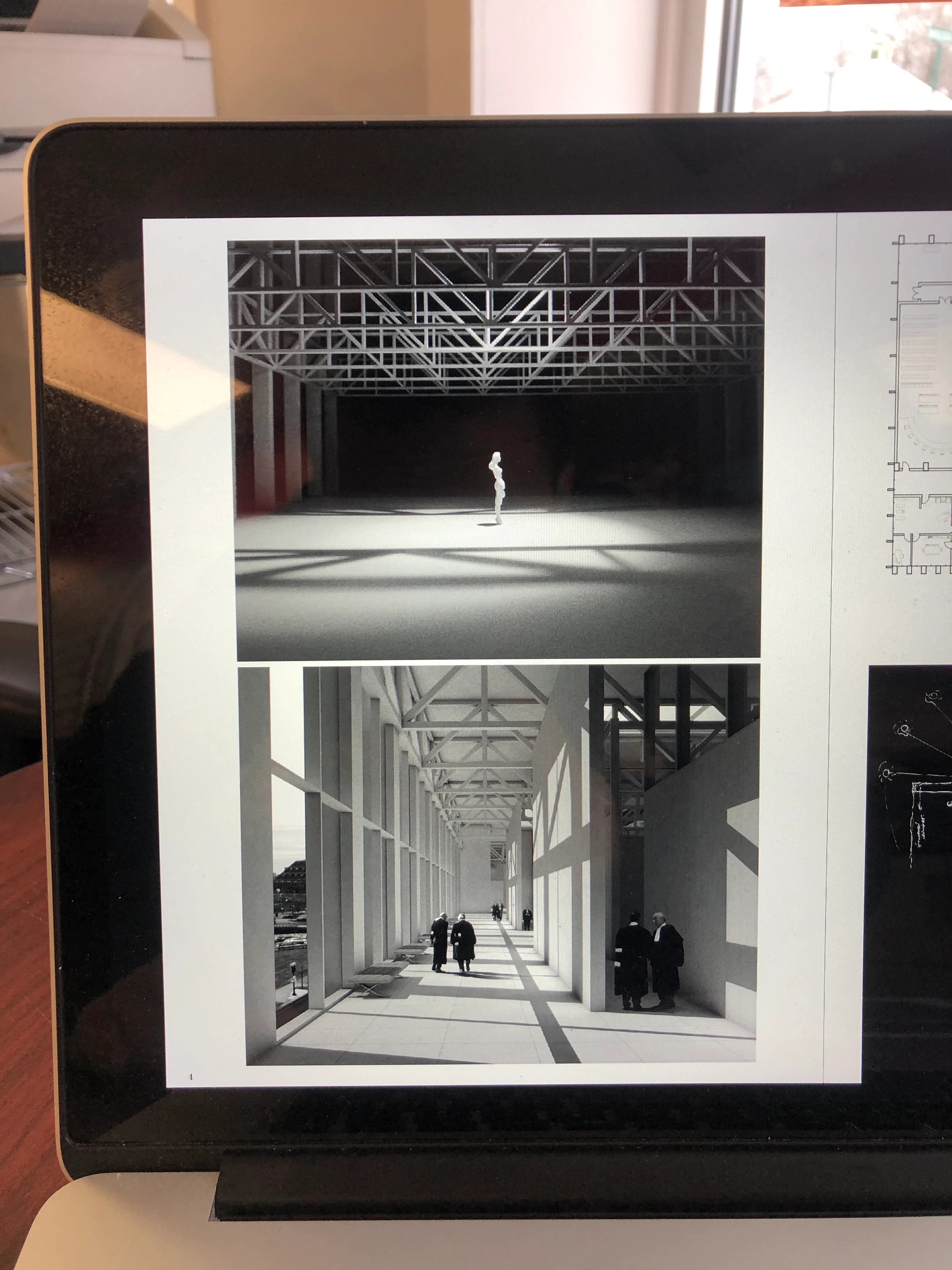
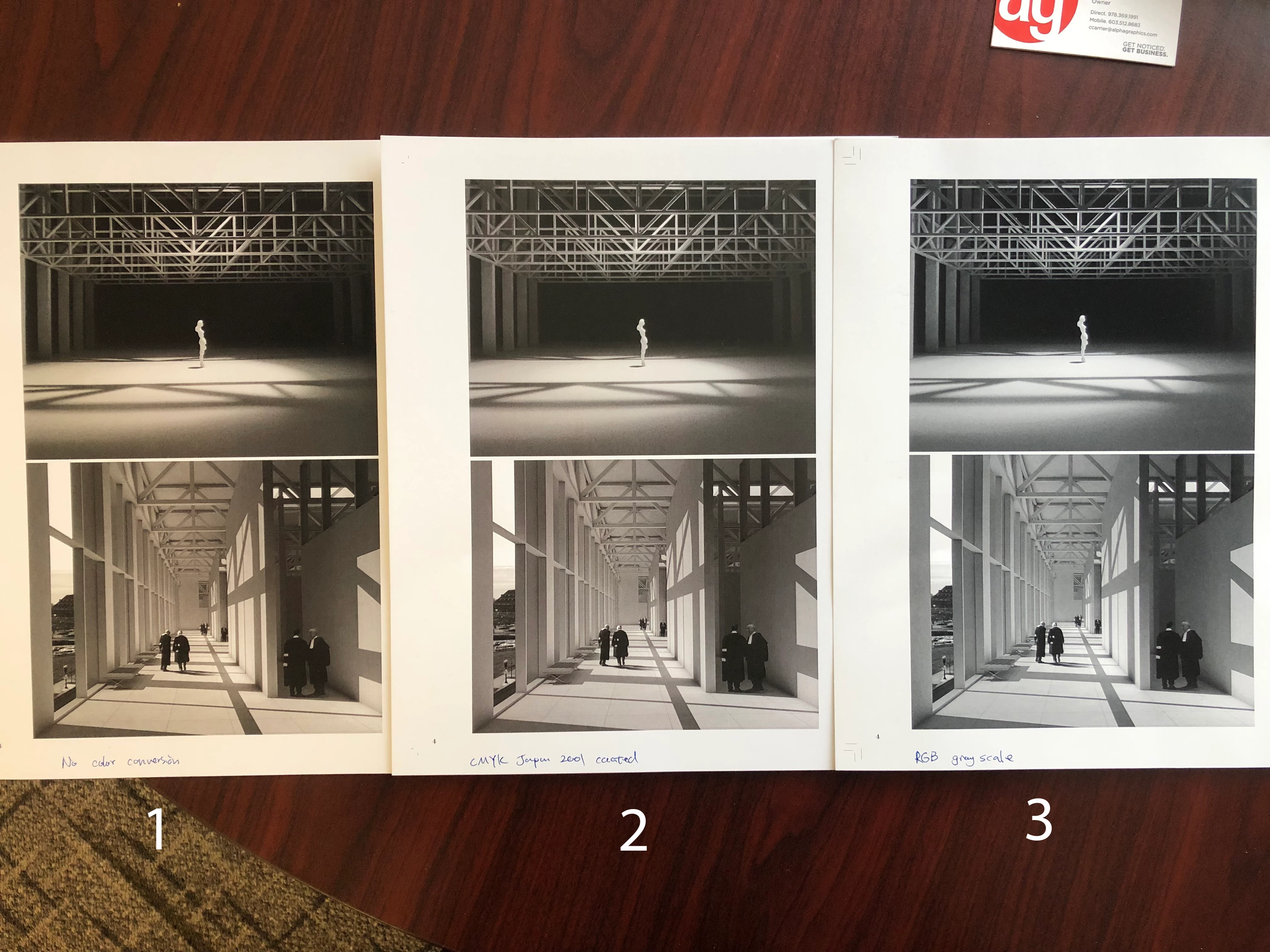
The computer screen black (see attached photo) is ultimately the final goal I am trying to achieve. However, there are 3 different colors (see attached photo) from the printer:
- very yellowish, no color conversion when I exported from InDesign. I assume the printer converted the RGB color to this yellow one.
- less yellow. "Convert to destination preserve numbers" in InDesign, color profile Japan 2001 coated. I am not sure the print shop printer's CMYK color profile default setting, but Google says most North American printers use this Japan 2001 coated profile.
- was printed as grayscale from a no color conversion file. This black and white is actually what I am looking for. However, I am trying to print an entire booklet double-sided, so there's a very high chance that there is a color image somewhere else on the other side of the paper.
So, if anyone has any RGB color convert suggestions, especially to black and white images, that would be great. Also, does anyone know of any really good print shops in the Boston area?
Thanks so much in advance!
 AdChoices