


New Participant
July 29, 2024
Question

InDesign Saving Issue: Error Message: "Cannot save the document. It may be opened by other app."

  • July 29, 2024
  • 3 replies
  • 1621 views

I am having a significant issue with ALL of my InDesign files not saving after I make a single change. An error message comes up. See the screenshot attached.
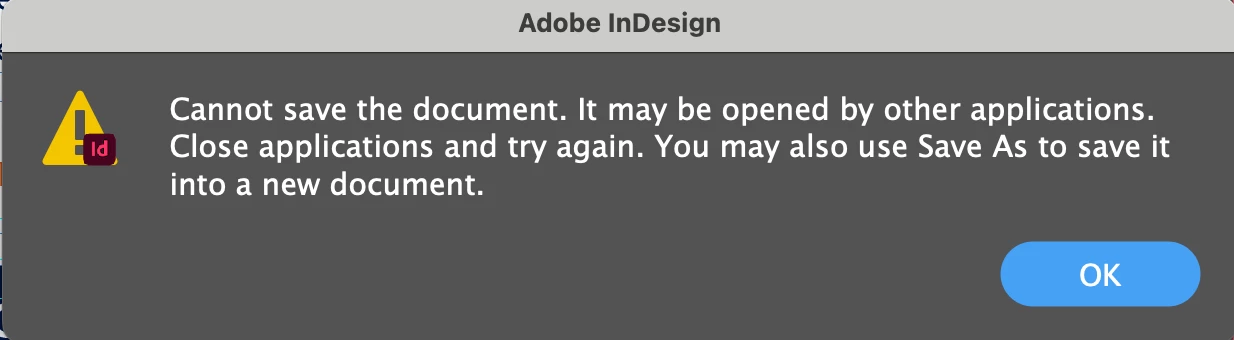
 

It says I have another version open, but I do not, and I am the only one in our system working on these files off a server. It won't allow saving, and it also won't allow SAVE AS. Is anyone else having this major issue? I can not work on any of our art files.


<Title renamed by moderator>

This topic has been closed for replies.

3 replies

leo.r
Adobe Expert
July 30, 2024

Are you running the latest InDesign 19.5?

KWinnAuthor
New Participant
July 30, 2024

Yes

Robert at ID-Tasker
Brainiac
September 3, 2024

additional info:
Sometimes it works ok. We can save the files multiple times as it should be. But opening another file on the same client stored in the sam location may open write protected.


@Jürgen27241002fjjp 


If it works sometimes - then there is a "problem" with your network - or your server.


Can you do a test - make sure that server isn't doing any backups or integrity checks on the files - and ask everyone in your network to disconnect - so you will be the only one doing any traffic?


One more thing - do you have a SWITCH or a ROUTER in your network?


Because, you can have 1Gbit cards in your computers - but if you only have a ROUTER - instead of a SWITCH - you'll have a bottleneck.


Also, what network card is instaled in your server? Because, if you want every user to connect to your server with a full speed - you need 1Gbit for every user - so at least 10Gbit for up to 10 users AND your SWITCH also needs to be capable - and able -  of connecting to the Server though at least 10Gbit connection.


Robert at ID-Tasker
Brainiac
July 30, 2024

@KWinn


Most likely your network is too slow - or rather has too high latency / lag.


InDesign 19.x is extremely sensitive to that. 


kglad
Adobe Expert
July 29, 2024

in the future, to find the best place to post your message, use the list here, https://community.adobe.com/

p.s. i don't think the adobe website, and forums in particular, are easy to navigate, so don't spend a lot of time searching that forum list. do your best and we'll move the post (like this one has already been moved) if it helps you get responses.


<"moved from using the community bugs">