angelos1974
Inspiring
November 14, 2016
Question

InDesign space after in Paragrphs

  • November 14, 2016
  • 4 replies
  • 9543 views

Hi there

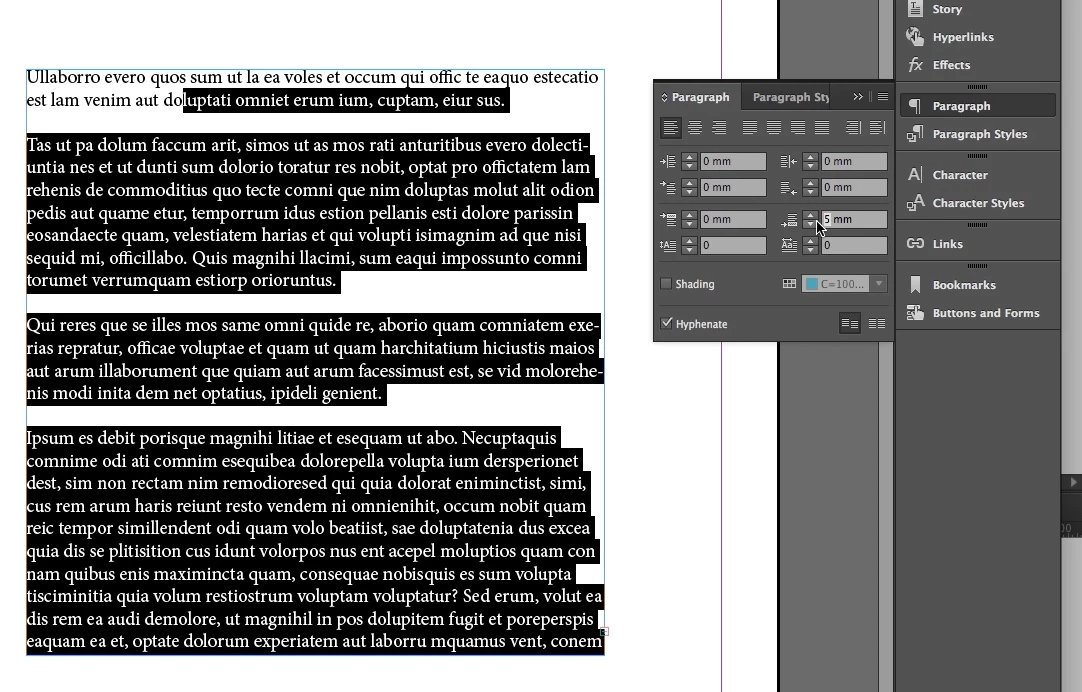
I have recently upgrade to InDesign 2017 and discovered that the space after in Paragraphs does not work for me. I have called Adobe for help and they connected onto my computer remotely. The technician tried for over an hour to fix the problem but he was unable to. He uninstalled the program twice  and reinstalled it but still no joy. We even reinstalled Adobe inDesign 2015 but it was doing the same thing. I have installed the new InDesign onto a different computer altogether and it is still doing the same thing.

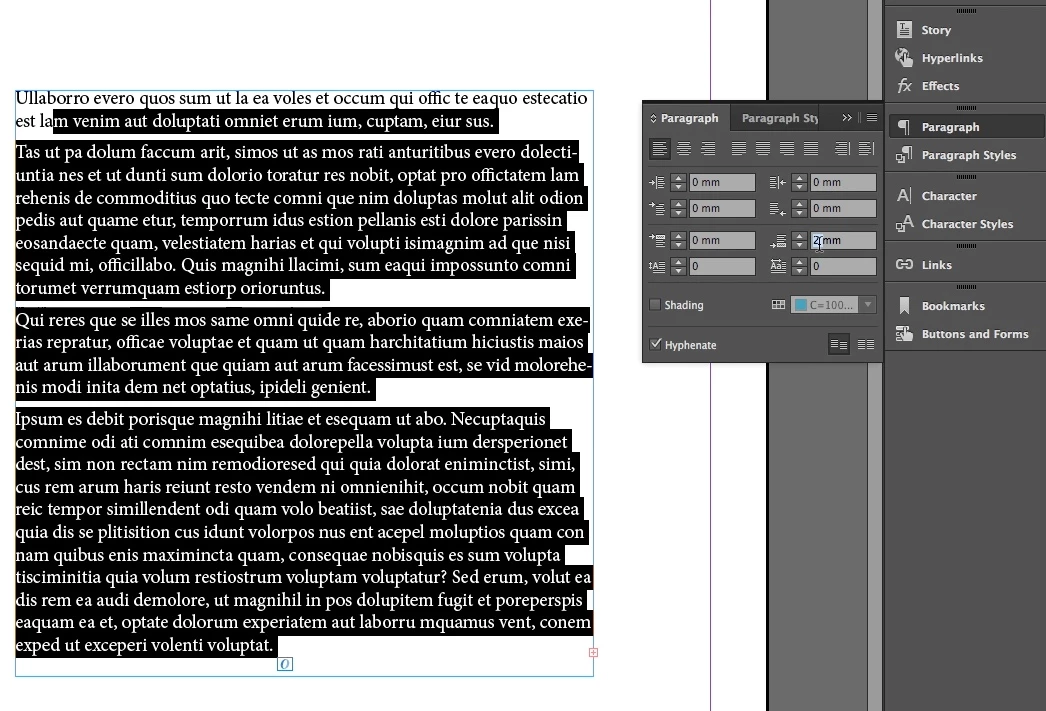
It seems to work when you use it the first time when the program is launched but when you go back to it for a second time it does not work any more. Please see picture attached.

The adobe technician promised to get back to me with a solution with in 48 hours but it has been 5 working days (7days including the weekend) but have not heard anything back from him. Not even an email to acknowledge the case.

Is anyone else having a similar problem at all or can anyone help please.

thanks

Angelos
    This topic has been closed for replies.

    4 replies

    Known Participant
    December 12, 2016

    I am having this issue as well. I am accustomed to selecting the value in the Paragraph panel, changing the digits, hitting enter to see the results, then going back to work. Now I get hung up on this value field because it doesn't take, or else deletes all the copy in the text block whose paragraph spacing I'm trying to edit.

    angelos1974
    Inspiring
    December 12, 2016

    Hi Shane

    go to the InDesign Preferences and under Advanced Type uncheck the very last check box (Show Adornment on Text Selection/Text Frame for more Type controls) and that should fix the problem.

    mattd39315549
    New Participant
    January 31, 2017

    Thanks for the tip angelos1974, this was really annoying me.

    New Participant
    November 27, 2016

    I've had this issue as well, and have found a post from Momir that seems to have fixed it for me!!

    Re: selection issue bug on MacOS Sierra 10.12

    tpk1982
    Brainiac
    November 14, 2016

    Did you checked with the other documents what you already created?

    Maybe that text frame have some different setting like justify...

    angelos1974
    Inspiring
    November 14, 2016

    Thanks for your reply. I have tried it with different settings, different documents and it still does the same thing, although I can’t see why that should make any difference. The function should be working with any option combination one uses.

    I have been using this function a number of times daily, for the last 15 years or so and never had any problems.

    Forgot to mention that I am working on an iMac OS Sierra 10.12.1

    Barb Binder
    Community Expert
    November 14, 2016

    You know what? I ran into the same issue in 2017 when you type numbers into Space After. First it was working, then was erratic, then working as expected again. You can report it here: Wishform - Adobe InDesign

    In the meantime, you can click the white up arrow to increase and decrease by a whole mm. Or use ¶ view of the Control panel.

    ~Barb at Rocky Mountain Training
    Community Expert
    November 14, 2016

    Hi Angelos,

    can you post a screenshot that is showing the problem?

    With hidden characters, the control panel, frame edges, guides and the rulers showing.


    I cannot see any problems in the screenshots you posted.

    Regards,
    Uwe