


Participant
August 5, 2021
Answered

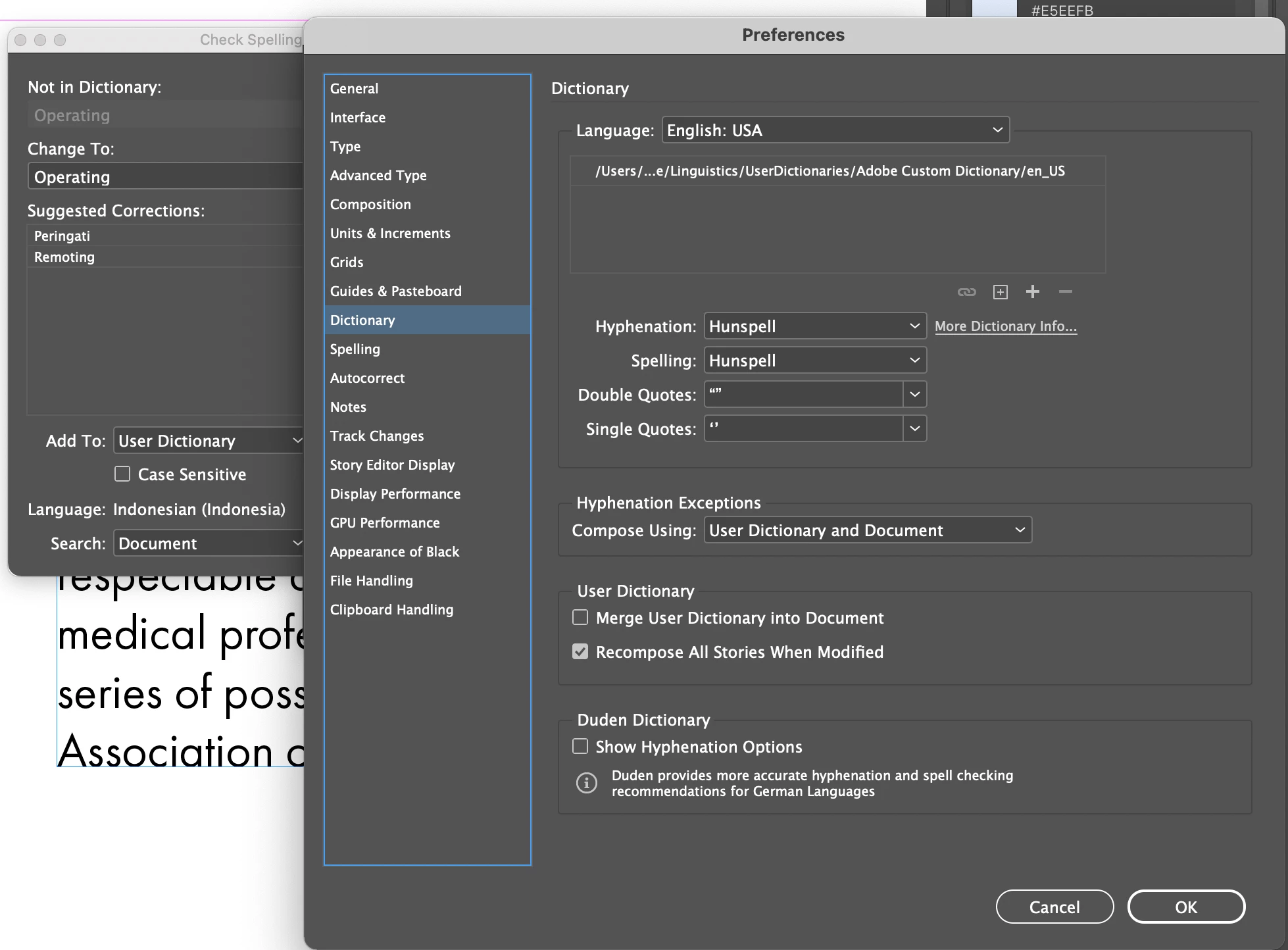
InDesign spell check defaults language to Indonesia. Preference language is set to English USA.

  • August 5, 2021
  • 1 reply
  • 974 views

Environment: 
Mac OS 11.5.1

InDesign: 16.3.2

Macbook Pro 13" M1


InDesign language is set to English USA in preferences. However when I run spell check, the language is set to Indonesia. I attempt to reset the "dictionary" (Edit > Spelling > User Dictionary) to English, however it does not function.


I attached a screenshot of my dialog boxes.


Has anyone else experienced this issue? Is there a fix? Am I missing something with my settings? Any help would be greatly appreciated. 

I
This topic has been closed for replies.
Correct answer SJRiegel

One error in my post -- don't leave the find field blank --  put ^? in it. (Wildcard for Any Character)

1 reply

Legend
August 5, 2021

Language settings within a document are a Character-Level setting. 

Check your paragraph styles and your character styles to see what language is applied. 

Further, you can use Find/Change with nothing in the Find and Change to fields -fill in the language you want in the advanced Character formats, and change all.

SJRiegelCorrect answer
Legend
August 5, 2021

One error in my post -- don't leave the find field blank --  put ^? in it. (Wildcard for Any Character)

Participant
August 9, 2021

Thank you for your reply. This saved my life! Greatly appreciate it.