


Known Participant
November 6, 2019
Answered

InDesign taking forever to open and displaying "Finding linked files..." message

  • November 6, 2019
  • 3 replies
  • 4927 views

Here's my issue. I have an ID template file that is used company wide. The file is located on a server in St. Paul and we have users in Denver and Madison that access the file on a normal basis. Whenever our users try to open the file (from the St. Paul server) it gives this message "Finding linked file x of 18". There is only one linked file in the document so why would it be trying to find 18 linkes and why would it be taking so long to open up? I was reading something about absolute links but not sure if this is the issue. Thank you in advance for any help!
This topic has been closed for replies.
Correct answer Laubender

Hi @julietw99713499 ,

me again on your InDesign document 01_hackenesch_fm.indd.


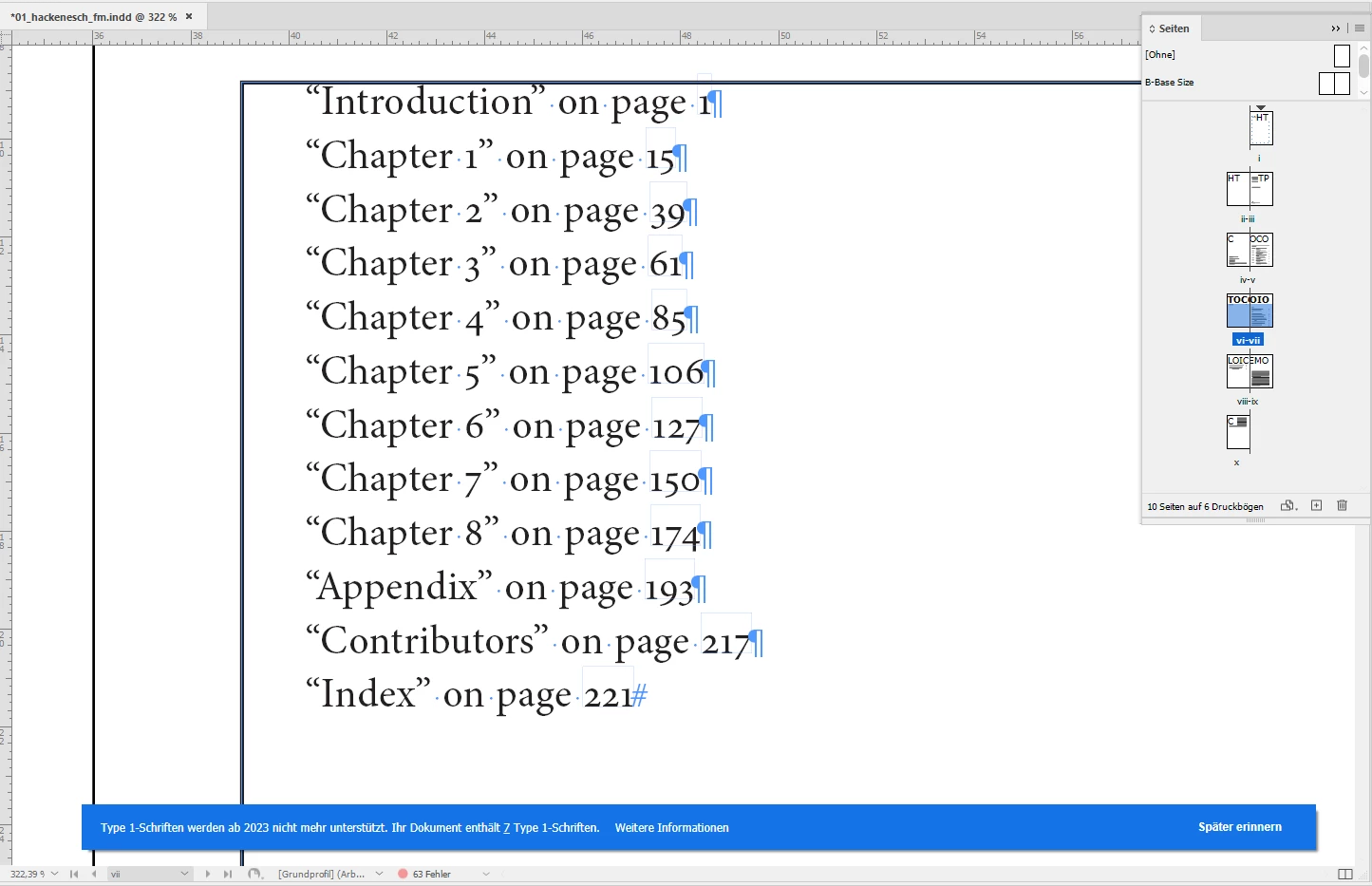
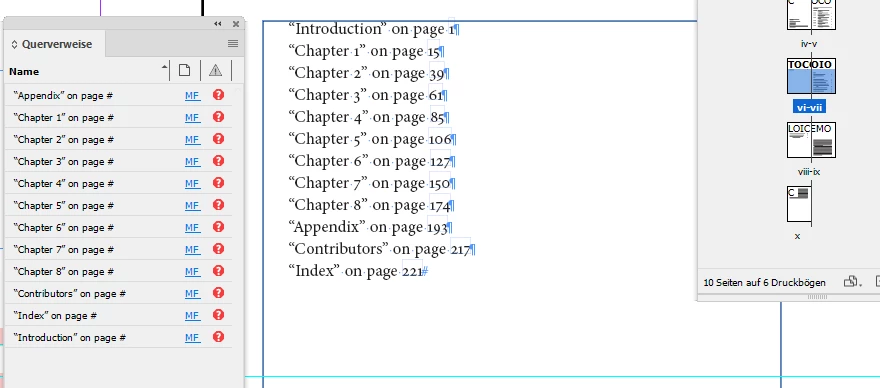
Looked with a script into your document and can detect 12 hyperlinks with names like:

"Cross-Reference 11", all with sources like [object CrossReferenceSource]. The value for the destination returns an error and produces a message that the external document cannot be found.


So, there are cross references in your document that point to other InDesign documents.

Found them. All 12 cross refs that point to other InDesign documents are on the pasteboard of the 4th spread:


Regards,
Uwe Laubender
( Adobe Community Professional )


I should have looked up the Cross Reference panel. There you see them all listed:


@julietw99713499 

So to speed up the process of opening your document, also open the referenced InDesign documents.

If you are working from a book file, open the documents from the InDesign book file.

( Or delete the text frame with cross references. )


Regards,
Uwe Laubender
( Adobe Community Professional )

3 replies

Elisa V su AC account
Participant
June 6, 2023

Soved: 
Save an .idml file and after resave it in .indd

Community Expert
November 24, 2020

Hi together,

you could disable the following options in your InDesign Preferences:


Preferences > File Handling > Links

[  ] Check Links Before Opening Document

[  ] Find Missing Links Before Opening Document


You could also disable live preflight.


But if you do this, make sure that you go to the Links panel and look for missing or out-of-date links every time you opened a document.


Regards,
Uwe Laubender

( ACP )

Known Participant
March 8, 2022

No, images are not the issue.  As stated previously, this delay happens even in files with zero images.


Maybe it's looking for fonts, or something else?


Known Participant
July 19, 2022

Hi @Youn5CB2 ,

could you provide an InDesign document where you see the issue?

One page with a table would be enough.


Thanks,
Uwe Laubender
( Adobe Community Professional )


None of the files for which this is happening contain any tables. It doesn't have to do with images or tables or pages or documents. I'm pretty sure it has to do with the HTML engine.  The number of links listed in that progress bar matches the number of HTML engines.


I thought I might no longer see the message when I upgraded to a faster system with a more powerful CPU, but no such luck.  Same results.


I've attached one relatively small file with no tables but it's telling me it's opening 39 "linked files."


Participant
November 24, 2020

Did you ever get this issue resolved? I am having the same problem. 

Known Participant
August 18, 2021

I am having the same problem too.  For every document I open, it says it's Finding file x of 63. There are not 63 images in any one of the documents I have opened in the past few weeks.  But I get this message for every file.