Participating Frequently
January 18, 2021
Answered

InDesign UI too small

  • January 18, 2021
  • 2 replies
  • 3189 views


I don't have the UI Scaling slider.

How to enlarge the InDesign interface elements?

This topic has been closed for replies.
Correct answer BobLevine


There is hope for then. Go to edit > preferences > UI Scaling in InDesign and try smallest and largest to see if you get something useable.

2 replies

BobLevine
Adobe Expert
January 18, 2021

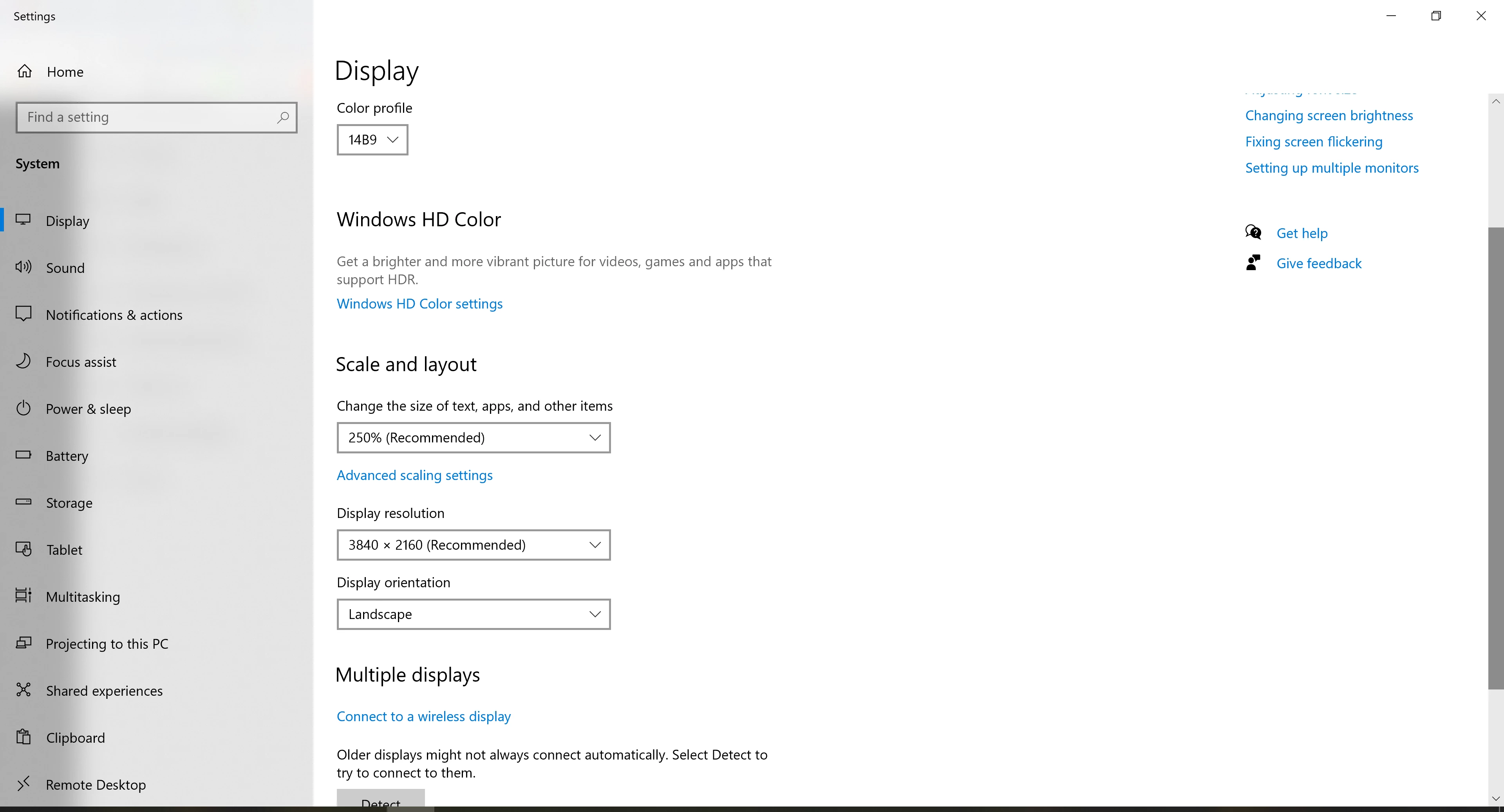
It's under UI Scaling but it's garbage. Unless you match it to the Operating System scaling it won't work at all. I've been shouting about it for years. The powers that be at Adobe simply don't care.


Just watch...the employees comment on every open post here but mention the UI Scaling on Windows and it's "See no evil..." 

Participating Frequently
January 18, 2021

So there is no solution to this?

I can barely read what is written...

BobLevine
Adobe Expert
January 19, 2021

I don't have the UI Scaling slider... 


What makes you think there's a slider? As I said, it's garbage. You get three choices...no scaling, 150% and 200% and those are dependent on the operating system setting.


Did you try them?

Participating Frequently
January 18, 2021

New Participant
October 14, 2021

Just like mine...NO SLIDER!🧐