


Copy link to clipboard
Copied
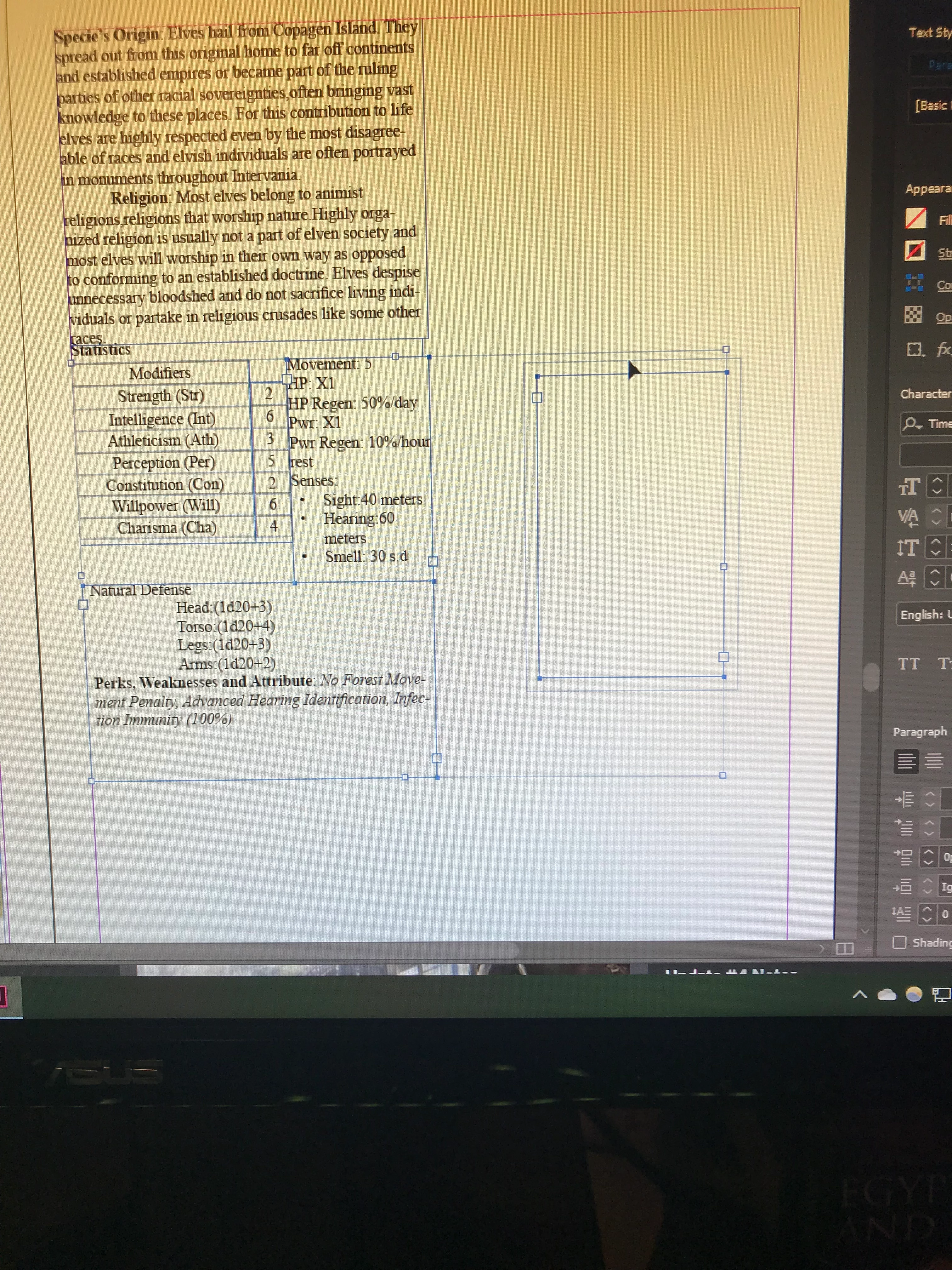
So I’ve been having trouble with creating new text boxes in InDesign. If I try to make a new one it has this weird secondary box around it like the box on the right and I can’t put the text boxes together as is seen in the boxes to the left. I’ve fiddled around with settings but nothing seems to work. Can anyone help me?
Copy link to clipboard
Copied
The text box looks like it might have a text wrap applied to it.
Select the text box with the black Selection tool.
In the Text Wrap panel, click the first icon to remove the wrap.
Copy link to clipboard
Copied
Copy link to clipboard
Copied
I figured it out. I had to switch the setting to ignore on "Spacing between paragraphs of the same style".
Copy link to clipboard
Copied
Barbara is right explaining the problem described.
You are handling objects, text frames, where one frame with a "weird secondary box around" does not allow to put or stick "boxes", text frames, together.
While the setting you name, Ignore spacing between paragraphs of the same style, is just a text attribute and as such does not include any visual indication.
I include a representation of your rotated picture here. The frame at right shows a text wrap applied to the frame.
I would suggest to learn to use (paragraph) text attributes, like space before and after, to in a flexible and editable manner fit text without placing together mnay text frames with no vertical control of text lines.
And to use screen captures directly, please see: https://support.microsoft.com/en-us/help/13776/windows-10-use-snipping-tool-to-capture-screenshots
Get ready! An upgraded Adobe Community experience is coming in January.
Learn more