


Known Participant
April 27, 2021
Answered

Insert tab after the number(up to 2 digits) Script

  • April 27, 2021
  • 10 replies
  • 2635 views

I would like to create a script that will simply adds tabs after the (number and the period). I was trying the ChainGrep, but cant find a way to execute it. I tried using find and replace as one of the ChainGrep: 

FIND: \d. REPLACE: \d.\t but it simply replace the number as "\d.\t" converted to chracters. Is there any way to execute this? Thanks in advance. 
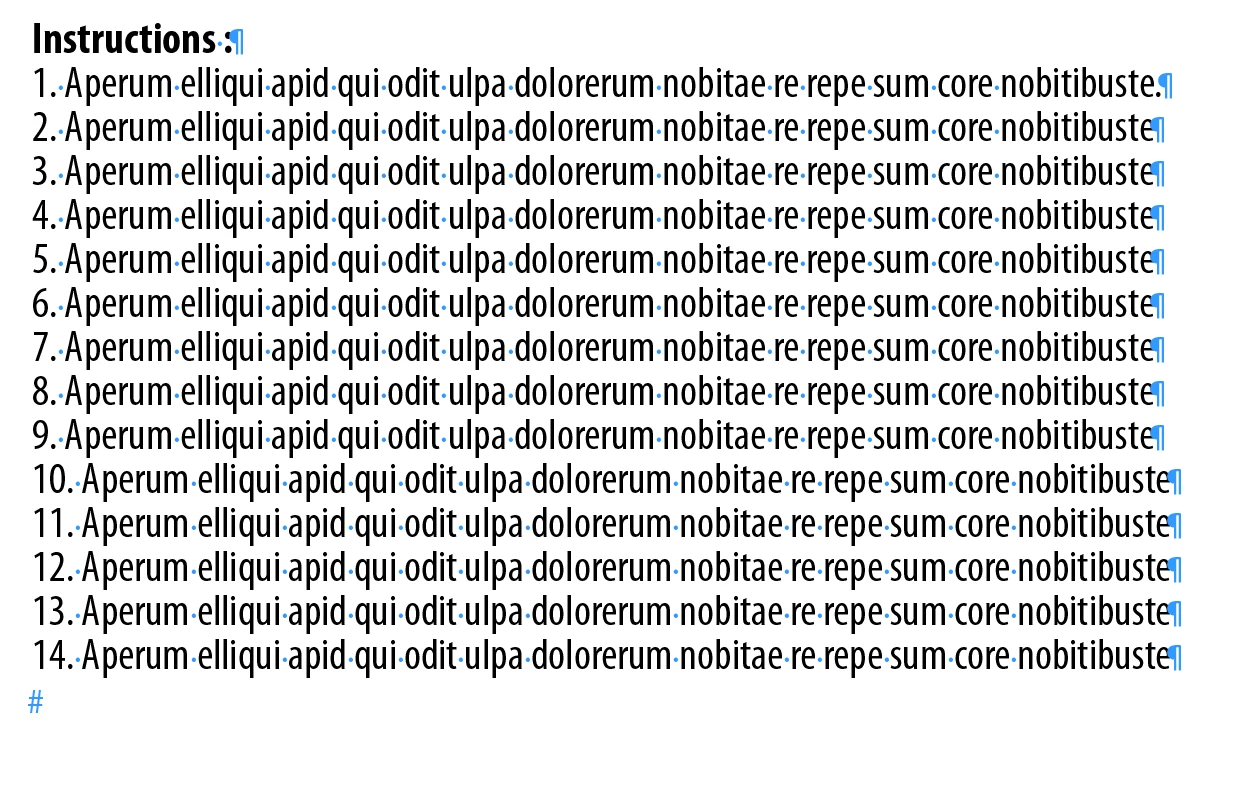
This topic has been closed for replies.
Correct answer Mike Witherell

Did you try:

FIND: (\d+\.)\s

CHANGE: $0\t


Better yet, why not strip the manual numbering out in favor of a numbered Paragraph Style?


10 replies

Mike Witherell
Adobe Expert
April 28, 2021

The javascript you are showing is a different animal to the chain of GREP searches. You cannot mix the two.

Mike Witherell
Known Participant
April 28, 2021

Thanks mike, I think I'll stick to the first process you've mention. 

FRIdNGE
Inspiring
April 28, 2021
// by FRIdNGE, Michel Allio [29/04/2021]

var myDoc = app.activeDocument;
app.findGrepPreferences = app.changeGrepPreferences = null;
app.findGrepPreferences.findWhat = "(?s)^\\d+\\.\\K\\h+";
app.changeGrepPreferences.changeTo = "\\t";
myFound = myDoc.findGrep();
var F = myFound.length,  f ;
for ( f = 0; f < F ; f++ ) {
    if ( !myFound[f].tabStops[0].isValid ) myFound[f].tabStops.add({position: "0.125 in"});
    else myFound[f].tabStops[0].position = "0.125 in";
    myFound[f].tabStops[0].alignment = TabStopAlignment.LEFT_ALIGN;
}
myDoc.changeGrep();
app.findGrepPreferences = app.changeGrepPreferences = null;


(^/)

pixxxelschubser
Adobe Expert
April 28, 2021

Hi @brian_p_dts 

For reasons I don't understand, the OP definitely doesn't want to use paragraph formats at all.

brian_p_dts
Adobe Expert
April 28, 2021

Well, they are going to be in for a sad surpise when they realize they can't change tab stops in changeGrepPreferences.

Known Participant
April 28, 2021

yes it is, but i have set some paragraph style to execute those functions, however Im still looking for a possible way to put the tabstop function on my script

pixxxelschubser
Adobe Expert
April 27, 2021

A second or third colon in your paragraph does not matter - but "a single" colon in the paragraph (standalone).

Known Participant
April 28, 2021

yes thats the problem I have right now, but anyway thank you so much!. Can I also ask how can I set the value of the tab char that I inserted after the number? I need to set it at 0.125 in. thanks is advance

Known Participant
April 28, 2021

ChainGREP does the sequence of separate Find/Changes.

One of the Find/Changes applies Formatting via a Paragraph Style

The Paragraph Style supplies the Tab distance value.

It is all a trickle-down.


Known Participant
April 27, 2021

yea its weird, Im also used on using paragraph styles but this particular artworks does not require those process.

Thank you pixxelschubser and FRidNGE it actually worked. unfortunately i have some colon symbols across the paragraphs, but atleast now I know what GREP to use. Thank you so much

FRIdNGE
Inspiring
April 27, 2021

^.+?:


(^/)  The Jedi

pixxxelschubser
Adobe Expert
April 27, 2021


I got your point, unfortunately we are working with files that is too complex to have paragraph/character styles …


By @Joseph Christian5C7F


Sorry. But I've never heard anything so strange.


But it doesn't matter. Try this grep:

^[^:]+:

But be sure, that there is no other colon in your text.

pixxxelschubser
Adobe Expert
April 27, 2021

There is only one truth in InDesign: only work with styles! Never use formatting that differs from the paragraph format.

Known Participant
April 27, 2021

I got your point, unfortunately we are working with files that is too complex to have paragraph/character styles. I just want to re-apply BOLD and ALL CAPS to the first word, just like I did on the 2nd and 3rd entry, unfortunately i dont know what grep to use to FIND all words before the COLON symbol.

pixxxelschubser
Adobe Expert
April 27, 2021

Use nested styles in a new paragraph format for all paragraphs with ":"

Known Participant
April 27, 2021

can i execute this without using character o paragraph style?

pixxxelschubser
Adobe Expert
April 27, 2021

Of course, you can replace the space with a tab.


But:

Create a new paragraph style with a numbering list.

Then I would remove digits, dot and space with Grep and at the same time assign the new created paragraph style with the numbering list. This will make handling much easier in the future.

F:  ^\d+\.\h([\l\u])

C:  $1


Known Participant
April 27, 2021

Thank you all, my next question is how can I find and apply character style when a TITLE consists of number of words. I was able to execute it on Titles that has only one word. (see attached image). I failed to apply the Character style which is BOLD and ALL CAPS to "Mise En Garde : " Thanks in advance


im using

app.findChangeGrepOptions.properties = ({includeFootnotes:true, kanaSensitive:true, widthSensitive:true});
app.findGrepPreferences.properties = ({findWhat:"\\r\\w+\\:|\\r\\w+\\s\\:"});
app.changeGrepPreferences.properties = ({fontStyle:"Bold Condensed", capitalization:1634493296});
changeObject.changeGrep();

Mike Witherell
Mike WitherellCorrect answer
Adobe Expert
April 27, 2021

Did you try:

FIND: (\d+\.)\s

CHANGE: $0\t


Better yet, why not strip the manual numbering out in favor of a numbered Paragraph Style?


Mike Witherell
Known Participant
April 27, 2021

This is perfect Mike! thanks! But how will I remove the single space before the tab? Thank you so much!

brian_p_dts
Adobe Expert
April 27, 2021

F: \s\t

C: \t