


Installed font showing missing only when exporting PDF (no preflight error)
Hi, I'm having a problem with InDesign fonts currently and I can't seem to find a fix.
FYI I have tried filling the Fonts folder in C:Program Files>Common Files>Adobe but to no avail, problem still persists.
> Installed font is working and showing in the fonts menu
> InDesign randomly says the font is missing after closing then reopening the file (even with 5mins apart and without having closed the software or rebooted my pc), which makes me fight with the font replacement tool to replace the missing fonts (sometimes it works sometimes it doesn't)
> When exporting to PDF I get an error saying that a font is missing even though preflight is clear of errors
Preflight status: 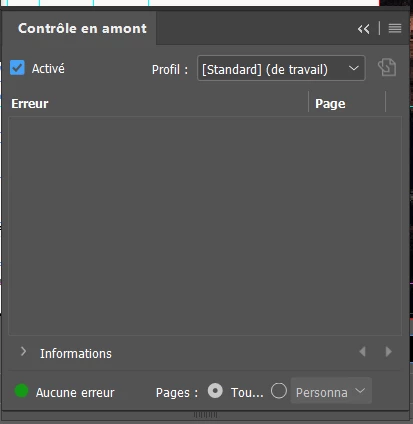
When I export: 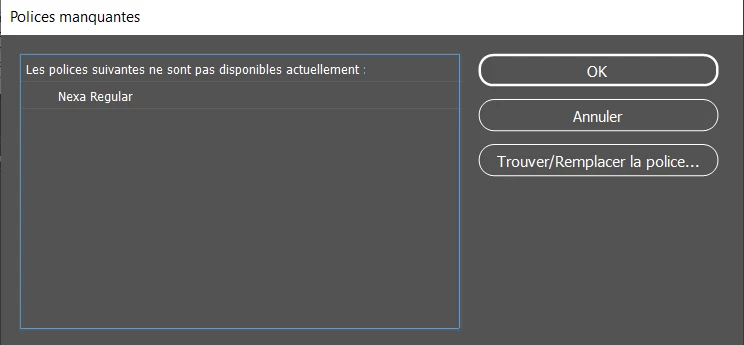
When I ignore the alert and export anyway, random textboxes get turned into a default system font, which is hard to spot in a document loaded with text and pages.
Also, where I work we're using an InDesign/InCopy workflow, the same issue persists on InCopy also (but I told the editorial team not to worry about it since I'm the one in charge of final exports)
I'm also starting to really suspect the quality of the font files and wondering if the font family attributes were done correctly so that softwares recognize the different weights in a font family (also idk if i can fix it myself)
About my fonts, the most problematic one is Nexa Regular from the Nexa font family bought on Fontfabric (before I started here, idk who was in charge), tried both the files I had received from corporate + the files in the font folder provided with the InDesign doc I'm working on, issue still persisting.
The other is Cormorant, idk from where they got it but since it's a Google font I thought that replacing it with files downloaded from Google Font would fix it. It did to some extent but still does some crazy stuff occasionally.
Has anyone come across such weird behaviour? And do you have any solution?
 AdChoices