



Roger Breton
Legend
October 24, 2022
Answered

Is there a way to join two anchor points in InDesign?

  • October 24, 2022
  • 1 reply
  • 1188 views

I can't have everything I have in Illusdtrator in InDesign but... for the life of me, is there a way to join two anchor points that are one of top of the other, the way Illustrator allows it with the Join command?


Here's a case where I have two arcs :
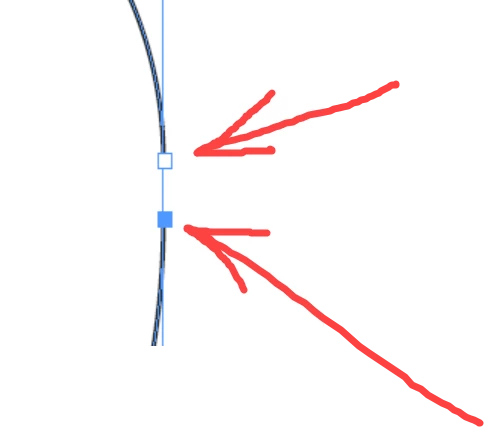
For illustrative purposes, I only selected the bottom anchor point with the Direct selection tool. 

Then, from the Pathfinder palette, I click the "Join" tool :
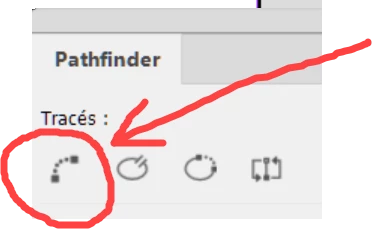
I was expecting the tool to draw a Bezier line between the two anchor points but that's not what it did?! 

It behave like Illustrator "Join" tool by "averaging" the two anchoir points first, I guess, and then join them?

Amazing... 


This topic has been closed for replies.
Correct answer Dave Creamer of IDEAS

Object > Paths > Join menu

There is no keyboard assigned but you can assign one if you wish.


1 reply

Dave Creamer of IDEAS
Community Expert
Dave Creamer of IDEASCommunity ExpertCorrect answer
Community Expert
October 24, 2022

Object > Paths > Join menu

There is no keyboard assigned but you can assign one if you wish.


David Creamer: Community Expert (ACI and ACE 1995-2023)
Roger Breton
Legend
October 24, 2022

Thanks David... So, in a way, InDesign does this "better" than Illustrator? In that the user does not have to specifically select the two end points and especially, as in my case, when the two end points happened to be perfectly superimposed, the Join command has the smarts to analyse each anchor points position and merge those that share the same position... Neat... I should have asked the question before 😉 I owe you one 🙂