



David Healy
Inspiring
August 20, 2019
Question

Is there an InDesign plug in or ExtendScript for the functions described below?
  • August 20, 2019
  • 3 replies
  • 507 views

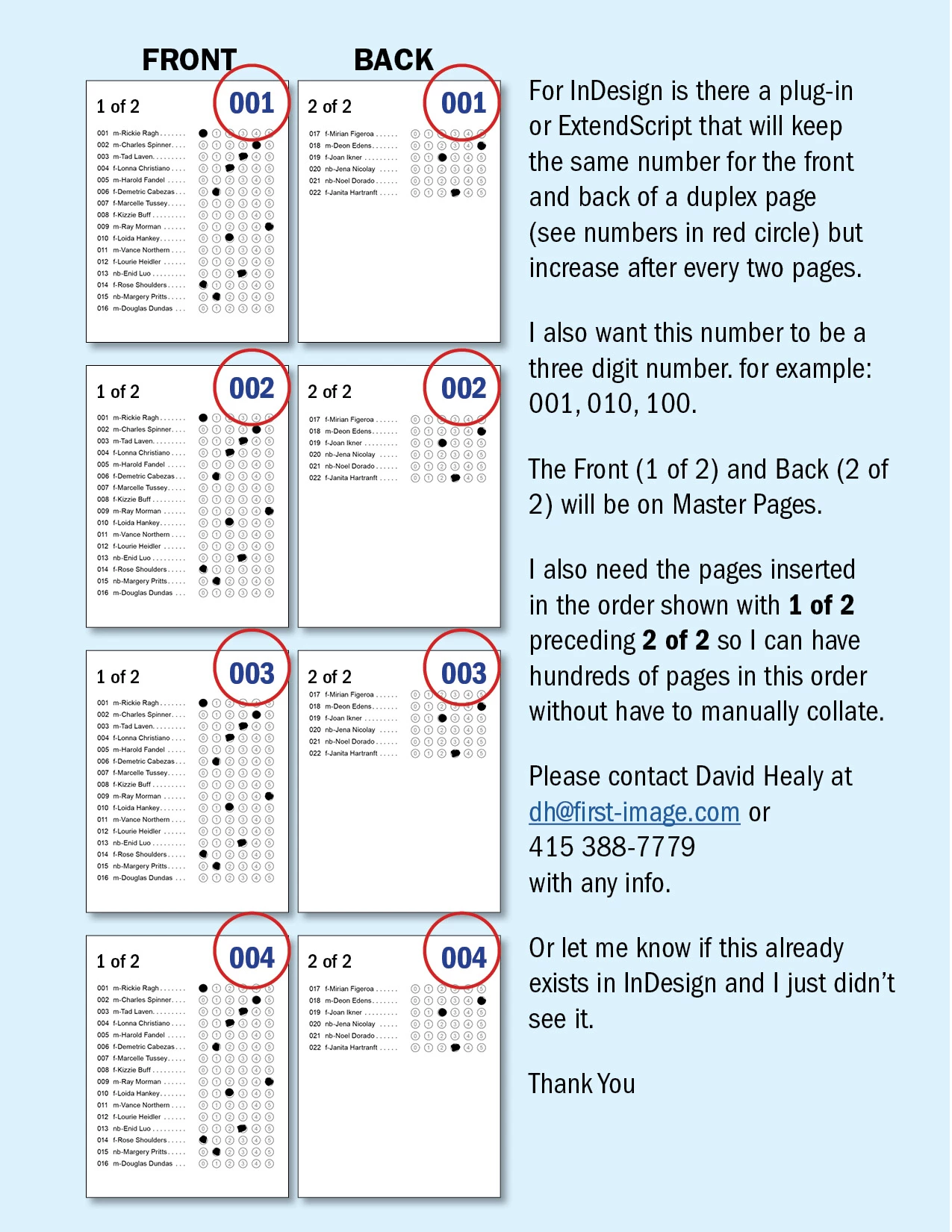
For InDesign is there a plug-in or ExtendScript that will keep the same number for the front and back of a duplex page (see numbers in red circle) but increase after every two pages.

I also want this number to be a three digit number. for example: 001, 010, 100.

The Front (1 of 2) and Back (2 of 2) will be on Master Pages.

I also need the pages inserted in the order shown with 1 of 2 preceding 2 of 2 so I can have hundreds of pages in this order without have to manually collate.

Please contact David Healy

with any info.

Or let me know if this already exists in InDesign and I just didn’t see it.

(moderator: phone number and email removed. Please do not give contact information)

    This topic has been closed for replies.

    3 replies

    brian_p_dts
    Braniac
    September 13, 2019

    Hi David, it's possible and would be relatively straightforward in Extendscript to iterate through the number of Spreads in a document, and assign their index number to a text frame in the manner you seek. Not sure what you mean about inserting the pages in order, but I'm sure it's possible. Feel free to message if you are still working on solving this. 

    TᴀW
    Braniac
    August 20, 2019

    Hi David,

    This can be done with my commercial InDesign add-on Page Numbers to Words | Id-Extras.com

    Ariel

    rob day
    Braniac
    August 20, 2019

    Or let me know if this already exists in InDesign and I just didn’t see it.

    You can do it with Current and Previous Page markers, but the setup would take some work, which might not be any better than manually keying in the numbers. Here I’ve setup three, 2 page spreads with Allow Document Pages to Shuffle turned off. Each spread has a Numbering & Section Option set. Spread 1 has Start Page Numbering at: set to 1, spread 2 has it set to 2, 3 et to 3 etc. The Section Prefix is set to 00.

    The marker on the right page is set to Previous Page Number and its text frame crosses over to the left margin of the left page. The marker on the left page is a Current Page Number.