@rob day
The following script can realize what I said, and there is no need to manage the coordinates.
Unfortunately, it has no dialog box.
I don't know how to do it.
#target indesign

app.activeDocument.viewPreferences.horizontalMeasurementUnits = MeasurementUnits.MILLIMETERS;
app.activeDocument.viewPreferences.verticalMeasurementUnits = MeasurementUnits.MILLIMETERS;

var s = app.activeDocument.selection;

//列数(Number of columns)
var col = 2;

//行数(Number of rows)
var row = 3;


//列间距(Column spacing)mm
var xgut = 2;

//行间距(Row spacing))mm
var ygut = 2;

var colw = getPos(s)[0];
var colh = getPos(s)[1];
var xoff = getPos(s)[2];
var yoff = getPos(s)[3] - (colh + ygut);
var startX = xoff;

//使用取模使矩阵设置列(Use modulo to make the matrix set columns)
for (var i = 0; i < s.length; i++){
    if (i % col > 0) {
        xoff = xoff + colw + xgut;
    }else{
        xoff = startX;
        yoff = yoff + colh + ygut;
    }
    s[i].move( [xoff, yoff] );
};


/**
* Get matrix tile position
* @Param the selection to arrange
* @Return an array with colwidth, rowheight, x, and y
*
*/
function getPos(sel){
    var x = sel[0].geometricBounds[1];
    var y = sel[0].geometricBounds[0];

    var w = 0;
    var h = 0;
    var a = []
    for (var i = 0; i < sel.length; i++){
        var b = sel[i].geometricBounds;
        if (b[1] < x) {
            x = b[1]
        }
        if (b[0] < y) {
            y = b[0]
        }
        if (b[3]-b[1] > w) {
            w = b[3]-b[1]
        }
        if (b[2]-b[0] > h) {
            h = b[2]-b[0]
        }
    };
    a=[w, h, x, y];
    return a
}
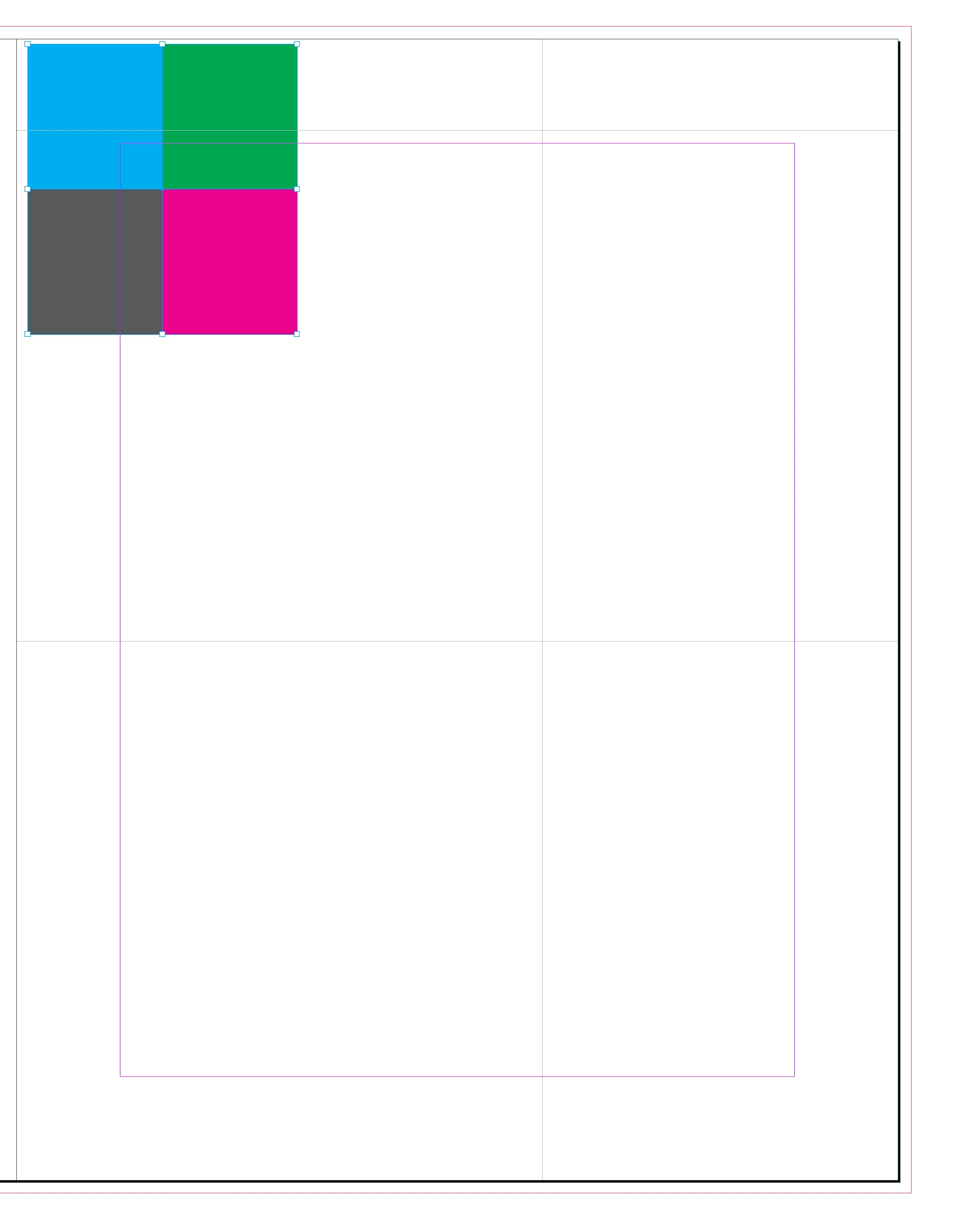
It’s easy enough to remove the X, Y preference from the dialog, but the grid is keyed off of the upper left corner of the selection and not its center. So in this example the new arrangment would not be centered on the original selection:
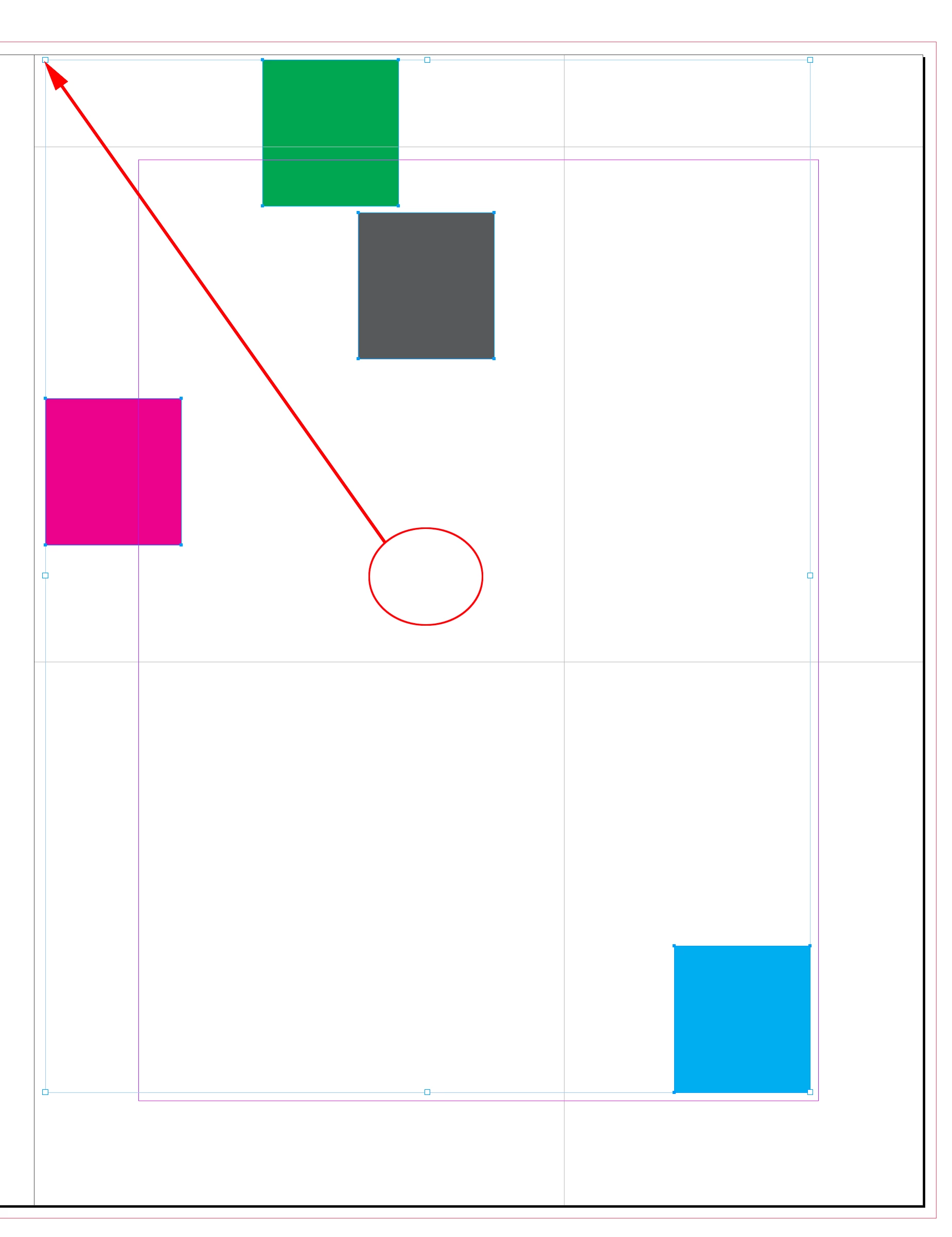
The grid will start from the upper left of the original selection
/*
* Arranges a selection of objects into a grid starting from the selection’s upper left
* Version 1.5
* Rob Day 2020-2021
*/


//check for a selection
var s = app.activeDocument.selection;
if (s.length > 1) {
    makeDialog();
} else {alert("Please Select Some Objects.")}

//result variables
var xoff, syoff, col, row, xgut, ygut;

/**
* Make the export settings dialog
*
*
*/
function makeDialog(){
    var mw = 90;

    //the dialog name
    var theDialog = app.dialogs.add({name:"Arrange Matrix", canCancel:true});
    with(theDialog){
        with(dialogColumns.add()){
            with(borderPanels.add()){
                with(dialogColumns.add()){
                    staticTexts.add({staticLabel:"Columns:"});
                    staticTexts.add({staticLabel:"Rows:"});
                    staticTexts.add({staticLabel:"Column Gutter:"});
                    staticTexts.add({staticLabel:"Row Gutter:"});
                }
                with(dialogColumns.add()){
                    var nCol = integerEditboxes.add({editValue:2, minWidth:mw});
                    var nRow = integerEditboxes.add({editValue:2, minWidth:mw});
                    var colGutter = measurementEditboxes.add({editUnits:MeasurementUnits.MILLIMETERS, editValue:0, minWidth:mw});
                    var rowGutter = measurementEditboxes.add({editUnits:MeasurementUnits.MILLIMETERS, editValue:0, minWidth:mw});
                }
            }
        }
    }

    var dResult = theDialog.show();
    if(dResult == true){
        col = nCol.editValue;
        row = nRow.editValue;
        xgut = colGutter.editValue;
        ygut = rowGutter.editValue
        theDialog.destroy();
        makeMatrix();
	}else{
		theDialog.destroy();
	}
}

/**
* Arrange the selected items in a grid
*  void
*/
function makeMatrix(){
    var sp = app.scriptPreferences.measurementUnit;
    app.scriptPreferences.measurementUnit = MeasurementUnits.POINTS

    var colw = getPos(s)[0];
    var colh = getPos(s)[1];
    var xoff = getPos(s)[2];
    var yoff = getPos(s)[3] - (colh + ygut);
    var startX = xoff;

    //Use modulo to make the matrix set columns
    for (var i = 0; i < s.length; i++){
        if (i % col > 0) {
            xoff = xoff + colw + xgut;
        }else{
            xoff = startX;
            yoff = yoff + colh + ygut;
        }
        s[i].move( [xoff, yoff] );
    };
    app.scriptPreferences.measurementUnit = sp;
}


/**
* Get matrix tile position
*  the selection to arrange
*  an array with colwidth, rowheight, x, and y
*
*/
function getPos(sel){
    var x = sel[0].geometricBounds[1];
    var y = sel[0].geometricBounds[0];

    var w = 0;
    var h = 0;
    var a = []
    for (var i = 0; i < sel.length; i++){
        var b = sel[i].geometricBounds;
        if (b[1] < x) {
            x = b[1]
        }
        if (b[0] < y) {
            y = b[0]
        }
        if (b[3]-b[1] > w) {
            w = b[3]-b[1]
        }
        if (b[2]-b[0] > h) {
            h = b[2]-b[0]
        }
    };
    a=[w, h, x, y];
    return a
}




 AdChoices