



Issues with Color Picker in InDesign: HSB and RGB Confusion Leading to Unexpected Colors
When I open the color picker to adjust a shade, I usually automatically do so in HSB, since I usually want a lighter or darker shade of what I'm working on. But if I don't actually click on the radial buttons for the HSB value I'm working on, InDesign will give me some wild colors! It seems to be confusing HSB and RGB somehow--but I don't know why or how, since I'm editing in the HSB boxes.
As an example, let's say I want a darker version of this blue:
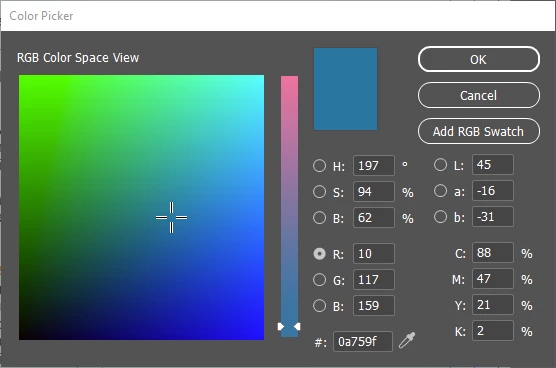
So I'm going to go to brightness and reduce it to 50%. This is what I get:
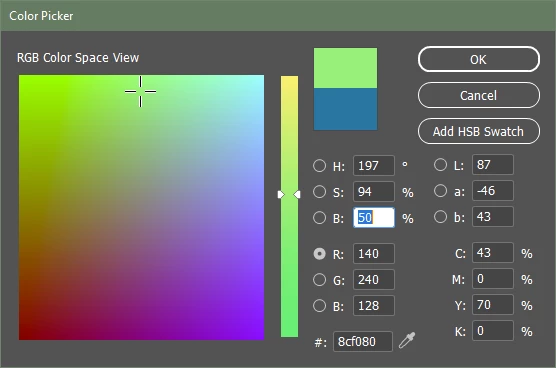
Like I said, if I toggle the button to "B" instead of where it starts out in"R," it's snapps back and starts behaving again:
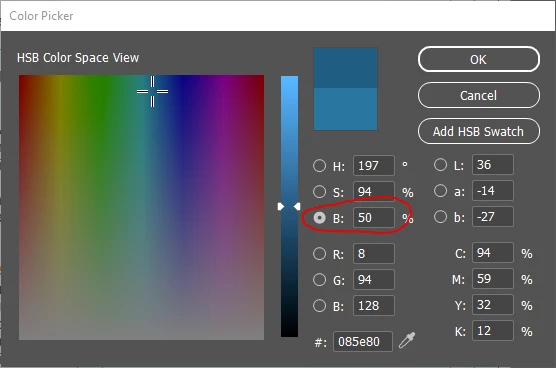
It's not a huge problem, but it's still kind of annoying. Does anyone else experience this?
<Title renamed by moderator>
 AdChoices