
Inspiring
April 14, 2022
Question

Italic JavaScript that converts regular text into italics

  • April 14, 2022
  • 3 replies
  • 1484 views

I use this simple JavaScript (Italic.jsx) that converts highlighted Open Sans text into italics:

app.selection[0].appliedCharacterStyle='Italic';


Worked until at least InDesign 16 but now produces this error:
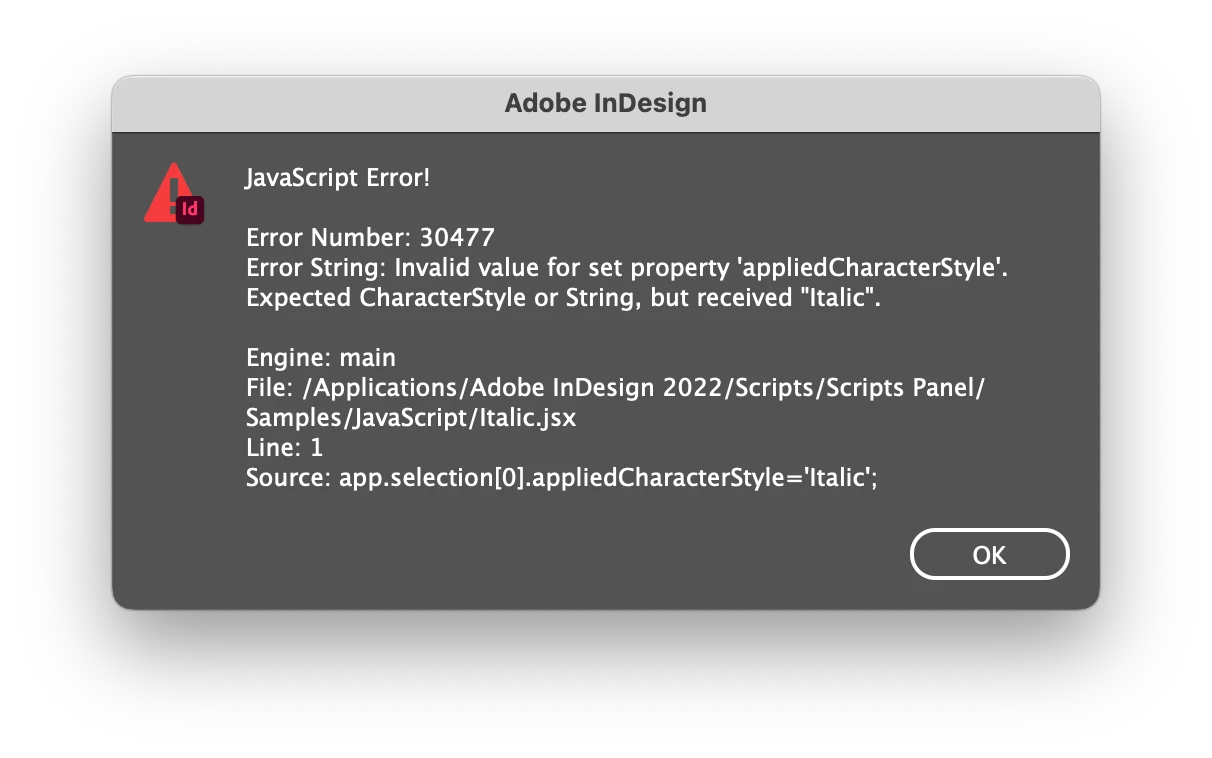
Anyone have a tip on how to make this work again?

This topic has been closed for replies.

3 replies

Braniac
April 16, 2022

Make sure that that your character style's name is really Italic. There could be an invisible character in the style's name. I've seen quite a few cases of a style name that had a return at the end or a tab. You don't see that in the panel, but you can try this: apply the style to some text, then click somewhere in that text and run this script:


app.selection[0].appliedCharacterStyle.name.length


In your case it should return 6.

The problem can happen if you (or some other user) copied a name and used that to name the style.

To fix a problem like this, simply re-type the name in the panel.

P.

Braniac
April 14, 2022

In addition to what @brian_p_dts mentioned also make sure that the style is not a part of a group. You could even try the following code snippet


app.selection[0].appliedCharacterStyle=app.documents[0].characterStyles.itemByName("Italic");


For example on how to deal/find style within groups you can refer to the following discussion. It talks about paragraph styles but the code for character style also remains the same mostly with changes only to the name of property and methods.

https://community.adobe.com/t5/indesign-discussions/script-find-paragraph-style-under-the-folder/m-p/12833881#M470607

-Manan 

Inspiring
April 14, 2022

That didn't work either, produces a similar #30477 error.


I created a workaround. Using the standard Shift-Command-I, which used to select Open Sans Condensed Italic because, I guess, that was first in the font menu. So I deleted that particular Italic and now it works but it’s not an optimal solution. 🫤

brian_p_dts
Braniac
April 14, 2022

Please paste an image of your Character Styles panel of the document you are getting this error on that shows a named character style called Italic. If the document does not have that Character Style this script will not work. Does not matter if it has worked on hundreds of other documents. The script cares nothing about font sets.

brian_p_dts
Braniac
April 14, 2022

You sure the document has a Character Style called "Italic"?

Inspiring
April 14, 2022

Well it worked before on hudreds of documents and the font set was the same.