Inspiring
February 2, 2022
Answered

[Jsx] Apply Paragraph Style, then next style via scripting?

  • February 2, 2022
  • 3 replies
  • 5323 views

Is it possible via scripting to apply a Paragraph Style and next style?


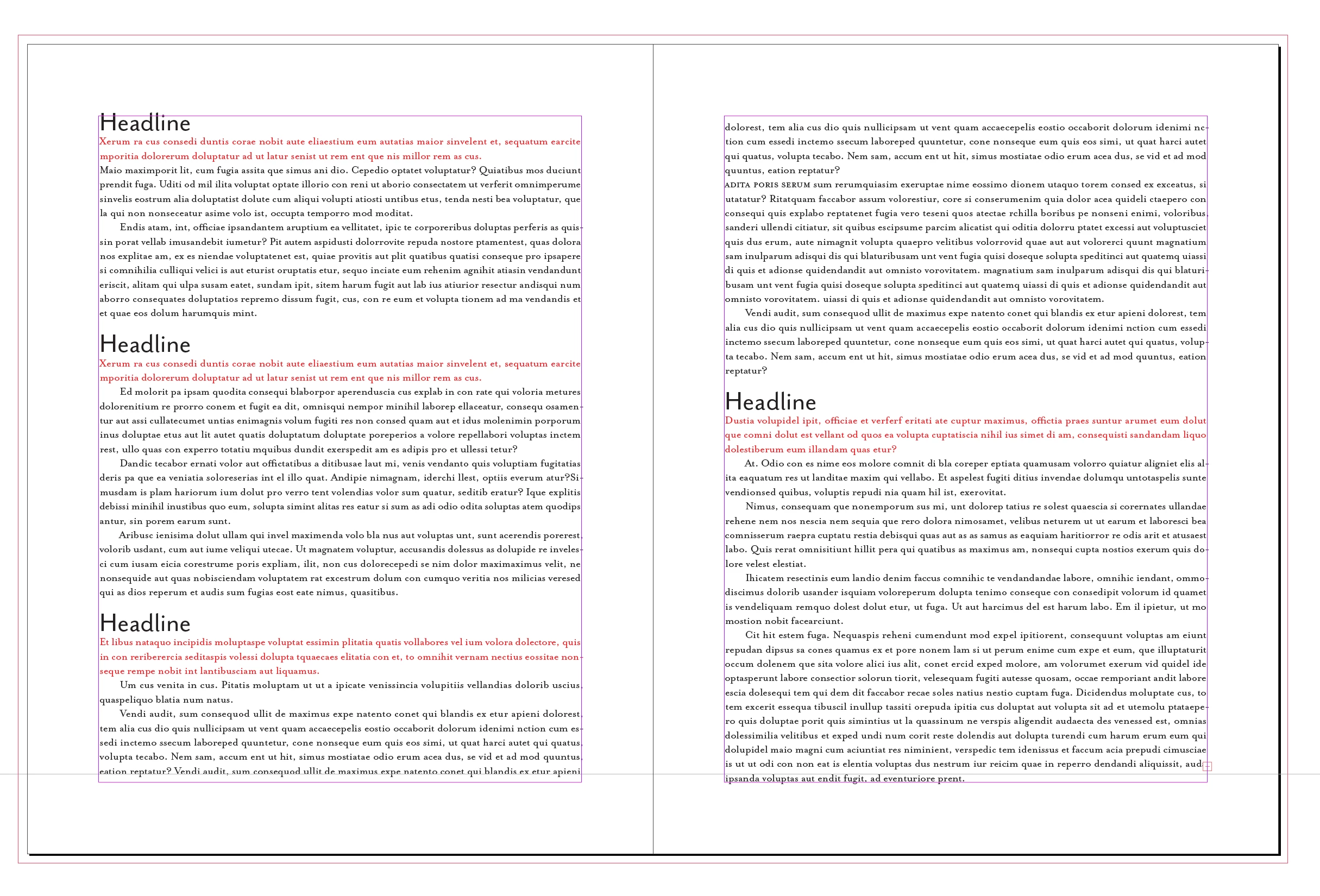
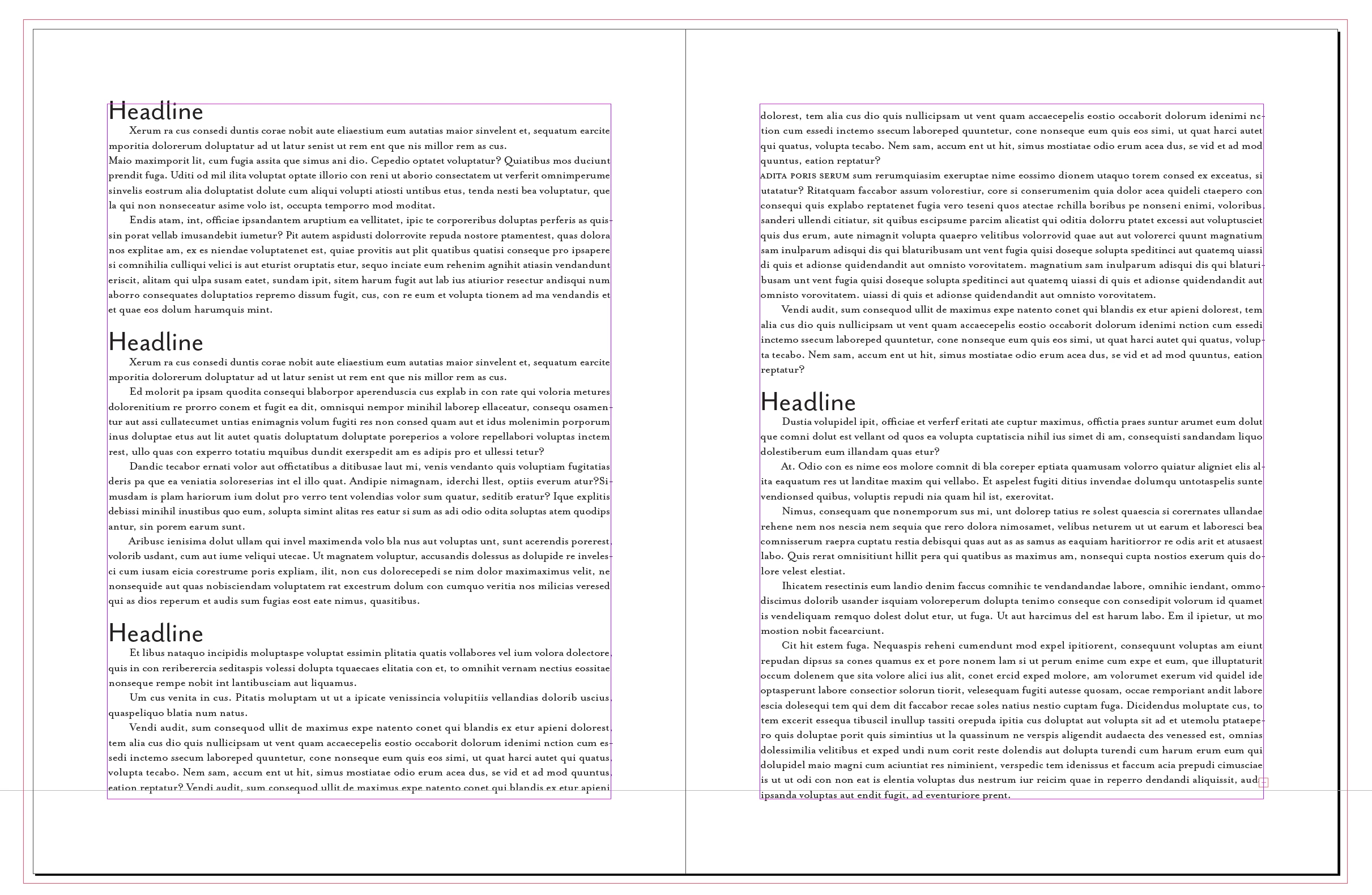
Basically right now manually I select a text frame and then select all text. The text frame is linked to other text frames which the text flows to. I then right click on the paragraph style and select "Apply [Paragraph Style Name] and then Next Style" where [Paragraph Style Name] is the name of the paragraph style.

I would like to automate this process.

- I should be able to identify the first text frame via the text frames name (this should not be hard).

- Once the text frame is selected I need to select all of its text. Not exactly sure how to do this and insure it selects all the text included linked text frames.

- Once the text is selected I then apply the paragraph style. I assume something like app.selection.texts[0].appliedParagraphStyle =

app.activeDocument.paragraphStyles.item("[Insert Paragraph Style Name]");
The part I am unsure about is will that apply the next style or is there a certain way I need to call it to apply the next style.


Thanks in advance to anyone that helps out!
This topic has been closed for replies.
Correct answer rob day

Hi @JO_15 , would something like this work?


//rename as needed
var sn = "Paragraph Style 1"
var s, ns;

for(var i=0; i < app.activeDocument.stories.length; i++){  
    s = app.activeDocument.stories.item(i);  
    for(var j=s.paragraphs.length-1; j > -1; j--){  
        ns=s.paragraphs.item(j).appliedParagraphStyle.nextStyle; 
        if (s.paragraphs.item(j).appliedParagraphStyle.name == sn ) {
                s.paragraphs.item(j+1).appliedParagraphStyle = ns;  
        } 
    }  
} 


3 replies

rob day
rob dayCorrect answer
Adobe Expert
February 2, 2022

Hi @JO_15 , would something like this work?


//rename as needed
var sn = "Paragraph Style 1"
var s, ns;

for(var i=0; i < app.activeDocument.stories.length; i++){  
    s = app.activeDocument.stories.item(i);  
    for(var j=s.paragraphs.length-1; j > -1; j--){  
        ns=s.paragraphs.item(j).appliedParagraphStyle.nextStyle; 
        if (s.paragraphs.item(j).appliedParagraphStyle.name == sn ) {
                s.paragraphs.item(j+1).appliedParagraphStyle = ns;  
        } 
    }  
} 


JO_15Author
Inspiring
February 3, 2022

Hi Rob,


Thank you for the response and code example!


I think that should work.

So basically the only way to do ParagraphStyle then Apply Next Style in script is to manually code the functionality. At least that is how I am interpeting your code. 

I wish they would have had just a parameter you could add to appliedParagraphStyle that would make it apply the next style.
Thank you again for all your help!

rob day
Adobe Expert
February 3, 2022

There is an Apply Next Style in the paragraph Style section of Object Styles, but I don’t think it will work on threaded stories:


Here AHeads Next Style is BHead, BHead’s next style is Text, and Text’s next style is AHead—the styles loop when the Object Style is applied to the frame


Adobe Expert
February 2, 2022

Hi JoJa15

see for example into a script by Timothy Ariel Walden:


InDesign Quick Apply with Next Style
by Ariel, August 30, 2016

https://www.id-extras.com/indesign-quick-apply-with-next-style/


There are some scripts around that would work if there are no paragraph styles in style groups.

The code is from 2006 or before when no style groups were possible in InDesign.


One example where you can perhaps build on:

Nächstes Format anwenden
Martin Fischer, 28. Sep 2006

https://www.hilfdirselbst.ch/gforum/gforum.cgi?post=253739#253739


Mark, also see into this below to understand the task:

Can Apply Next Para Style be scripted?
Matt Mayerchak, February 4, 2014
https://creativepro.com/topic/can-apply-next-para-style-be-scripted/


Regards,
Uwe Laubender

( ACP )

JO_15Author
Inspiring
February 3, 2022

Hi Uwe,


Thank you for the links and taking the time to help me out!


I am fairly new to InDesign so I am pretty sure I am not using Paragraph Style Groups. I just have a series of Paragraph Styles. 
I checked out the InDesign Quick Apply with Next Style by Ariel, August 20, 2016. Unfortunately when I downloaded it, it comes as a jsxbin file. So I am unable to look at it to try and learn how I can do it myself.

I then checked out Nächstes Format anwenden Martin Fischer, 28. Sep 2006. If I understand it correctly to apply the Paragraph Style then Apply Next Style functionality that InDesign does you need to in your code manually select the next style correct? So instead of calling one function with a parameter that specifies using the next style you need to manually program it. If I am understanding it correctly I would approach it as follows:
- Find the TextFrame that I need to start on.
- Select all the text in the TextFrame and linked TextFrames (similar to select all).
- Loop through the selections paragraphs. The first paragraph gets the first style, the next paragraph would get the next style, and so on until all paragraphs have had a style applied. 
Is that how I need to go about it?

m1b
Brainiac
February 2, 2022

Hi @JO_15, I'm not sure exactly what you are trying to do. When I right-click on the paragraph style I don't see Apply [name] and then Next Style. I'm not sure how that would work either. My understanding is that a paragraph style's Next Style is just the style that gets applied if you press return after *typing* in the original paragraph style and pressing return. I might be wrong.


Do you want to be able to select a text frame, and set all text in first textframe to a paragraph style and automatically set all text in the second linked text frame to another paragraph style? Sorry for not understanding.

- Mark

JO_15Author
Inspiring
February 2, 2022

Hi m1b,


If I select text inside of a text frame using CTRL-A (windows) and then right click on a paragraph style that has a defined next style I see the following dialogue:

You can see there is a section that says: Apply "Test Paragraph Style" then Next Style.
What I am trying to find out is, is it possible to apply that paragraph style and then next style (similar to the manual process above) programatically using an Indesign javascript script.

JO_15Author
Inspiring
February 2, 2022

I forgot to answer your second question. Yes I have several text frames that are linked. Lets say TextFrame1 - 10. I also have several different paragraph styles. Lets say paragraphStyle1-10. Each style is linked to the other in order i.e. paragraphStyle2 is the next style after paragraphStyle1. ParagraphStyle10 has paragraphStyle1 as the next style so it forms a loop. 

I am trying to programatically select all the linked text in TextFrame1-10 (I manually do this by selecting the text inside TextFrame1 and then using CTRL-A select all). Then I am trying to programatically apply paragraphStyle1 and Next Style similar to how I do it manually by right clicking on the paragraph style in the paragraph styles window and selecting Apply "Paragraph Style 1" then Next Style.

I hope that makes sense.