



Keeping text out of the gutter on Amazon KDPP
I need some clarity on print novel formatting errors from KDPP. Amazon suddenly started rejecting print manuscripts due to infringement on the gutter by text. (I've never had this issue before). I have always set all the margins and gutter to their specification, but still, the problem persists. I tweaked it enough last time to get the project through, but i have another thirty-two novels of mine that i will be updating in ID, and need to understand why this is happening and how to avoid it. Adobe support has been no help at all on this. They either address something i did not ask, or they condescend by explaining to me what a gutter is.
Here's the screenshot from Amazon KDPP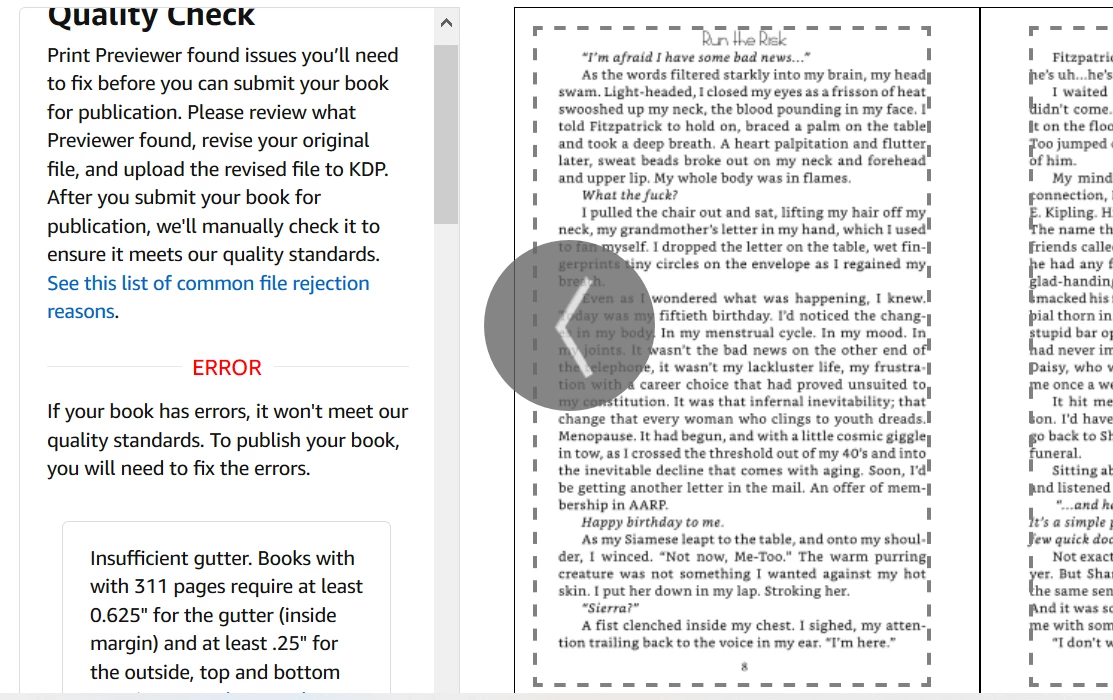
and here are my settings.
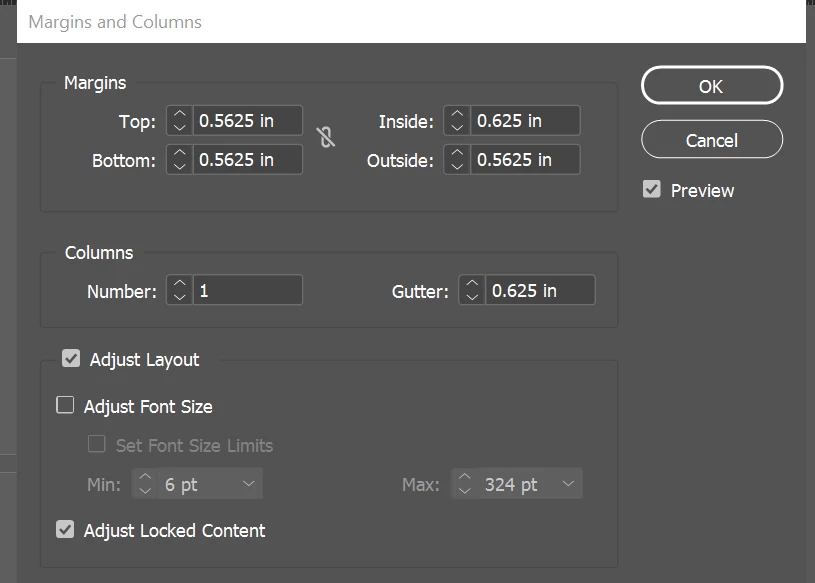
So perhaps the question is, what is the difference between margin/gutter settings AND the text frame that might be on the page? I place my text frames according to the guides created by the settings. Since most of these issues with KDPP seem to be about text infringing on the gutter, even when the page settings are correct, how do I keep this from happening? Don't the guides for the text frames match the appropriate space where text is allowed? If the proper settings won't do it, what will?
I appreciate any insight.
 AdChoices